
OMG Release notes - v7.200.0
Key updates this release ✨
This release represents a significant milestone in optimizing the My Resources and Project Deliverables modules. By focusing on workflow efficiency, bulk editing capabilities, and data persistence, this release empowers project teams to manage resources and deliverables with greater speed and accuracy.
Key highlights include enhanced AI briefing validation, improved scheduling controls, and robust UI improvements across the admin and planning interfaces.
👥 My Resources Scheduler
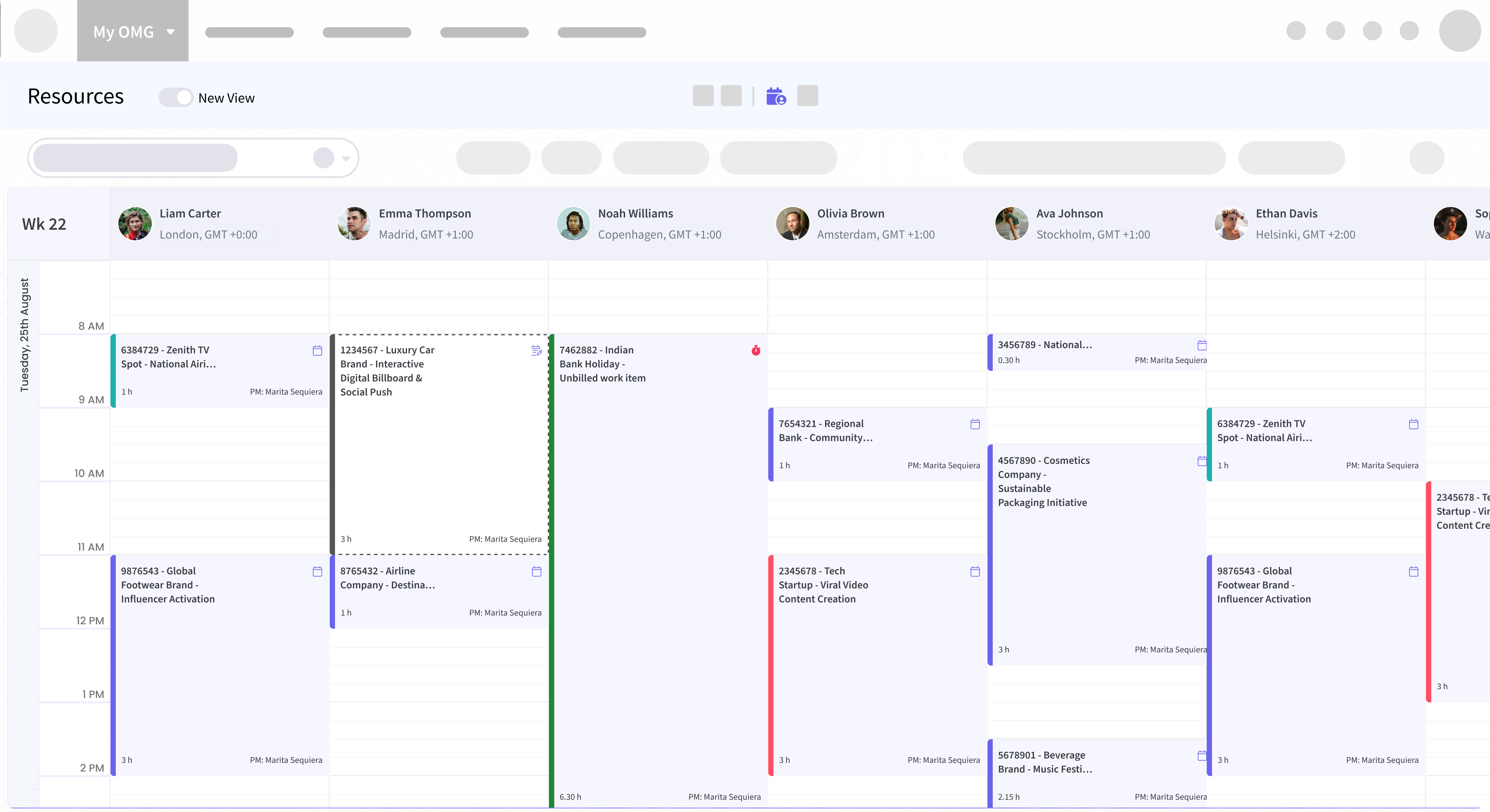
Plan ahead with the new Agenda view 📊
Get a clearer picture of your resources’ schedules with the new Agenda view in My Resources. Scroll seamlessly through each resource’s daily, weekly, or monthly agenda without jumping between dates or clicking through navigation arrows.
It’s an easier way to see what’s planned, spot upcoming work, and move through your team’s schedule at a glance.
Historical Data Visibility 📚
Users can now access up to 12 months of historical bookings in the My Resources calendar. This enhancement is crucial for scanning past project allocations and planning future resource needs with greater context.
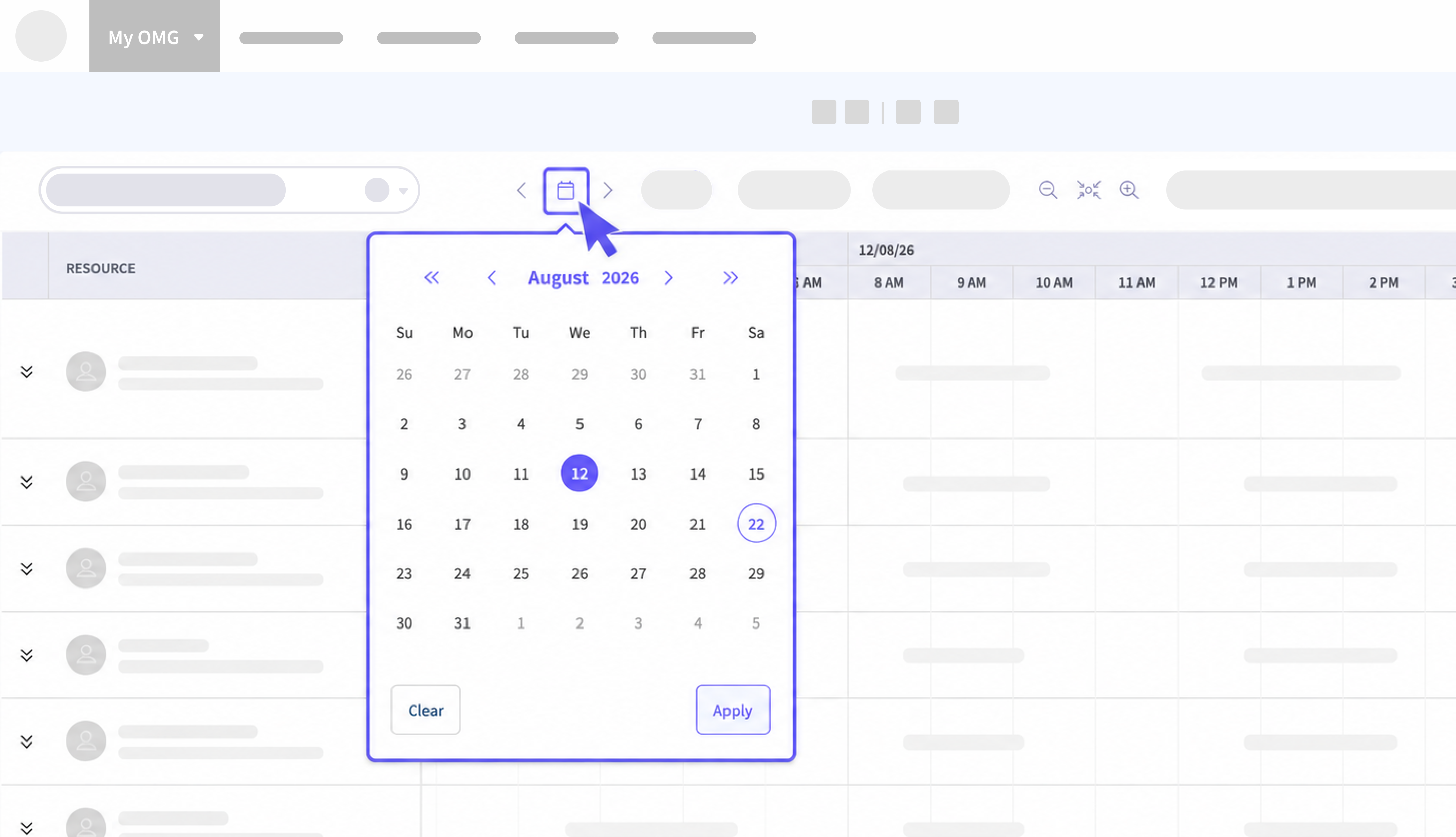
Date Picker 📆
Added a sophisticated date picker to the My Resources toolbar. This allows users to easily jump to specific dates instead of having to scroll back and forth, improving the efficiency of scheduling and date navigation across different views.
Resource Scheduler Controls 👁️
Introduced a Strict Read-Only mode for the Resource Scheduler Viewer. This ensures that administrative oversight remains intact, preventing accidental edits or unauthorized changes while allowing full visibility into the schedule.
24-Hour Scheduling 🌏
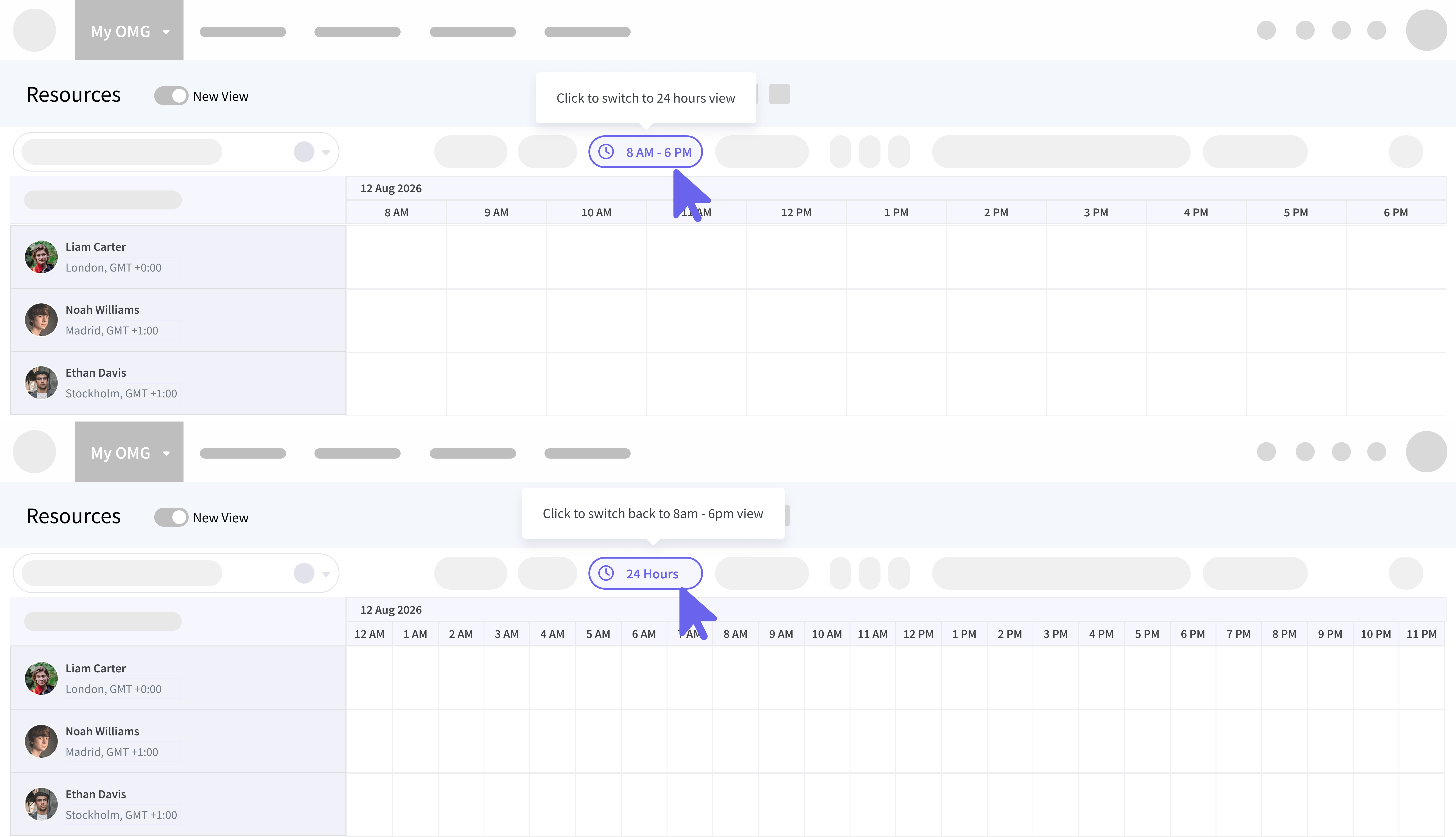
Added a 24-Hour view in the My Resources toolbar, providing creatives and planners with a clearer, more comprehensive view of day-long task distribution and resource availability. You can now switch to a 24 hour view, or switch back to an default 8am - 6pm view.
Shift Pattern Transparency 🌓
Enhanced the reflection of shift patterns in My Calendar and updated direct access to Shift Pattern Management. This ensures that all scheduling is perfectly aligned with actual working hours, avoiding booking conflicts for team members with non-standard shifts.
🚀 Deliverables
Bulk Edit Capabilities ☑️ ☑️ ☑️
The Top Nav Deliverables view now supports bulk editing for all selected editable fields. This change drastically reduces the administrative overhead by allowing project managers to update status, priority, or owners for multiple deliverables in a single action.
Reason for Change Tracking 🔀
Added a mandatory Reason for Change column in Top Nav Deliverables. This new field provides an essential audit trail for critical updates, ensuring transparency and accountability throughout the project lifecycle.
Media Sub-Type Expansion 🔌
Expanded Media Sub-Types to include Video – Remix and Static – Remix. These additions cater to specific creative workflow requirements, allowing for more granular categorization of assets in the planning stage.
Template-Driven Deliverable Creation 📝
Extended the deliverable template system to support multiple templates simultaneously with independent quantity settings. This allows for complex project setups to be initialized in a fraction of the previous time.
👨🏼💻 Performance, Usability, & Reliability
Preference Persistence ⚙️
Implemented robust cross-session persistence for grouping and filtering preferences. Your workspace settings—including column layouts, filters, and grouping states now stay exactly as you left them across both Site Admin (Users, Asset Types, Rate Cards) and Global Admin modules (Agencies, Groups, Sites).
Excel Export Accuracy 📊
Corrected an issue causing historical bookings to be missing in Excel exports from My Resources, ensuring complete reporting parity between the UI and your downloaded data.
🗂️ Planning
Search Beyond Your Own Projects 🔍
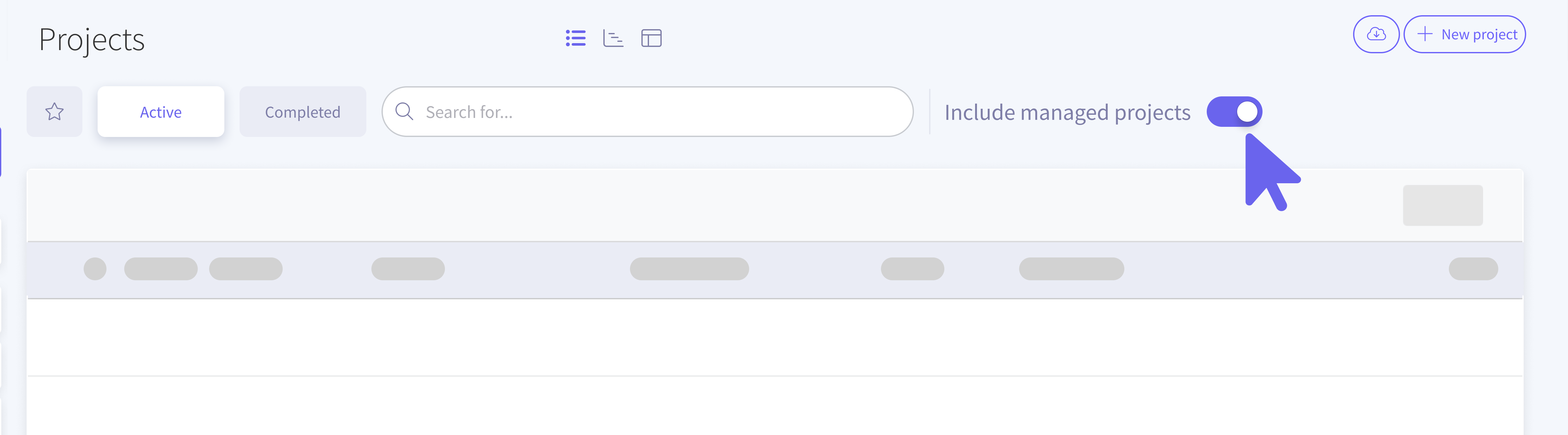
You can now use the new Include All Projects toggle alongside the Planning search bar. Turn it on to include all projects you have access to, including those you’re not directly involved in, such as projects available through your Entity or Agency Manager permissions.
The toggle is available for Projects, Activities, and Campaigns, with the label automatically updating to match the planning record you’re viewing. Turn it off anytime to return to your usual search results.
🛠️ Performance Fixes
Faster Planning Performance ⚡
Addressed latency issues in the Planning Projects List view and optimized the loading speed of nested line items, providing a smoother and more responsive user experience.