OMG Release notes - v7.171.0
Slipstream Brief Enhancements
💼 Seamlessly Automate Brief Creation with PDF Uploads
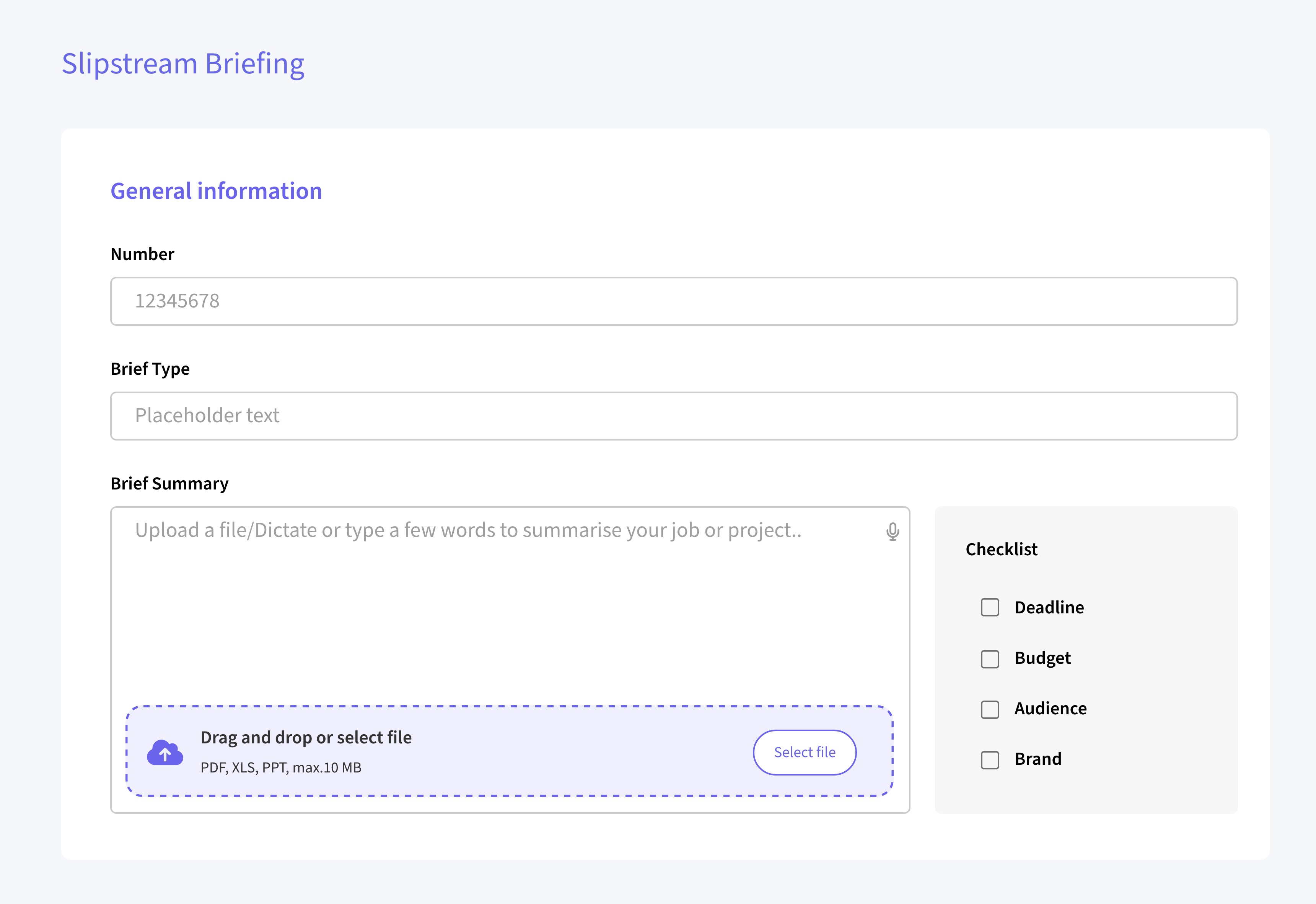
We have introduced a new feature that allows users to upload a PDF document directly into the Brief Summary section of a Slipstream brief. OMG then processes the file, extracts the content, and organizes the briefing form as if the information were typed or pasted manually. Images within the PDF are also analyzed during this process, and the form can be configured to provide additional context, streamlining brief creation like never before.
Plans & Tasks Improvements
📝 Smarter Task Management Features
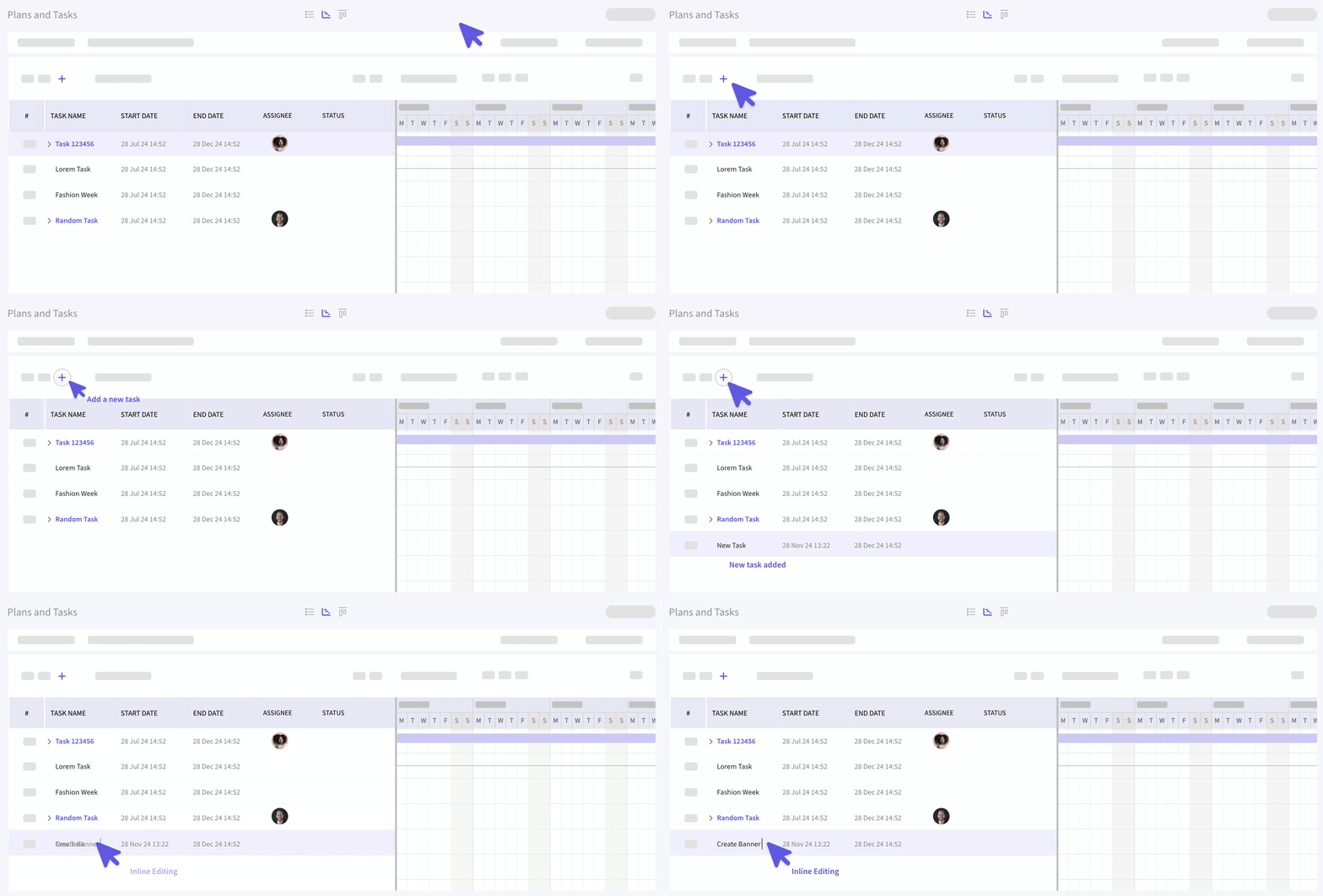
Quickly create new tasks with the ➕ button, enabling instant additions without needing a modal. Modify task details directly with inline editing by simply double-clicking any editable field. Experience improved bulk assignment functionality for converted planning records, and experience enhanced performance for bulk operations involving multiple subtasks, ensuring smoother and more efficient workflows.
SVG File Support
📤 Added File support for SVG across OMG
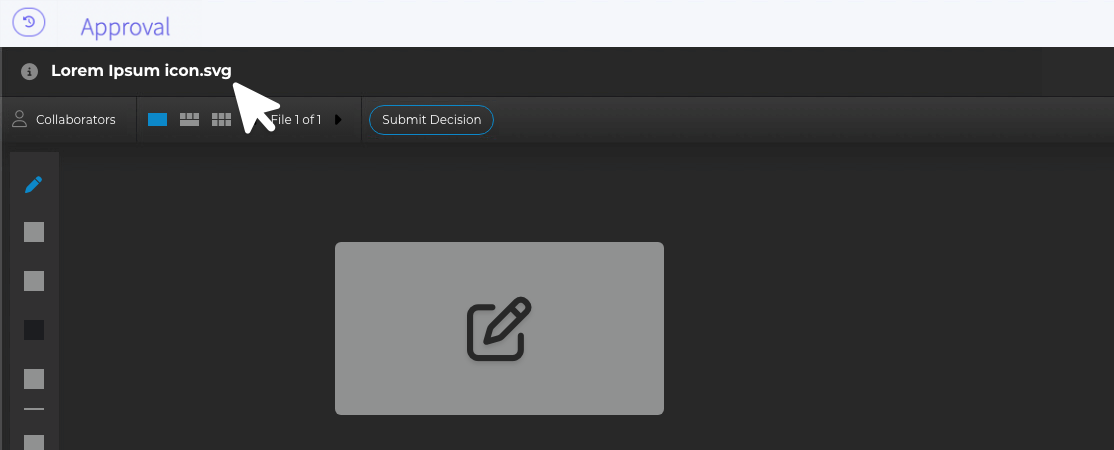
SVG file uploads are now supported in OMG across all areas (except QUILL). The original file can be downloaded as a .svg, while proxies such as thumbnails, previews, and lo-res versions download as if they were .jpg or .png files. Thumbnails appear in the gallery and details view, maintaining the same functionality as .jpg uploads.
Additionally, SVG files can be sent for approval and viewed seamlessly in ReviewStudio, enhancing compatibility and workflow flexibility.