OMG Release notes - v7.192.0
Key updates this release ✨
This release focuses on performance optimisation and workflow improvements, particularly around search functionality and task management flexibility. The type-ahead search enhancements significantly reduce page load times, while the drag-and-drop capabilities and favourites feature streamline daily workflows.
🔍 Dropdown Search Enhancements
Planning & Projects 📈
We've optimised the loading performance of the Project Details page by converting several dropdown fields to dynamic type-ahead search fields. This update has significantly helped in faster page load times by eliminating the need to load thousands of language and country options on every page to load.
Language and Country Fields 🌏
These fields now use type-ahead search instead of loading full dropdown lists:
- Type at least 3 characters to search and filter results.
- View your 5 most recent selections at the top for quick access.
- Search filters both recent choices and all available options simultaneously.
- Selected values display by default.

Gadgets Field 🛠️
Now includes the same type-ahead functionality with recent choices support.
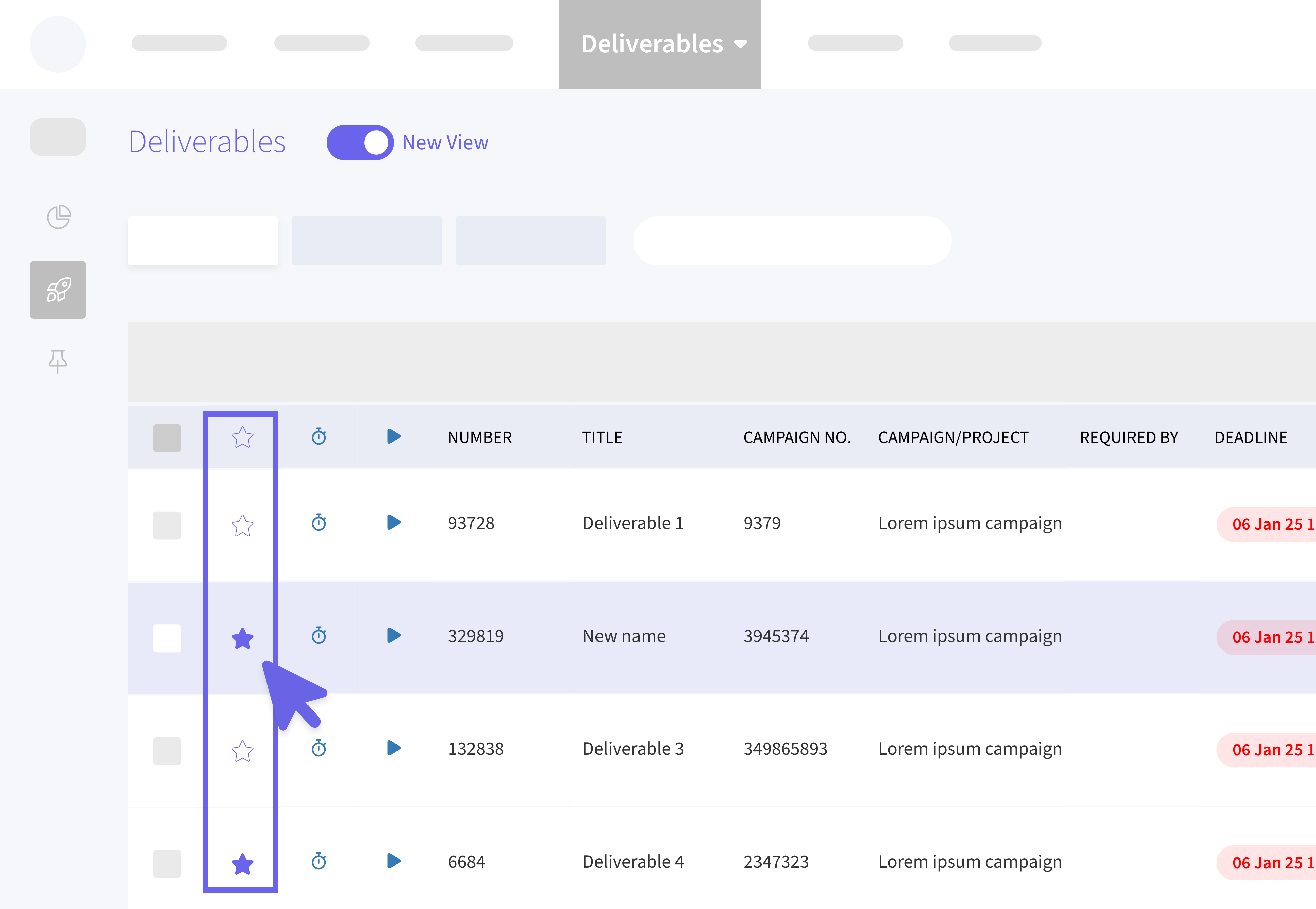
⭐️ Favourites View
Deliverables, Briefs & Line Items 💼
We've now added a new Favourites 🌟 tab that allows users to:
- Mark records as favourites for quick access.
- View all your favourited records in one consolidated view.
- Remove items from favourites directly from the tab.
- Favourites are automatically saved across sessions.
🧑🧒🧒 Multiple Assignees - Gantt View
Plans & Tasks ✅
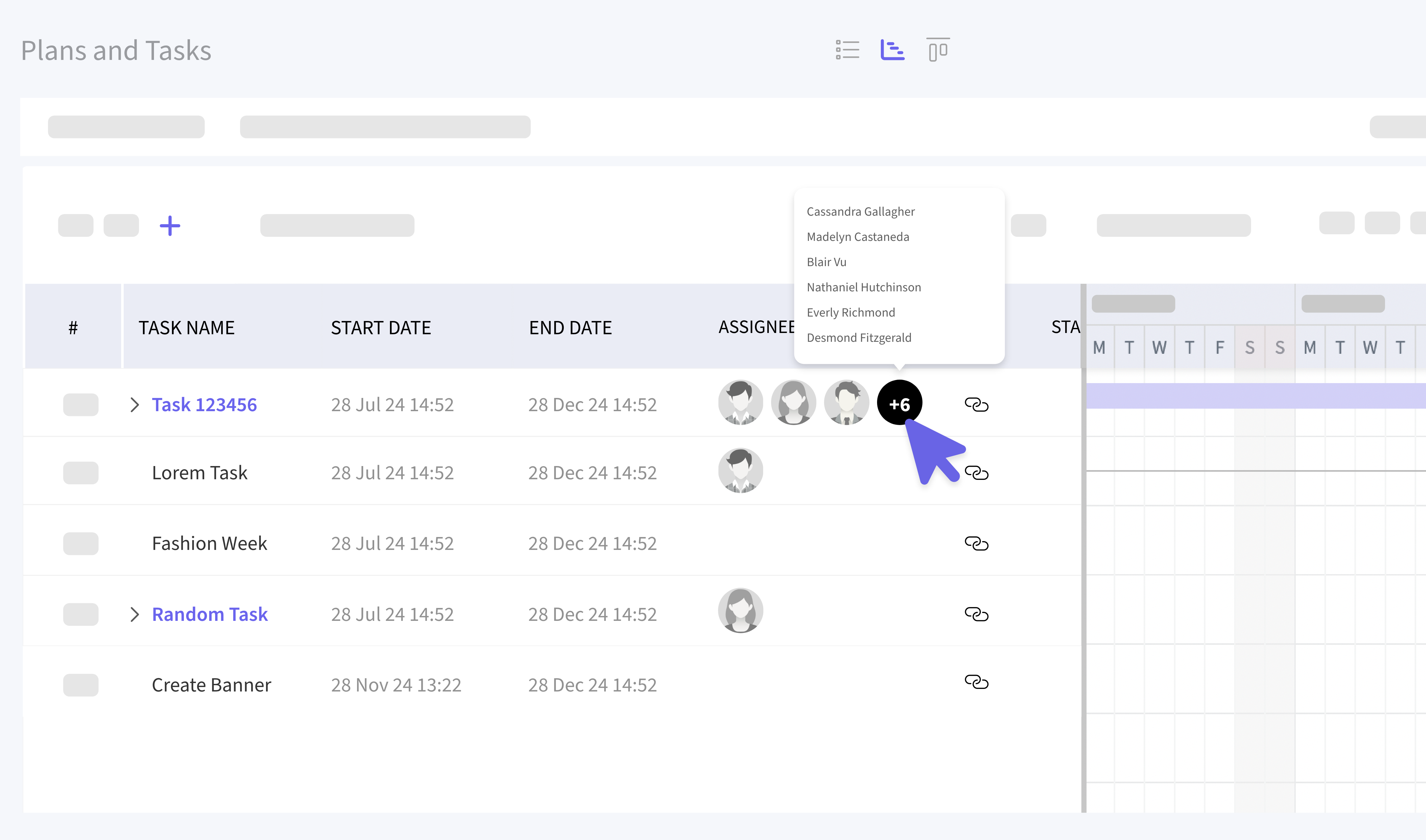
We've extended the multiple assignee functionality to the Gantt view (previously available in Kanban and List views) where we can:
- Display up to 3 assignees directly on tasks.
- Additional assignees (4+) are indicated with a hover tooltip showing all hidden names.
- Add or remove assignees through the task modal.
- Changes reflect across all view types (Kanban, List, and Gantt)
📑 Line Items
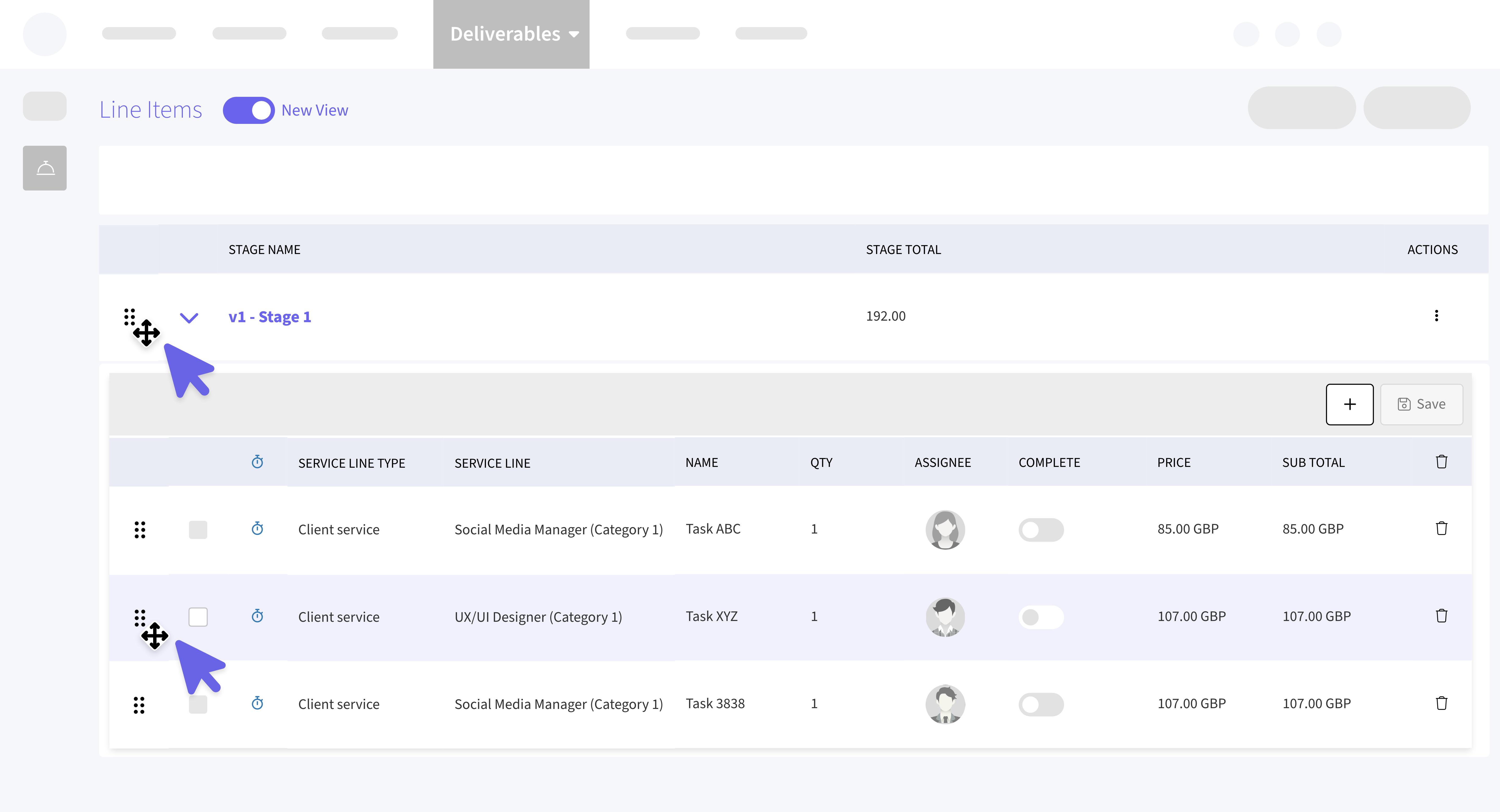
New Drag & Reorder Functionality ↕️
- Reorder Line Items: Drag line items to any position within their stage.
- Reorder Stages: Drag stages to change their sequence.
- All position changes are automatically saved.
- Changes persist even when editing records.