
OMG Release notes - v7.181.0
✨ What’s New This Release
This release is packed with thoughtful updates to help you move faster, stay organised, and work more efficiently, without the clutter. You can now link tasks to multiple deliverables, edit deliverables inline, and access brief and deliverable details with fewer clicks. Admins get more control, visuals get faster with WebP support, and accepting briefs now offer smarter options.
From planning to approvals to platform performance, it’s all about saving time and simplifying your day 😎🙌
Plans & Tasks
More flexibility and smarter defaults for task management 📅
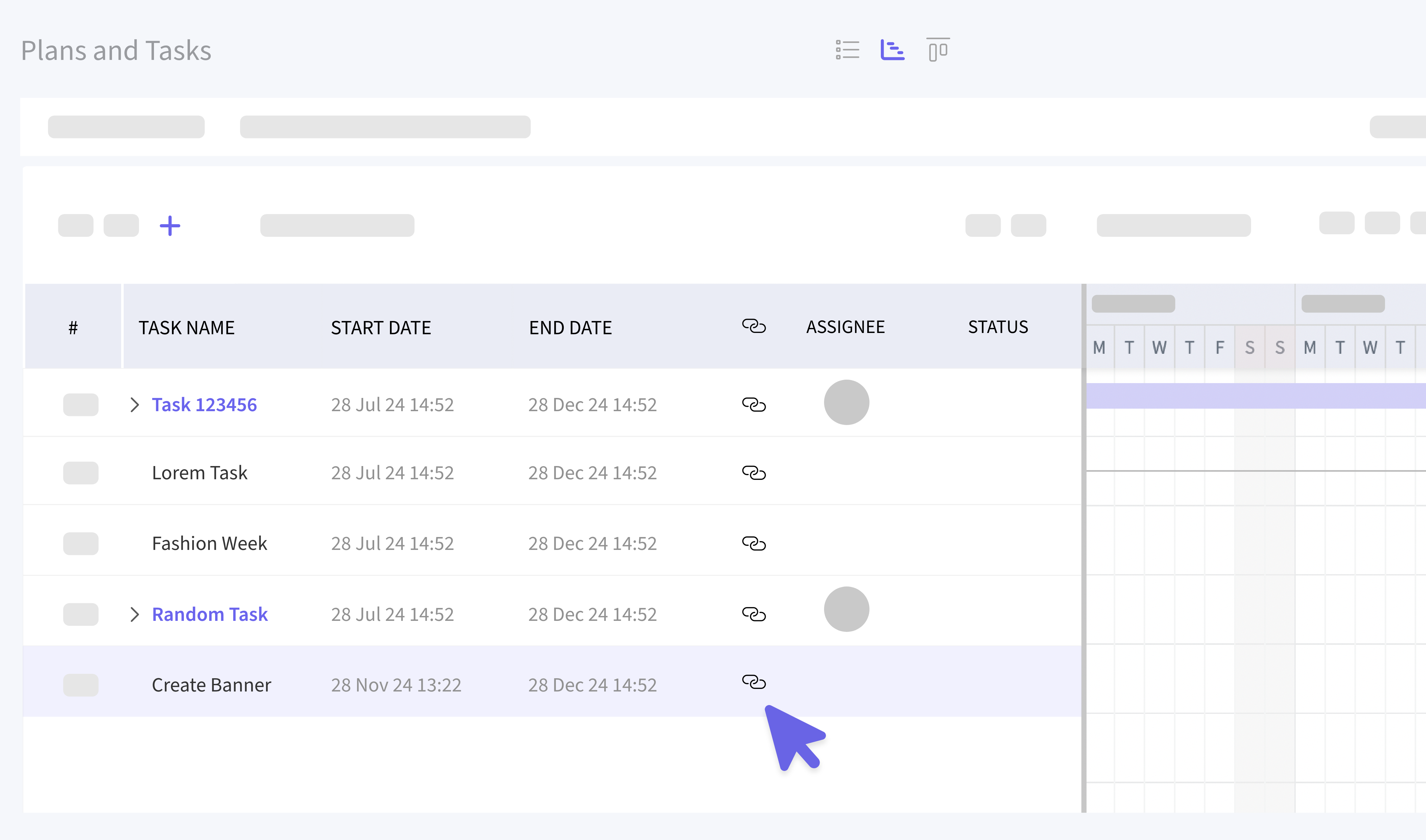
🔗 Link tasks to multiple deliverables
You can now link a task or subtask to more than one deliverable! Just click the new link icon in the task list (available to users with "Create New Task" permission) which will display a popup to choose deliverables to link. You’ll be have the same capability to filter and sort deliverables just like you do in any other list, and the already-linked deliverables will show right at the top.. super handy 🤯
⏰ Smarter start and end times by default
New tasks and subtasks now come pre-filled with a start time of 9:00 AM and an end time of 5:30 PM. Of course, you can still adjust them as needed, but this gives you a head start when building out your schedule.
Deliverables
Fewer clicks, faster edits, and easier navigation 📦
〰️ Inline editing is now live (in Beta)
You can now edit deliverables right from the list view! No more jumping into individual records. Just click and change the Title, Dates, Status, or Workflow inline. You’ll see a red mark on edited columns, and a save button will display the number of edited rows. (Currently only available to users with the new view under BETA)
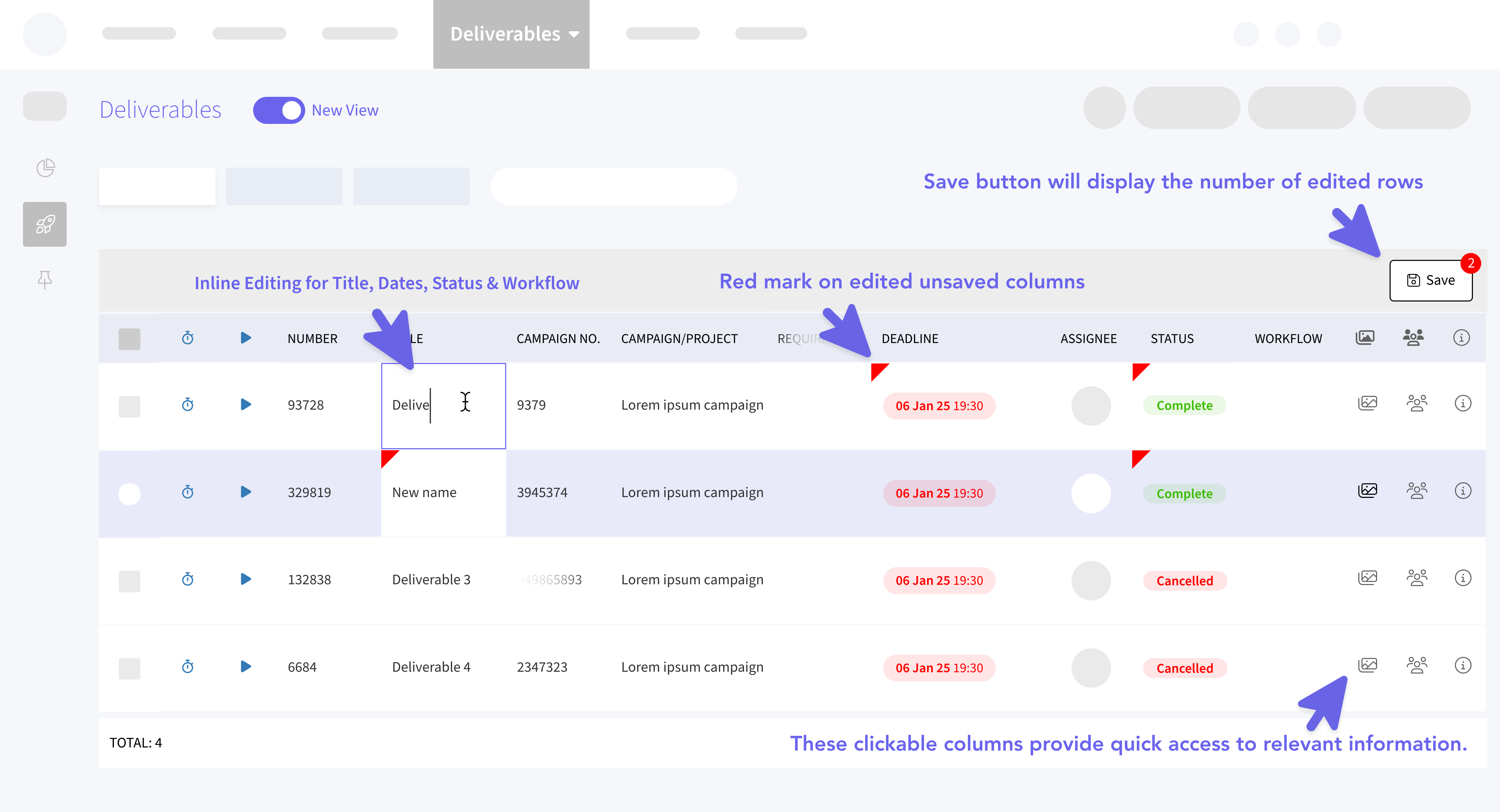
💨 Quick shortcuts to People and Assets tabs
Want to check who’s assigned or see what’s attached? Now, from the top nav Deliverables list, you can open the People or Assets tab for each deliverable directly. Just right-click the column header, enable the People and Asset options, and enjoy fewer clicks and more clarity. (Refer above image)
Briefs
Streamlined workflows and quicker navigation 💼
✅ New “Accept Brief” options
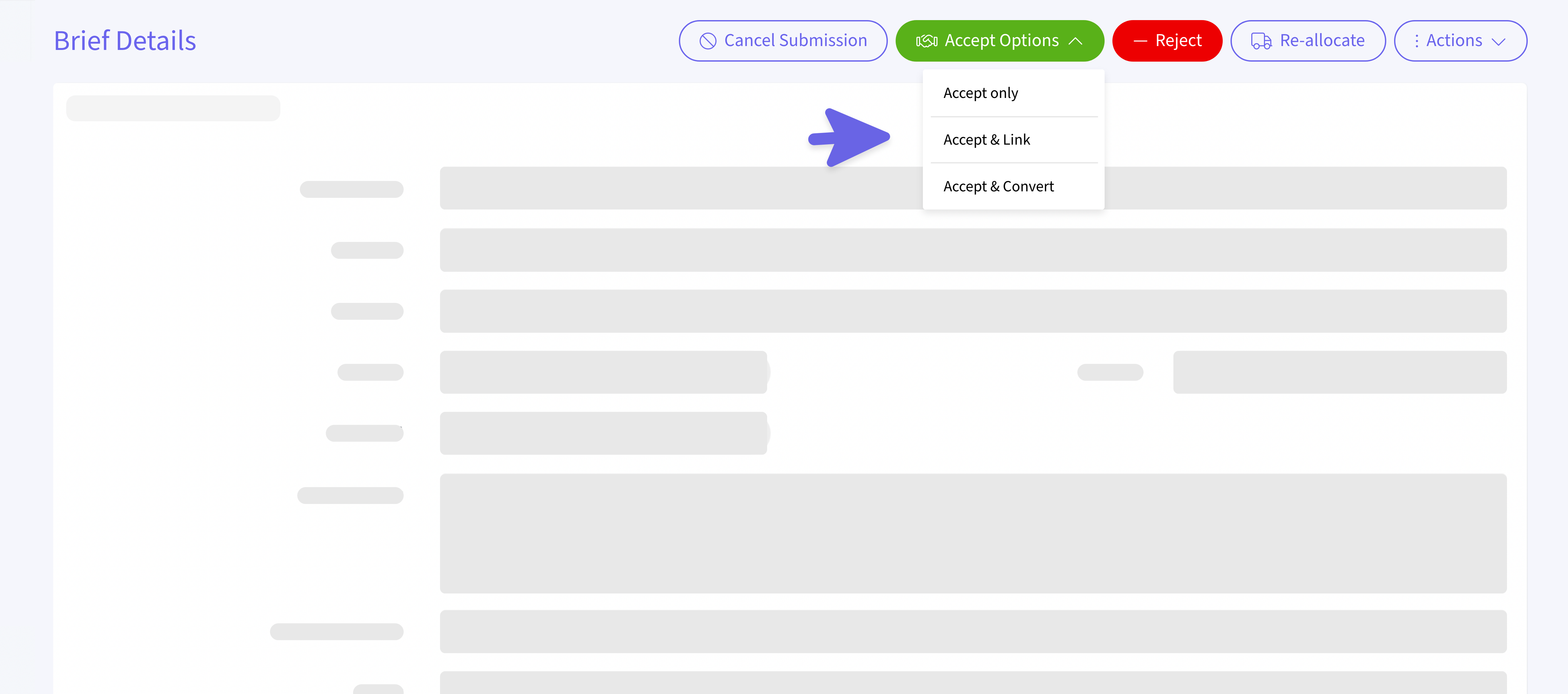
Accepting a brief just got smarter. Now when you click Accept Brief you’ll see three options:
- Accept only - Confirm the brief and (optionally) leave an optional note for the brief owner.
- Accept and Link - Link the brief to an existing Activity, Campaign, or Project and leave an optional note.
- Accept and Convert - Turn the brief into a brand new Activity, Campaign, or Project instantly. Each option includes a note field so you can pass along context or instructions, if needed.
⏩ Shortcut columns in the Briefs list
You’ll now see quick access icons in the Briefs list view just like in Deliverables! Save yourself a few clicks and get to what you need faster.
- People Icon - Opens the People tab for that brief.
- Assets Icon - Opens the Assets tab.
Finance
Better visibility and control over Service Line Categories 💰
✔️ Smarter tables with filtering and sorting
The Service Line Categories section now uses the Column Manager you’re familiar with from other list views. You can now sort, filter, search, hide/show columns, and enjoy sticky headers. Oh, and dates are easier to read now too. It’s all about making the data easier to work with.
WebP Image Support
Faster loading images, less bandwidth 🖼️
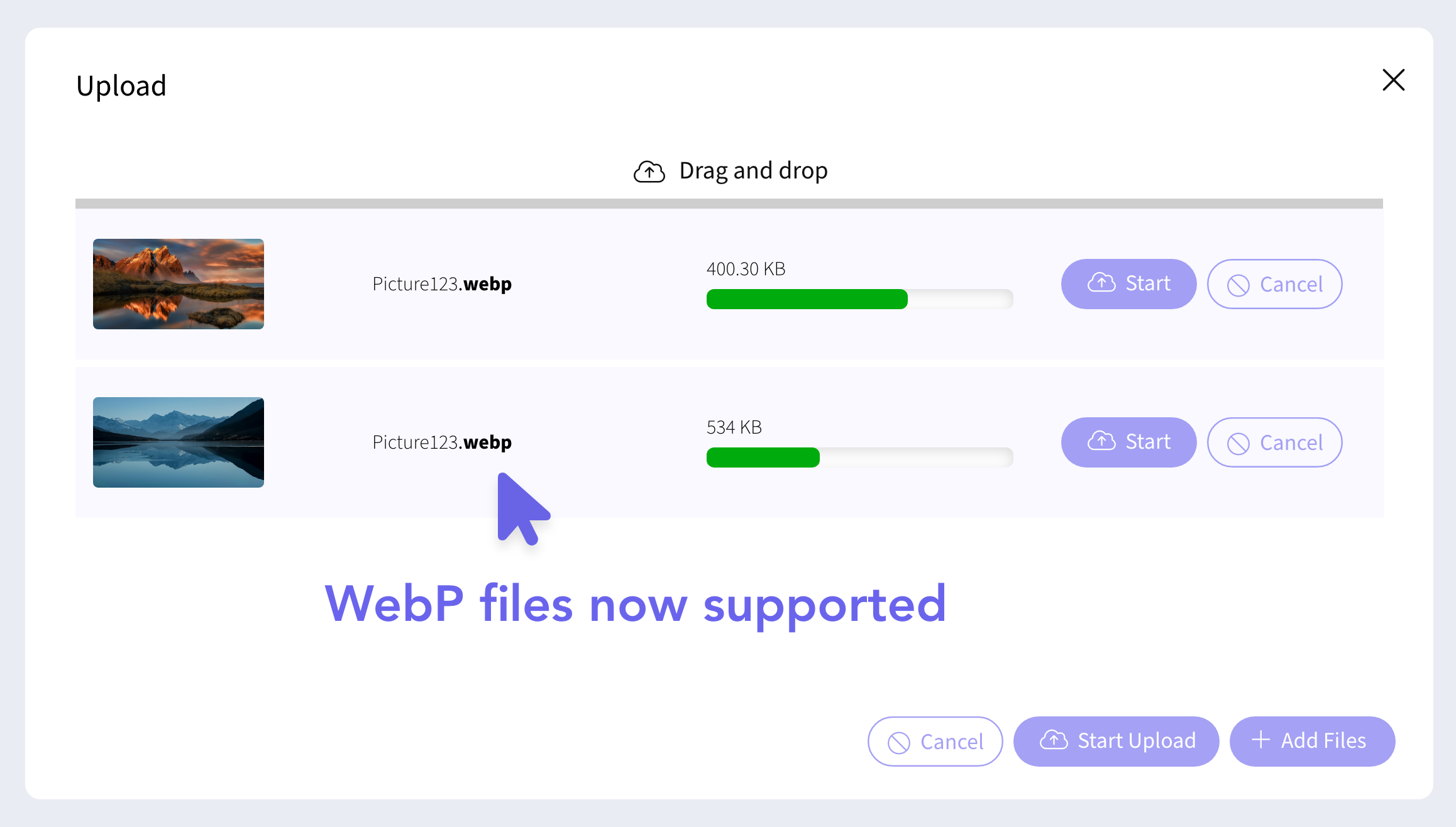
You can now upload and view WebP images anywhere you upload images in OMG, except Slipstream. WebP files are lighter and faster, helping improve performance across the platform. They’re also fully supported in Review Studio and can be sent for approvals like other image formats.
Site Admin
More control and visibility for admin users 🔧
✍🏻 Edit SSO user details
Site Admins can now edit email, first name, and last name for SSO users, but only if the record isn’t marked as the master. If it’s a master SSO record, those fields stay locked.
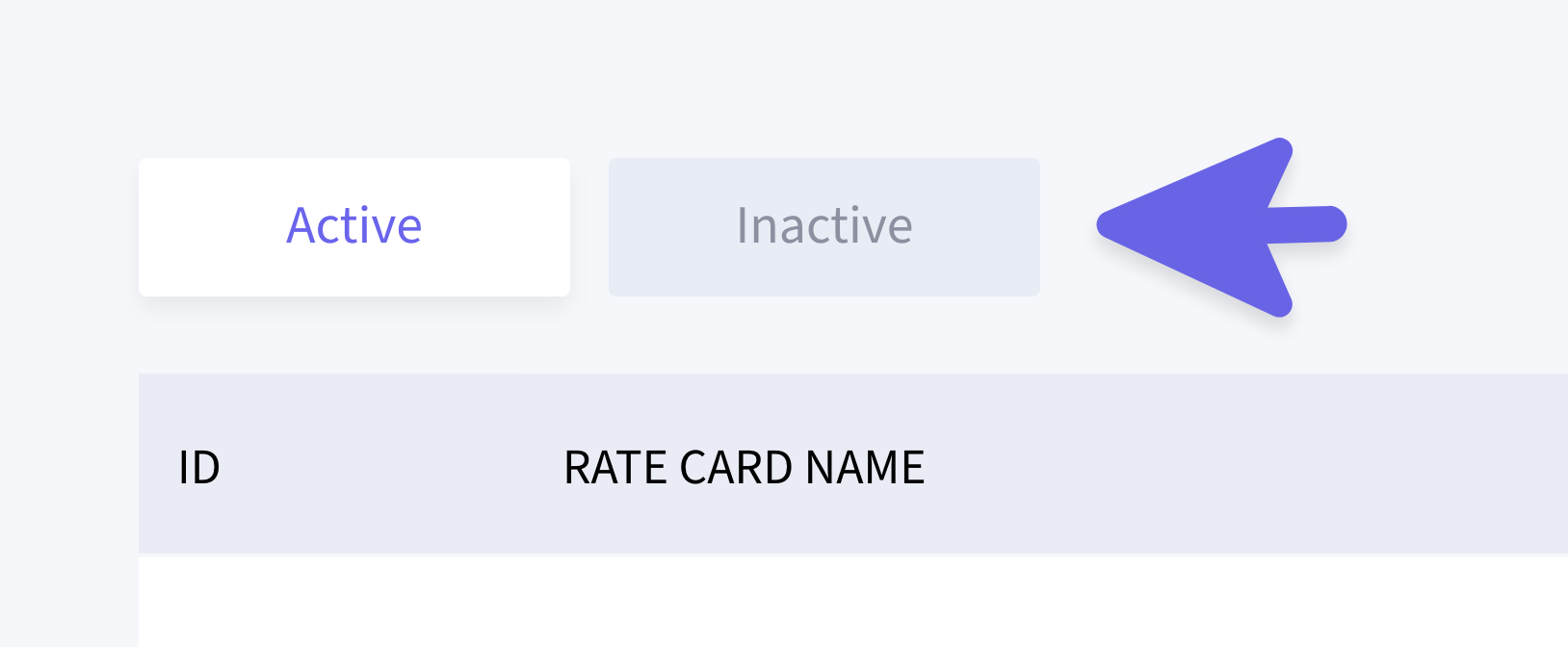
🫣 Find archived workflows more easily
Archived Automation Workflows now live under a dedicated Inactive tab, making it much easier to locate and review old workflows.
Forgot Password Enhancements
More secure and reliable password recovery 🔐
We’ve added validation to the Forgot Password flow. Users will now need to enter both their email address and solve a CAPTCHA before proceeding. A simple step to keep accounts more secure.