
OMG Release notes - v7.187.0
✨ Release 187 - Smoother, smarter and faster.
This release continues our modernisation journey with expanded inline editing, smarter task and resource management, and new language and UX upgrades. You’ll now be able to edit more directly in Planning, peek into linked deliverables right from My Tasks, streamline batch approvals, and enjoy automatic avatars and new language output options.
Everything’s aimed at helping you move faster, work clearer, and stay focused on what matters.
📅 Planning
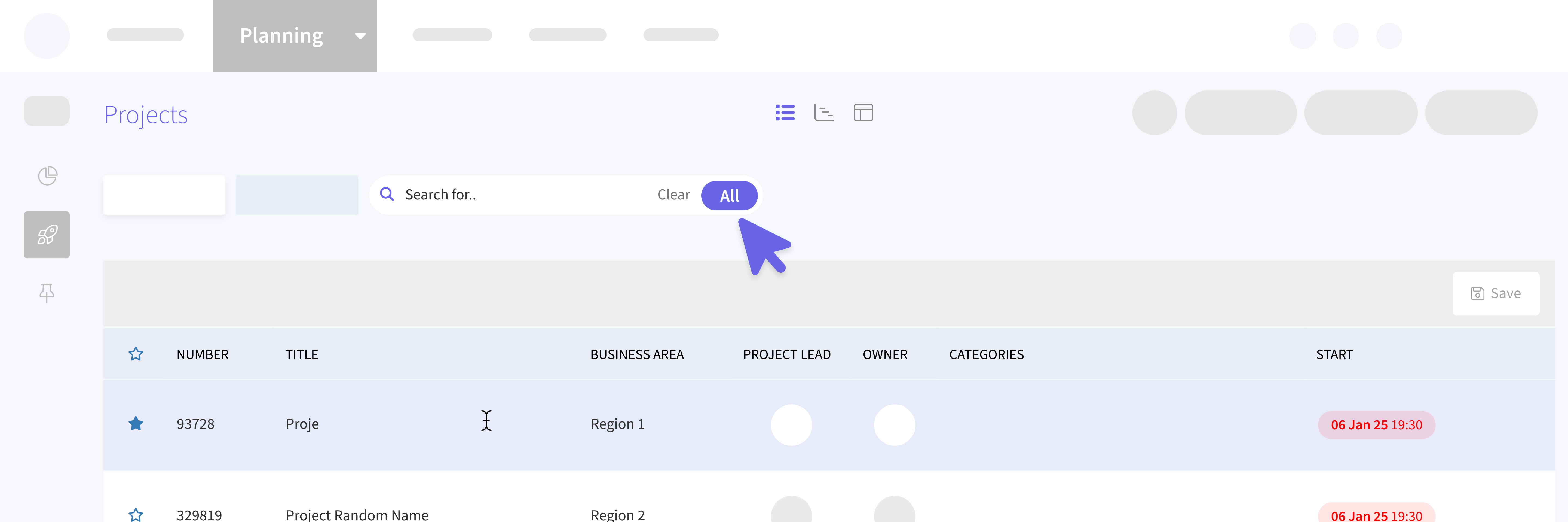
New “All” search toggle
We’ve added a new All toggle at the top of the Planning grid. When turned on, your search will include projects from all statuses.. similar to the legacy ✅ Include all projects checkbox in the left navigation. When you perform a search with the All toggle enabled, the Active and Completed tabs will automatically deselect to avoid confusion, since the results may include projects from multiple statuses.
Your search state will also be saved during your session, so if you navigate away and return, your results will still be there. To go back to your previous view, simply clear the search.
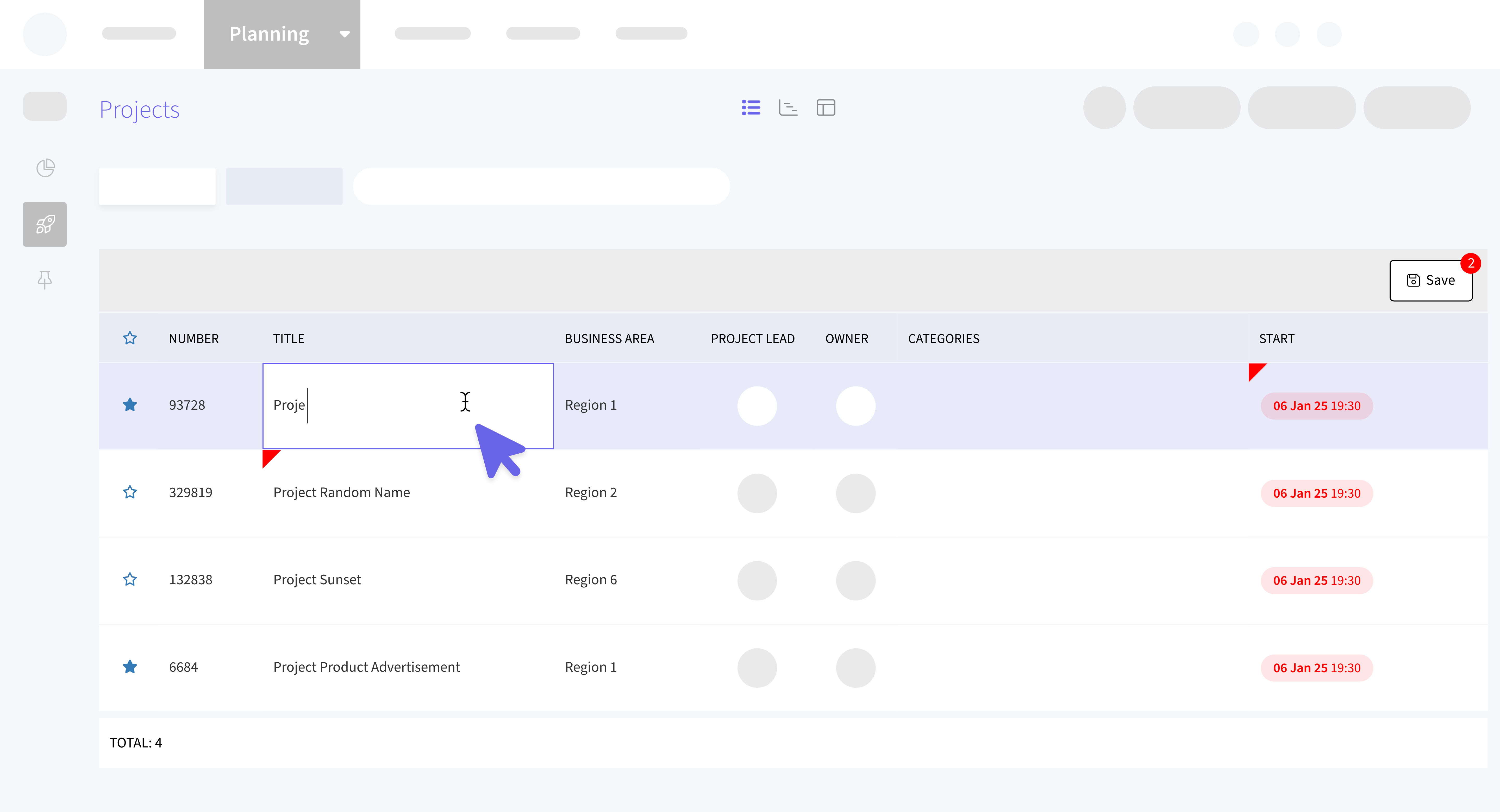
Edit more fields inline
You can now double-click to edit the Title, Business Area, Start Date, End Date, and Project Lead directly in the list view.
Fewer clicks, faster updates, smoother planning.
Export to Excel
The Planning grid, along with other new grids, now includes a Download button that lets you export your current view to an Excel file. This export includes only the records currently displayed in the grid, along with any active searches or filters you’ve applied.
✅ My Tasks
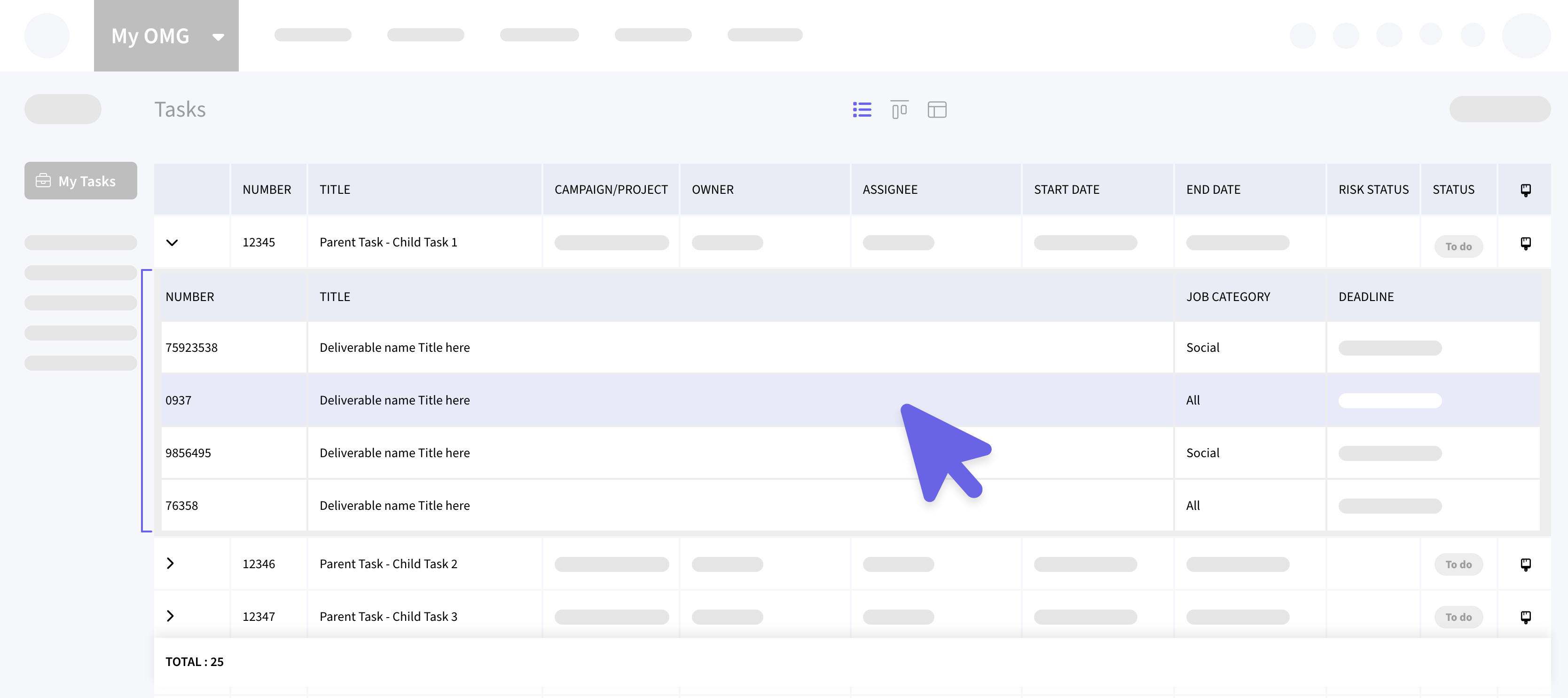
View Linked Deliverables
You can now expand any task in the My Tasks list to see all its linked deliverables.
Click the expand icon next to a task to open a sub-grid showing the associated deliverables. The sub-grid also supports sorting and filtering, so you can easily organise and view the linked items.
📨 My Approvals
Add users to multiple approvals at once
You can now invite users to multiple assets within the same batch approval.. all at once!
In the My Approvals > Sent tab, simply select multiple assets from the same batch. An Add button will appear, allowing you to invite a user to the currently active stage for all selected assets.
Automatic email notifications
Unlike individual approvals, this new batch process automatically sends an email notification to the invited user for each selected asset.
👥 My Resources
Edit existing bookings
Users can now edit details of existing resource bookings, including Project, Deliverable, Stage, and Line Items, for both single and series bookings. All changes are reflected immediately upon saving.
Series Bookings
When editing a booking that’s part of a series, changes will apply to the selected booking and all future bookings in that series. Past bookings will remain unchanged.
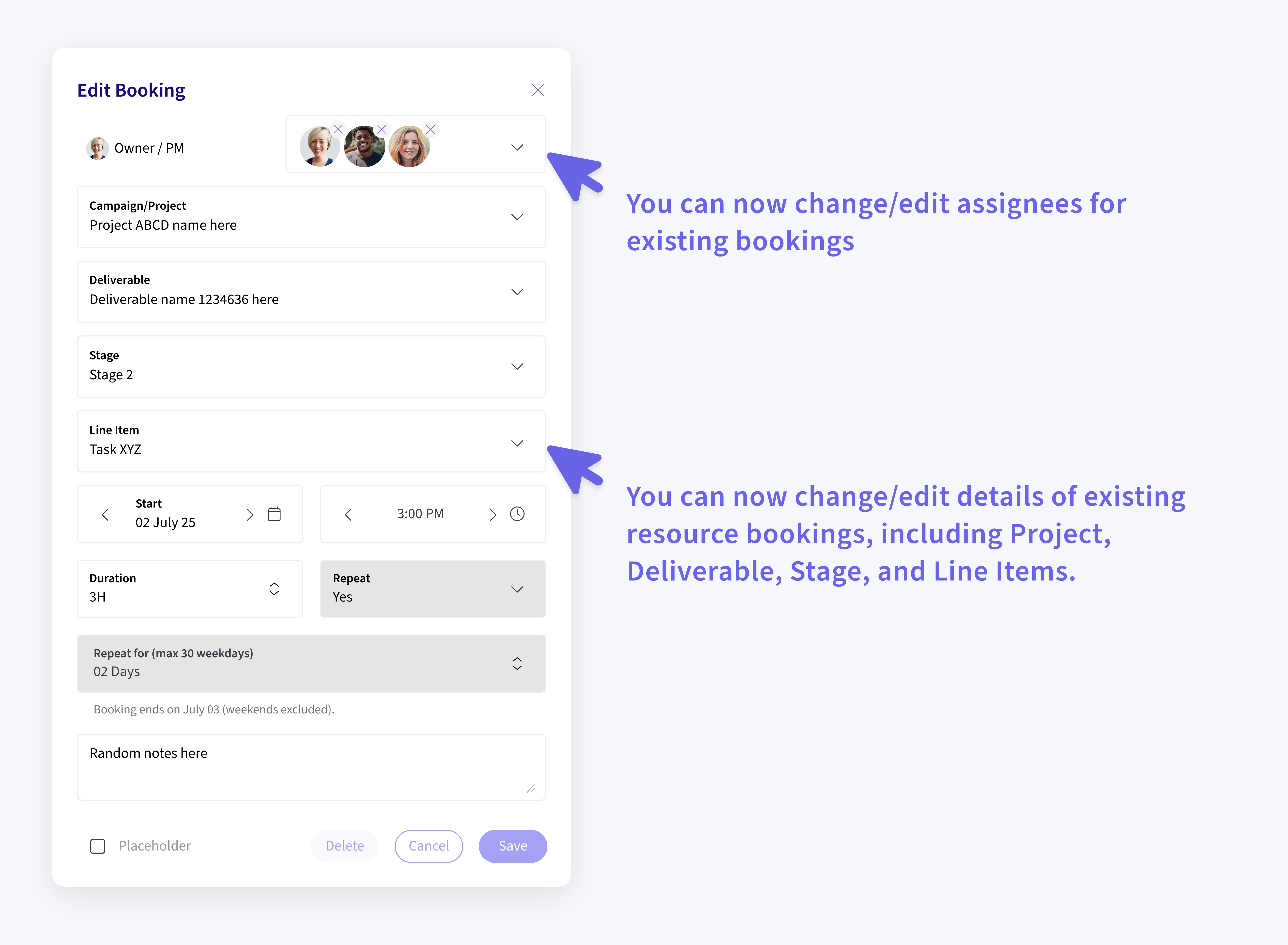
Multiple Assignees
The ability to add or remove multiple assignees introduced in the previous sprint for new bookings, has now been extended to editable bookings as well.
Combined View Simplification
Grouping buttons (Resource, Role, Agency, Job Role) have been removed from the Combined View (List + Capacity) since grouping applied in the List View now automatically reflects in both views, simplifying the interface and reducing redundancy.
👤 My Profile
Initial - based avatars
Users without a profile picture will now automatically receive a system-generated avatar featuring their initials. This is created upon their first login after the update, ensuring a consistent and personalized look across the platform.
Users can still update or replace their avatar anytime from their profile page for a more personal touch.
🌍 Language Support
Chinese & Portuguese now supported
You can now choose Chinese and Portuguese as output languages in the Outputs area.
Helping global teams work with ease.