OMG Release notes - v7.178.0
Release 178 introduces several significant improvements and new features across the platform, with enhancements in Planning, Approvals, and Notifications. While much of the sprint focused on back-end optimisations and bug fixes, this release also delivers visible UI upgrades and workflow efficiencies that improve day-to-day usability 🚀
Planning & Gantt Area
🗂 New Type Column + Enhanced Color Picker
- The ‘Type’ column from Plans and Tasks is now available in the Project-level Gantt view, displaying Projects/Campaigns/Activities and Tasks/Sub-Tasks/Milestones. This allows for multi-select filtering and is configurable/movable via the Layout Manager.
- The colour picker has been expanded from six to eight columns, improving colour visibility and avoiding layout breaks.
Approvals
📷 Thumbnail Previews, Batch Enhancements & Grouping Improvements
- Thumbnail previews have been added to the assets list view, making it easier to visually identify assets.
- A new ‘Batch’ column displays the batch number for each asset.
- Bulk approvals are now displayed in a parent-child format rather than individually, improving efficiency.
- Batch sorting and grouping have been enhanced, and the grouping layouts can be saved via the Layout Manager.
Notifications
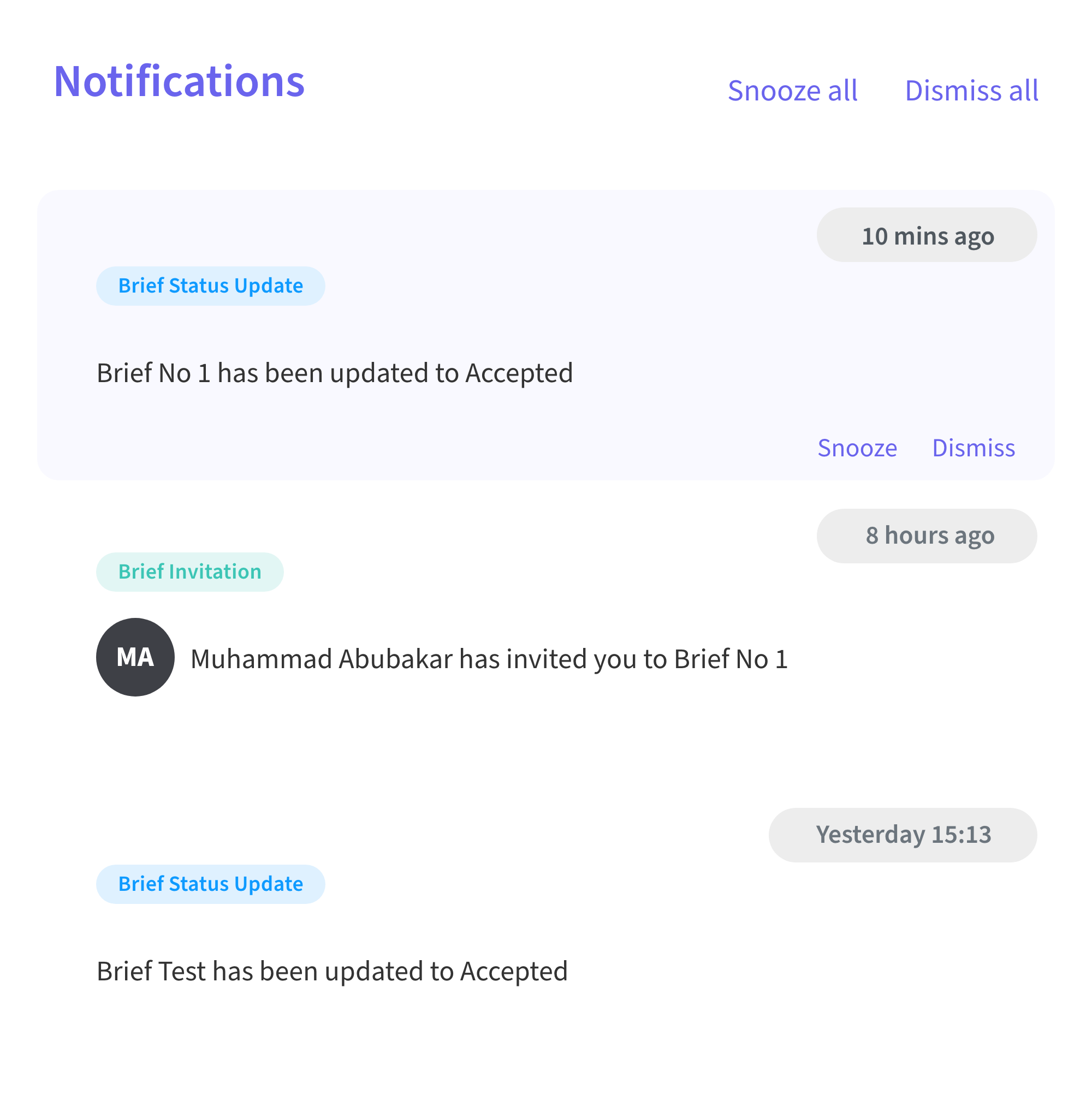
🔔 Cleaner Tray Layout and Smarter Controls
- The Notifications tray UI has been refreshed with improved spacing for a cleaner view.
- The Nav Bar does not blur out anymore when the tray is open, timestamps now appear at the top right of each notification and the Dismiss and Snooze buttons are only shown on hover to reduce clutter and redundancy.
- Upcoming enhancements will include categorisation, search, and filtering for easier notification management.