
OMG Release notes - v7.184.0
✨ What’s New This Release
This release is all about speed and simplicity. Inline editing in both Planning and Site Admin means fewer clicks and faster updates. Our Chat to Brief AI is now more transparent, showing source citations so you know exactly where its answers come from. We’ve also expanded media support with full WAV audio playback and review, introduced smarter handling for recurring bookings in My Resources, made milestones easier in Plans & Tasks, and given Planning an upgrade with sortable Favorites. Together, these updates are designed to streamline your workflow, improve clarity, and save you time 🥳🫡
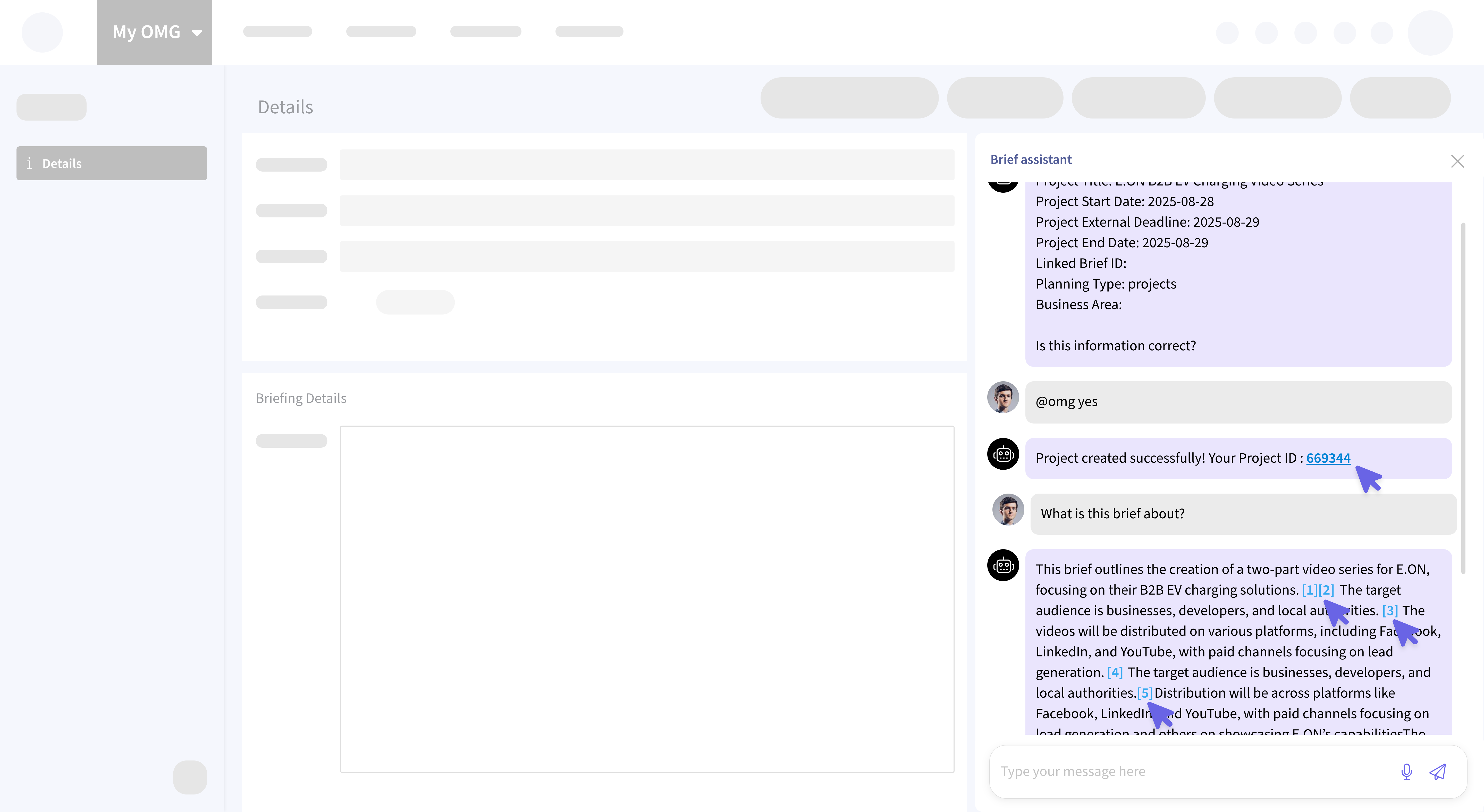
💬 Chat to Brief - Smarter, more transparent AI
Source Citations
The AI now provides numbered citations with tooltips that show the document title, so you always know where its answers come from, whether from your uploaded library files or the brief itself. More trust, less guesswork.
Clickable Project Links
When you create a project via chat (like @omg create project), the returned Project ID is now a direct link. Click it, and you’re instantly taken to your new planning record.
🛠️ Site Admin - Edit details inline
User Info Editing: Update first name, last name, and email directly from the user list. No extra clicks needed.
Form Templates at a Glance: A new column now shows Form Templates, and you can edit Asset Name, Module, and assigned Form Template right from the list.
Virtual Agency Names: Agency names can now be edited directly in the list view, simple and efficient.
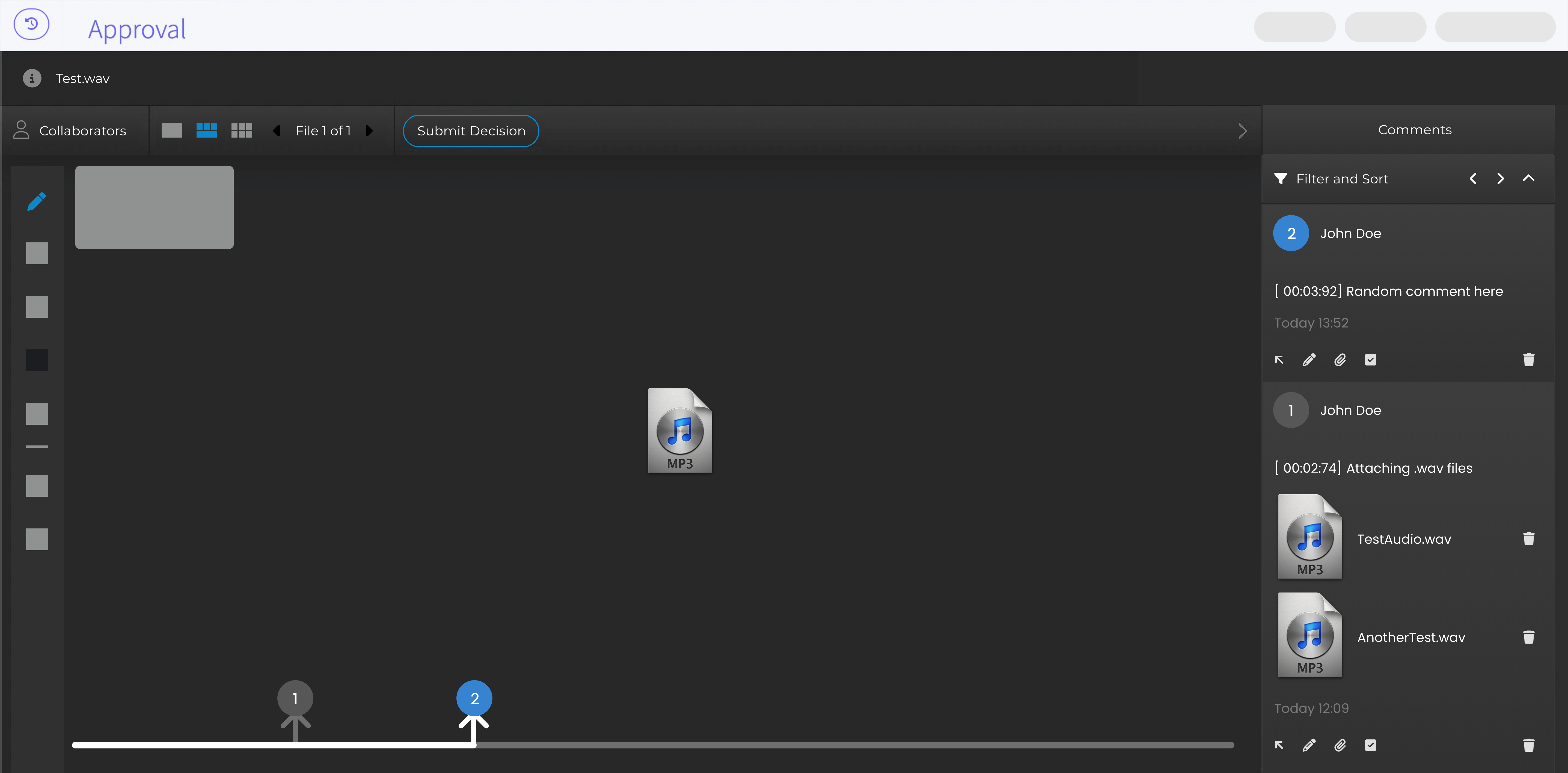
🎵 Library & Approvals - WAV audio playback
You can now upload and play .wav audio files in the Library and Review Studio. Playback comes with speed controls and download options. Add time-stamped comments during approvals, making feedback for audio assets clear and precise.
📅 My Resources - Smarter recurring bookings
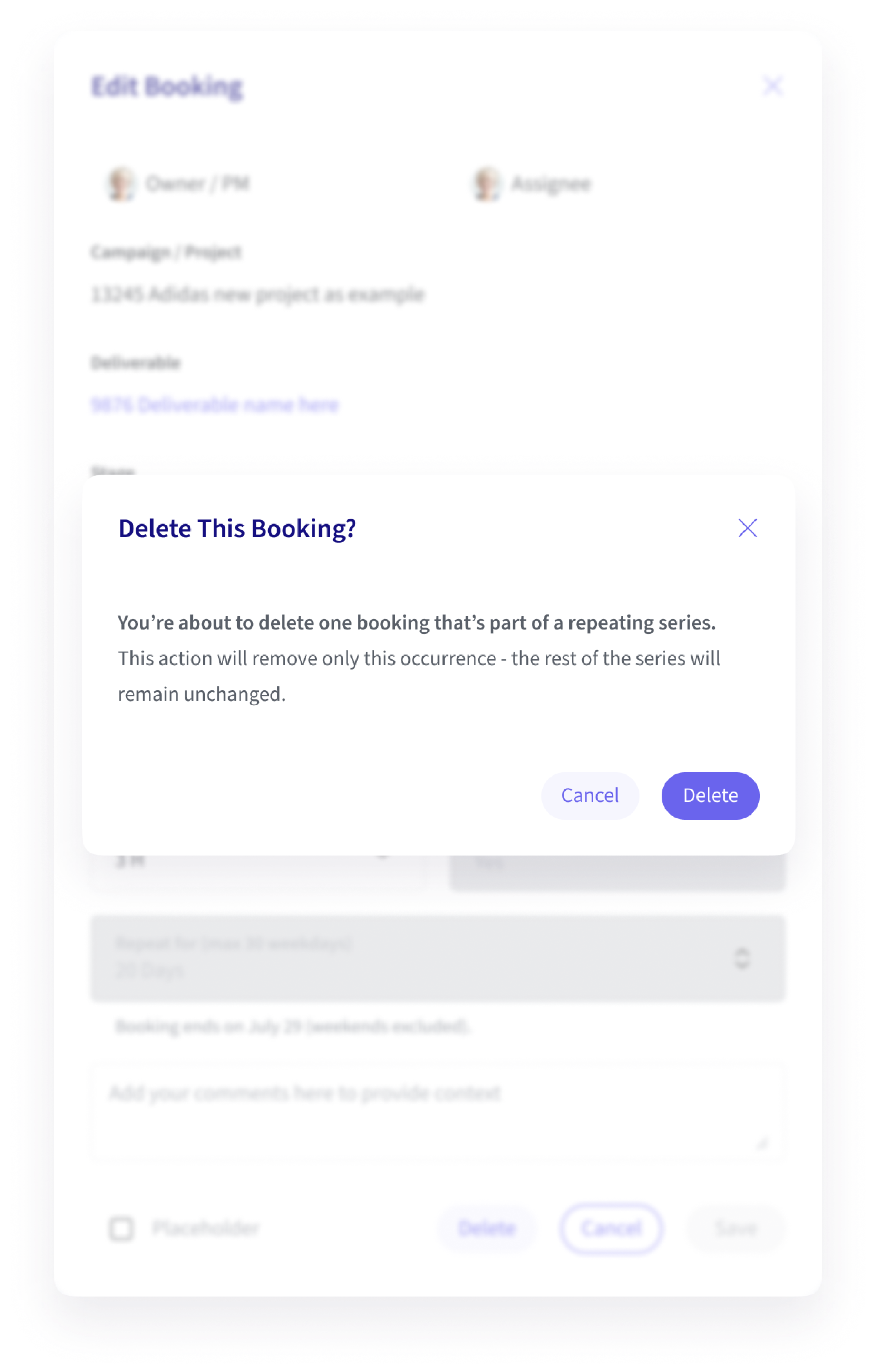
When editing a single instance of a recurring booking, you’ll now see read-only details of the full series (like total count and end date).
Deleting a booking? A new confirmation makes it crystal clear that you’re only removing that one instance.. the rest of the series stays intact.
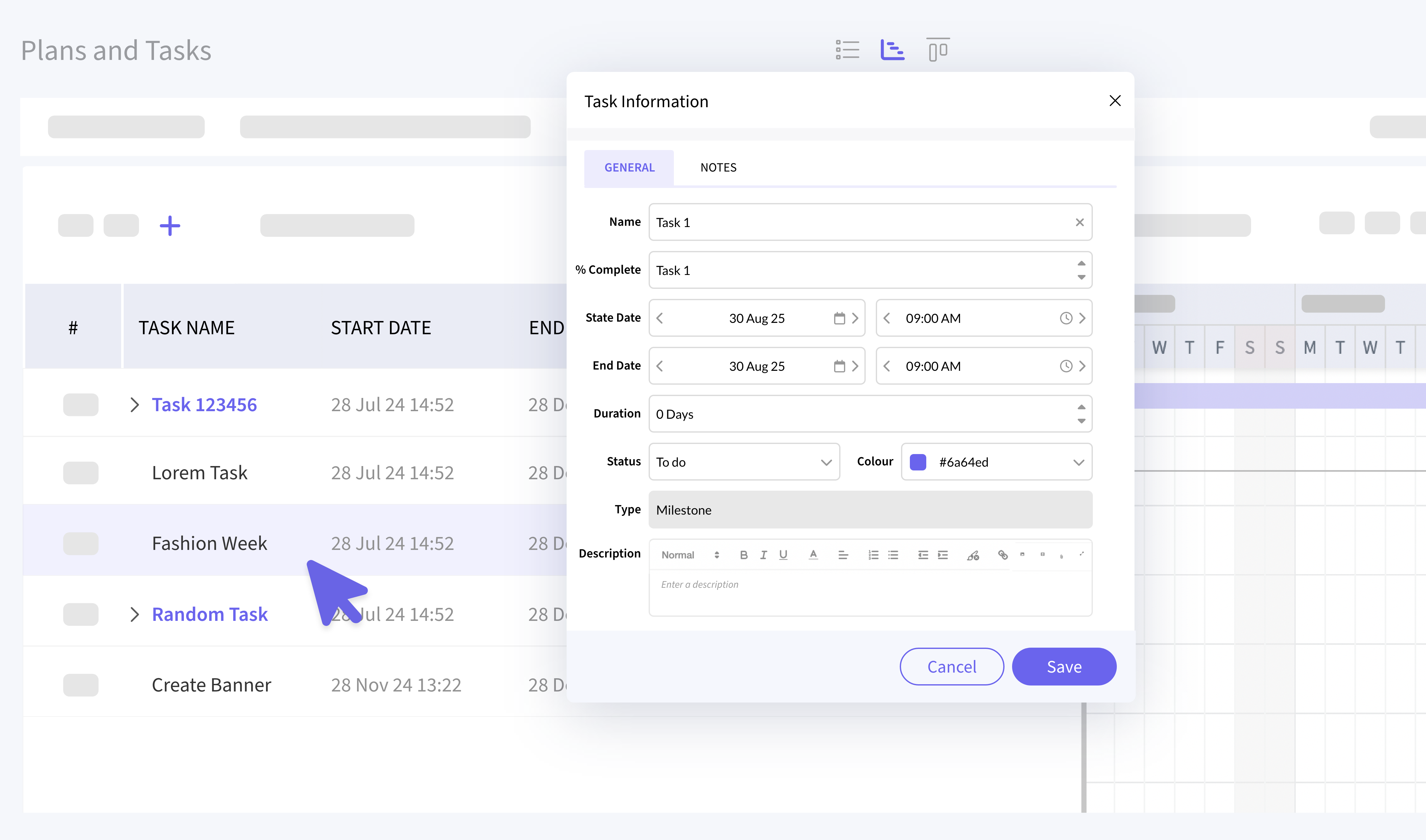
✅ Plans & Tasks - Milestones made easy
If you create a task with zero duration (start date and time = end date and time), it’ll automatically be converted into a Milestone. No manual adjustment needed.
⭐️ Planning - Favourites up front
The Favourites column has been moved to the start of the Planning list view. You can now sort by Favourites, just like in Deliverables, making it easier to jump to your most important projects first.