OMG Release notes - v7.186.0
✨ Release 186 - Smarter, Faster, and More Connected ⚡
This release is all about making your day-to-day smoother! From finding the right assets in seconds, to editing resource bookings on the fly, to adding more clarity and traceability when managing deliverables. You’ll also notice a fresher feel across modules as the new views officially take centre stage 😎✨
💼 Briefs
Find assets that match your brief 🎯
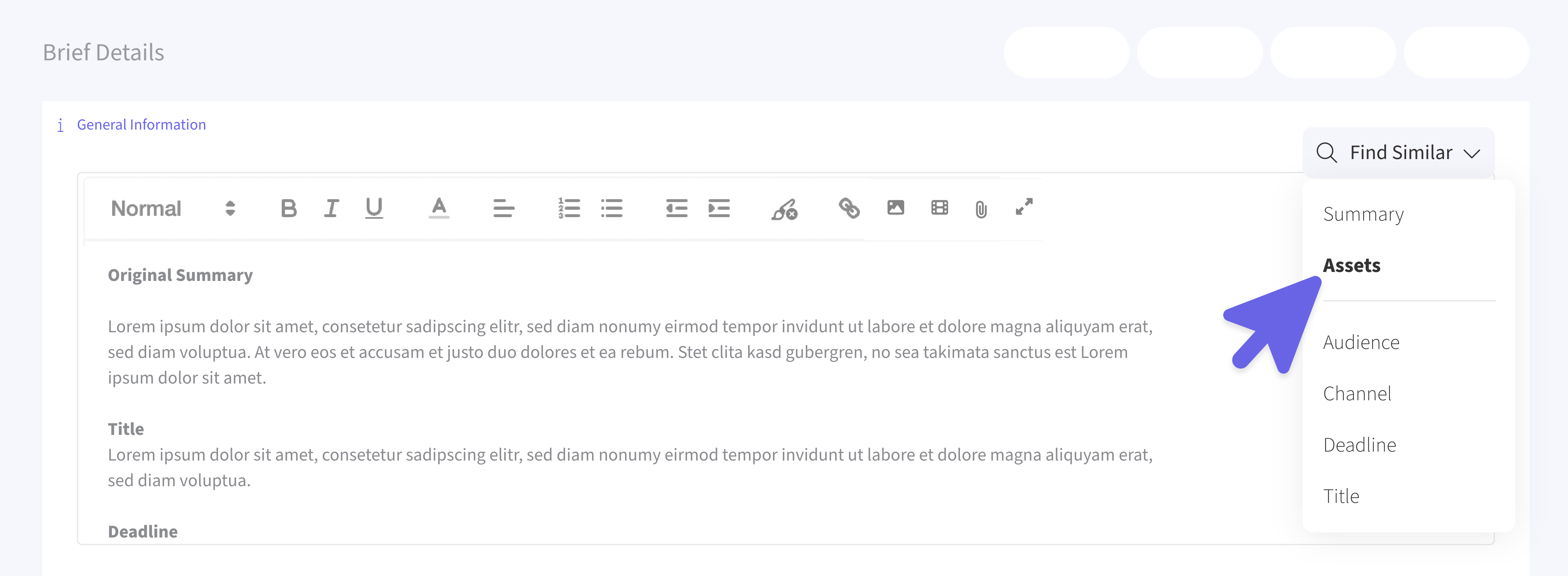
Now, when you’re creating a brief, you can use the new Find Similar > Assets option to automatically surface related assets from the OMG Library. The system analyses your brief’s content like objectives, seasons, and occasions - to recommend matching creative work that aligns perfectly with your needs.
Link your discovered assets 🔗
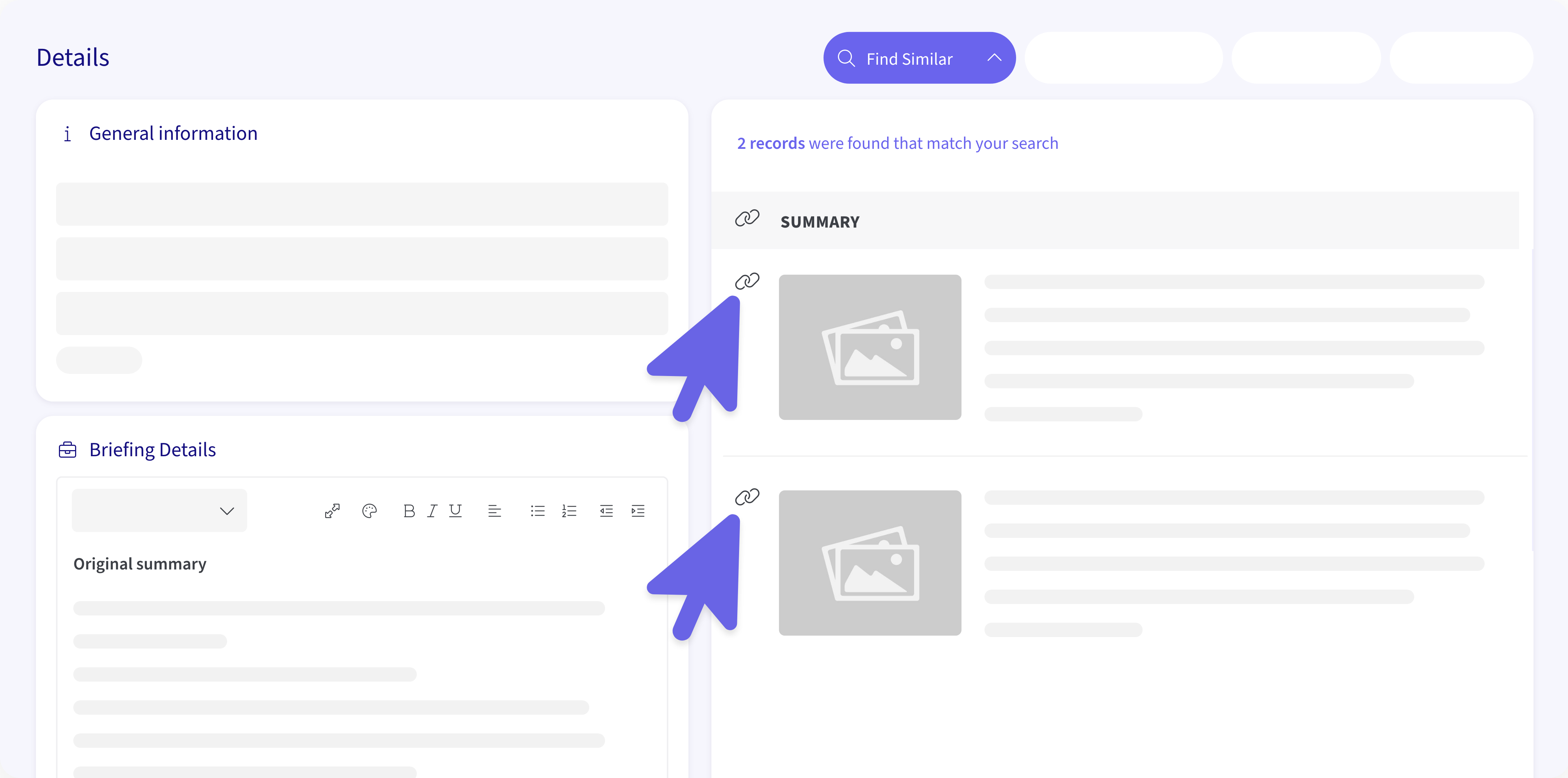
Once you find something that fits, you can link these assets directly to your brief. They’ll show up neatly in the Linked section for quick reference. And if you change your mind, you can unlink them anytime.
📆 My Resources
Smarter booking management 🫡
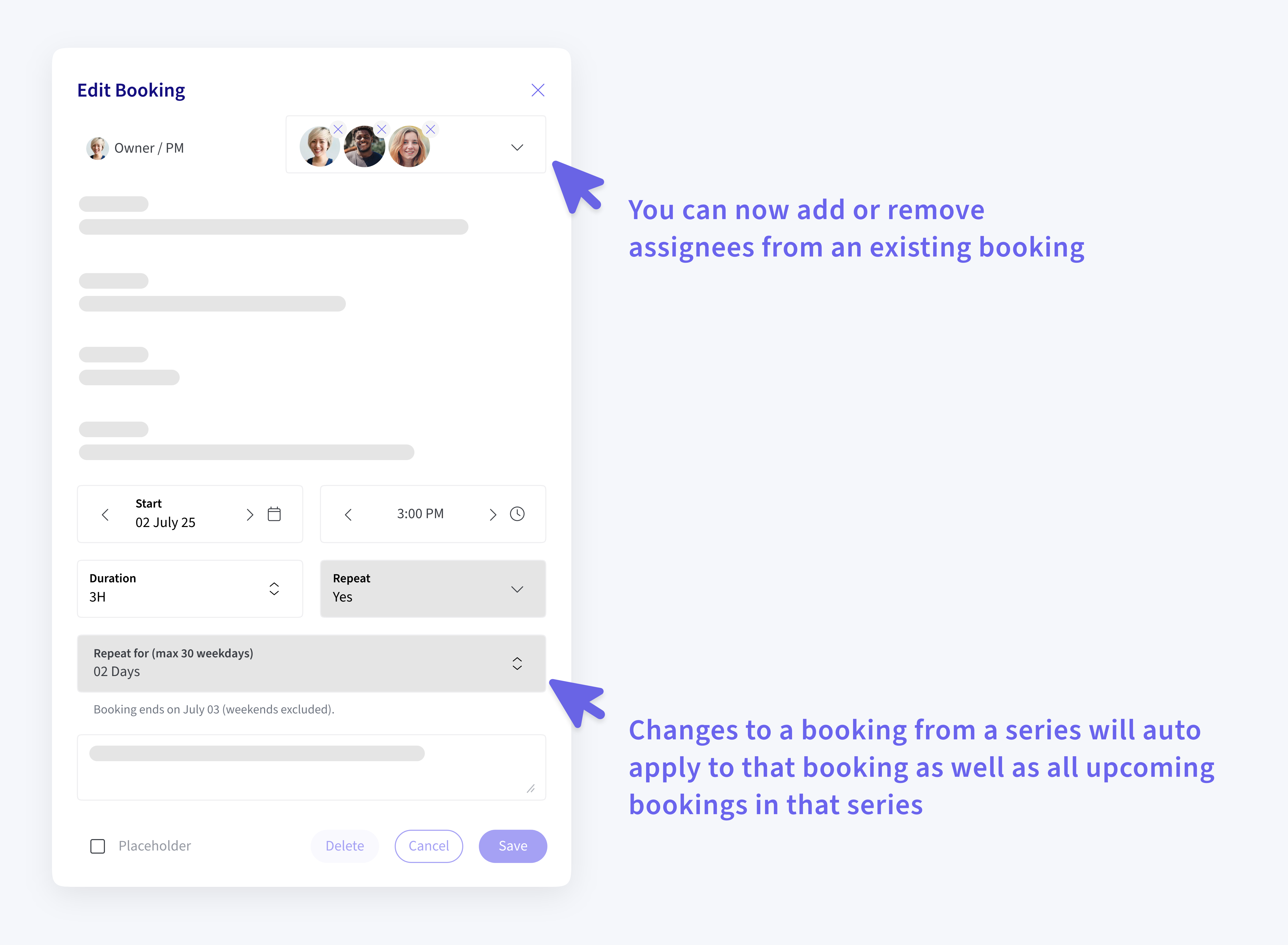
You can now add or remove assignees from an existing booking. When you add someone new, the system automatically creates a duplicate booking for them.. no more manual copying.
Series editing that work seamlessly 🔄
When you modify a booking in a recurring series (e.g., changing notes, duration, assignees), those changes will intelligently propagate forward - meaning your updates will apply to that booking and all upcoming bookings in the series, leaving previous bookings untouched.
Split and conquer ✂️
If you reassign a booking in the middle of a series, the system will automatically split the series and move all future bookings to the new assignee. Smooth, clean, and intuitive.
Past bookings stay put 🔒
Bookings in the past are now locked to maintain data integrity, so your reporting stays accurate and untampered.
📂 Deliverables (Under Projects)
Add context to every status change 🗒️
When changing a deliverable’s status, you’ll now see a new Reason for Status Change dropdown that is optional. Select the reason that best fits your update. It’ll automatically log to the Event Log for an Audit Trail and improved tracking.
Customizable Reasons ✏️
The list of reasons for status changes can be fully customized per customer via Customer Preferences. This allows admins to edit, remove, or limit the options available to users, so every team’s workflow reflects the language and processes they actually use.
Platform-Wide Enhancements
The New Views take the spotlight 🌟
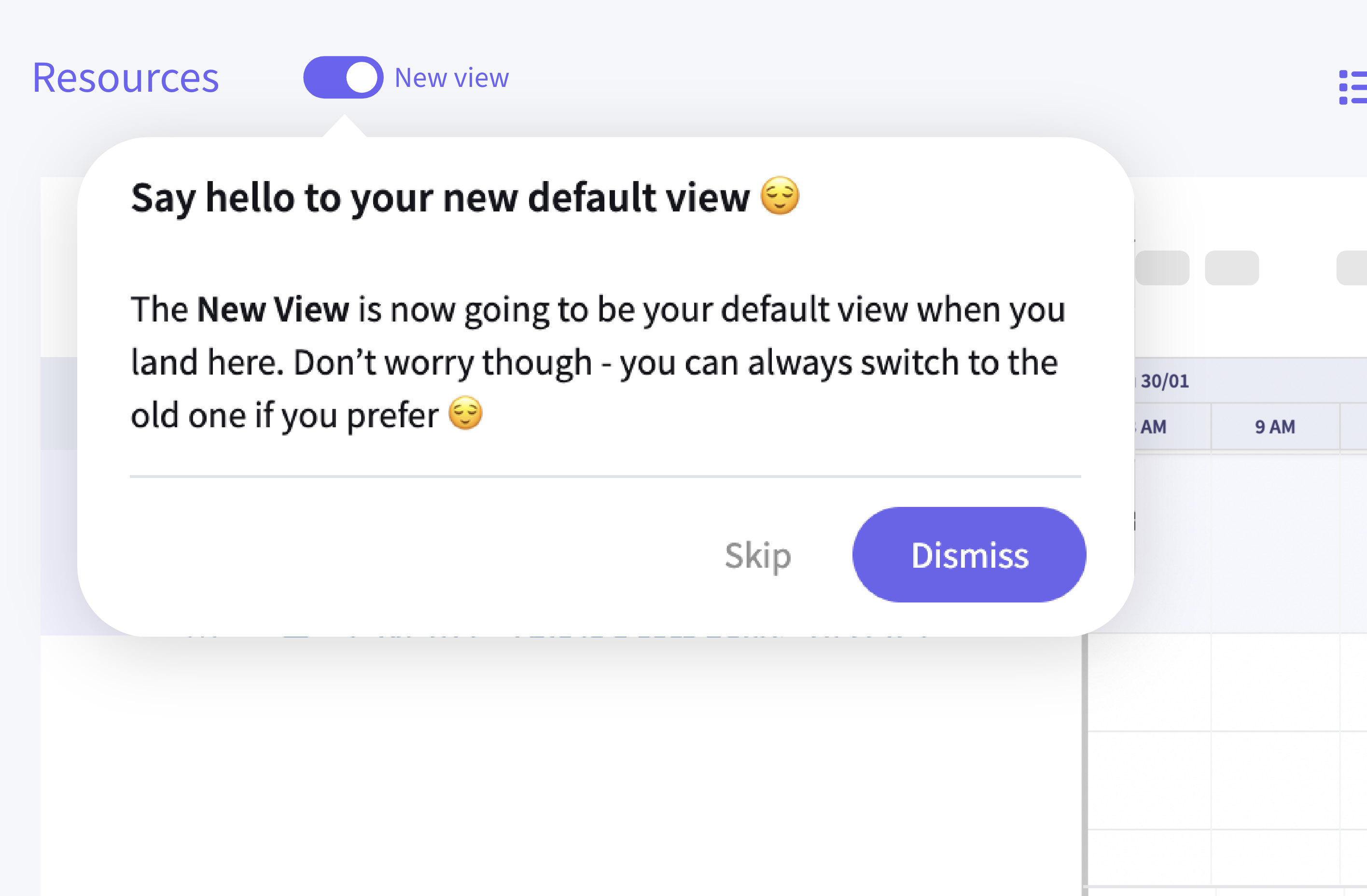
The New View experience is now the default for both Deliverables and My Resources. It’s faster, cleaner, and more intuitive, though don’t worry, you can still switch back to the old view anytime using the toggle.