
OMG Release notes - v7.173.0 & v7.174.0
This release introduces significant improvements and new features across multiple areas of OMG, focusing heavily on grid functionality and brief enhancements. Spanning Sprints 173 and 174, key updates include the Chat to Brief feature for document interaction, a new MFA system for added security, and Purchase Budgets for streamlined financial workflows. Enhancements to the Capacity View, Planning, and Deliverables areas improve task management and tracking, while features like the Layout Manager and Excel Download button provide greater customization and convenience. Details are outlined below.
Brief Enhancements
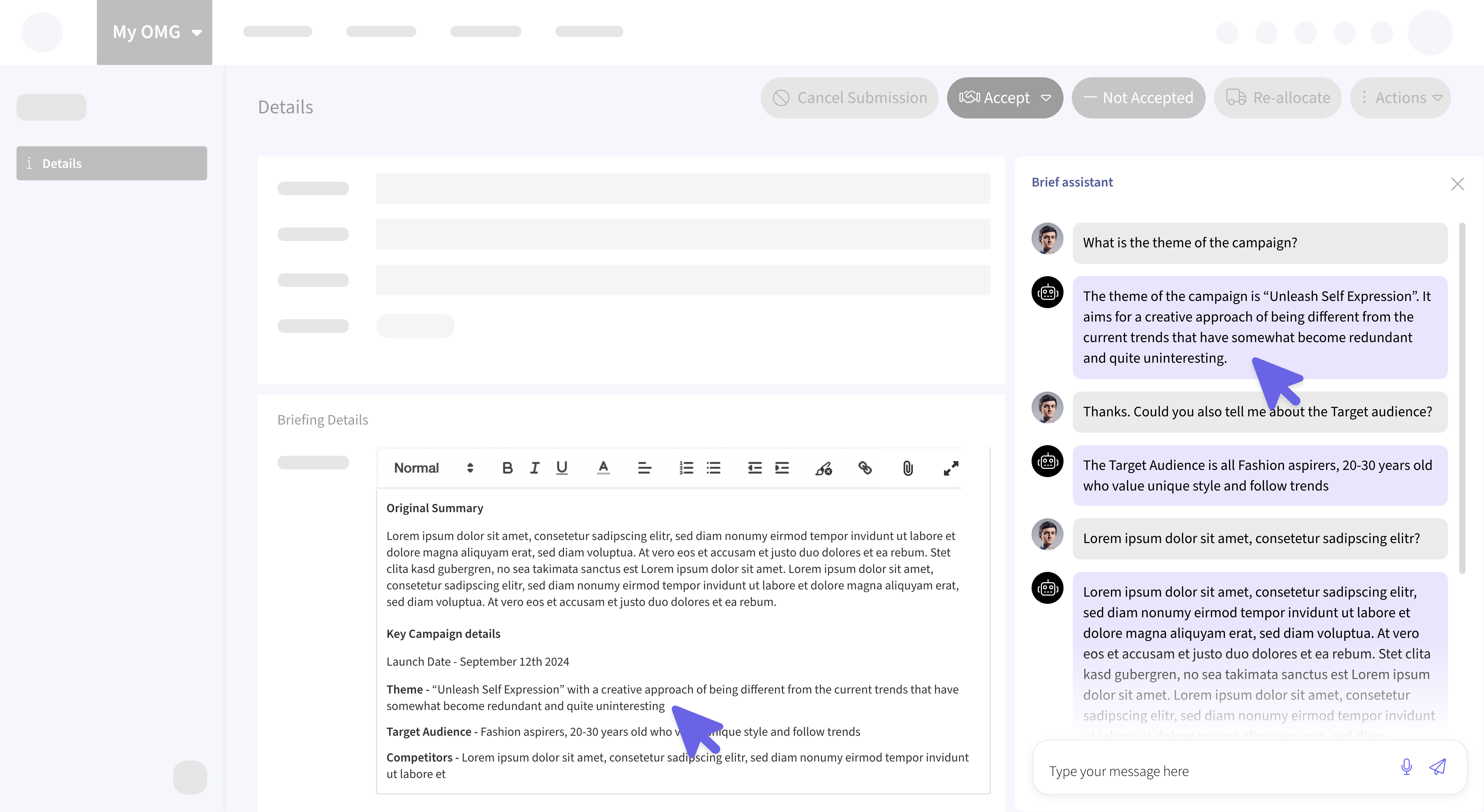
💬 Chat Interaction with Uploaded Documents
Users can now interact with uploaded PDF and Office files (.doc, .docx, .xls, .xlsx, .ppt, .pptx) through a chat interface. This feature allows quick questions and answers based on the document's content, extracted directly from the source. It supports AI Briefs, Slipstream Briefs, and simple briefs, including analysis of tables and images within documents. Search history is stored for 24 hours for easy reference. Additionally, Slipstream Briefs now support multiple documents.
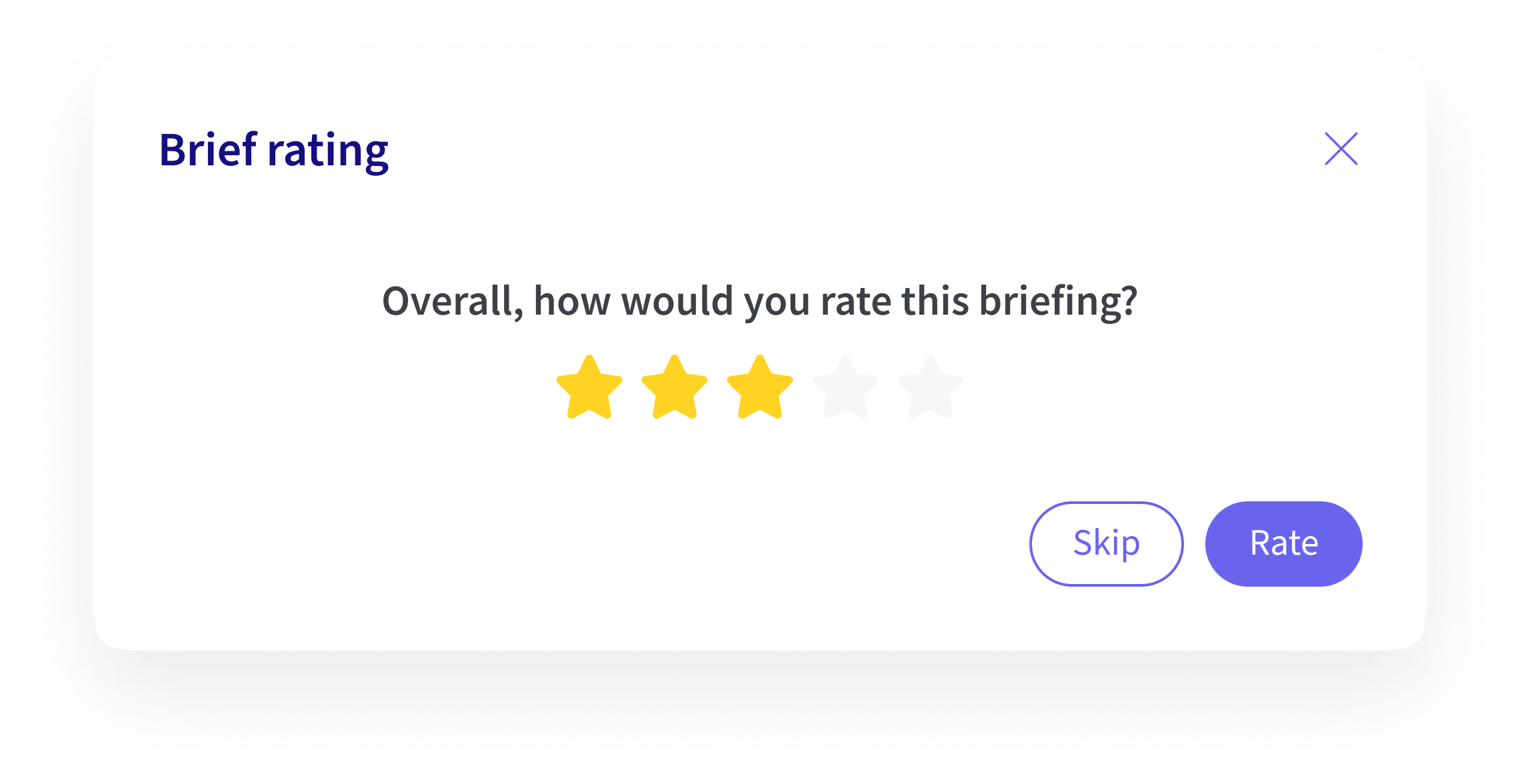
⭐️ Human Evaluation of Briefs
A 1-5 ⭐️⭐️⭐️⭐️⭐️ rating system has been introduced for briefs. Ratings are recorded upon acceptance or acceptance with notes of briefs. While rating is optional, this data will be used for future analysis to enhance the briefing process.
My Resources [Beta]
📅 Capacity View
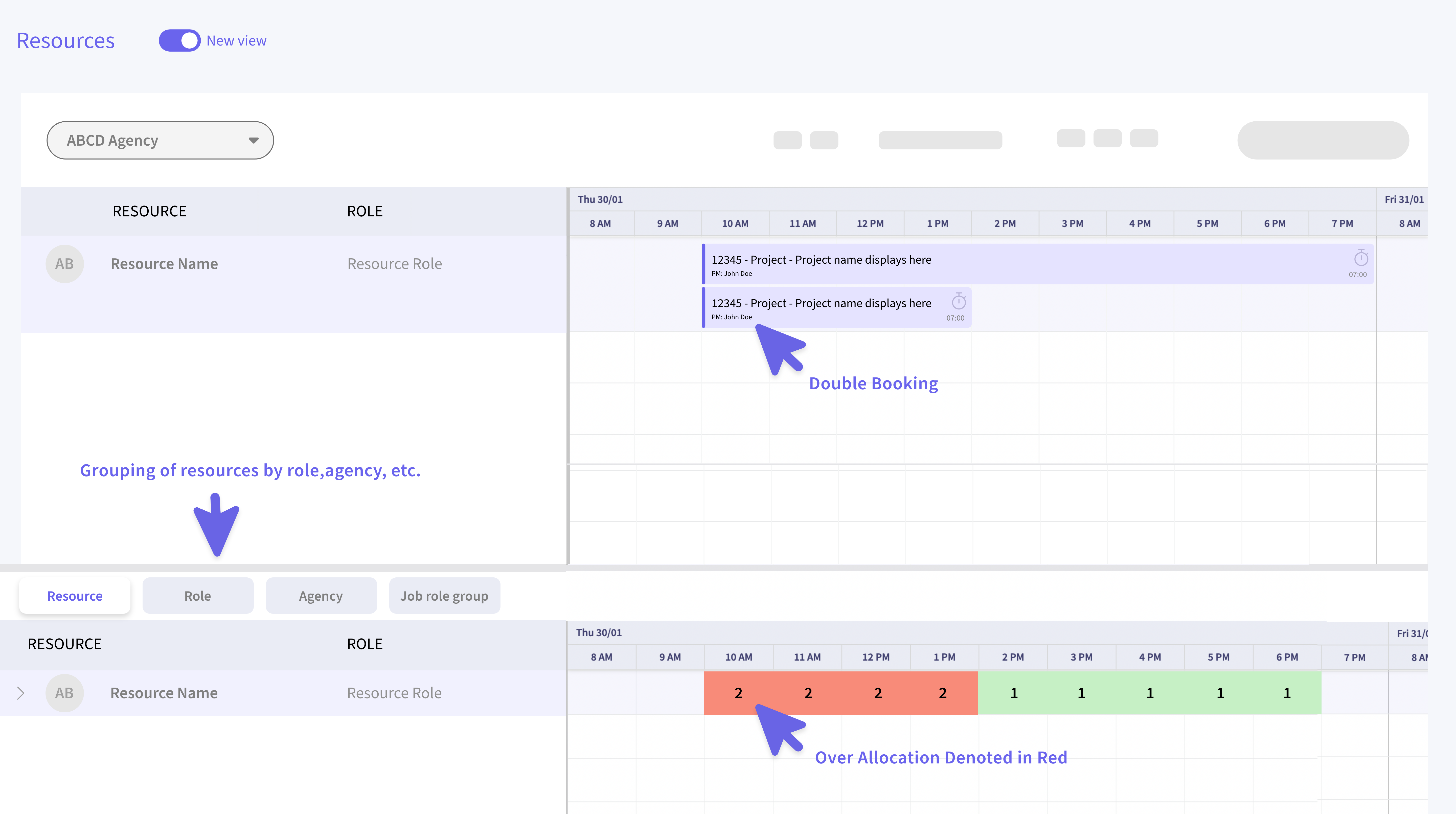
Introducing a calendar-based view for tracking resource utilization over time. This feature simplifies identifying over-allocated (highlighted in red) or under-allocated resources. Users can create, edit, and delete bookings, with a "clear all" option to remove entries from specific grids. Resources can be grouped by role or agency or displayed collectively, and daily time allocation sourced from user profiles is shown in hours. The view supports sorting and filtering, providing a detailed breakdown of time allocation.
📩 Quick Links on Resource Cards
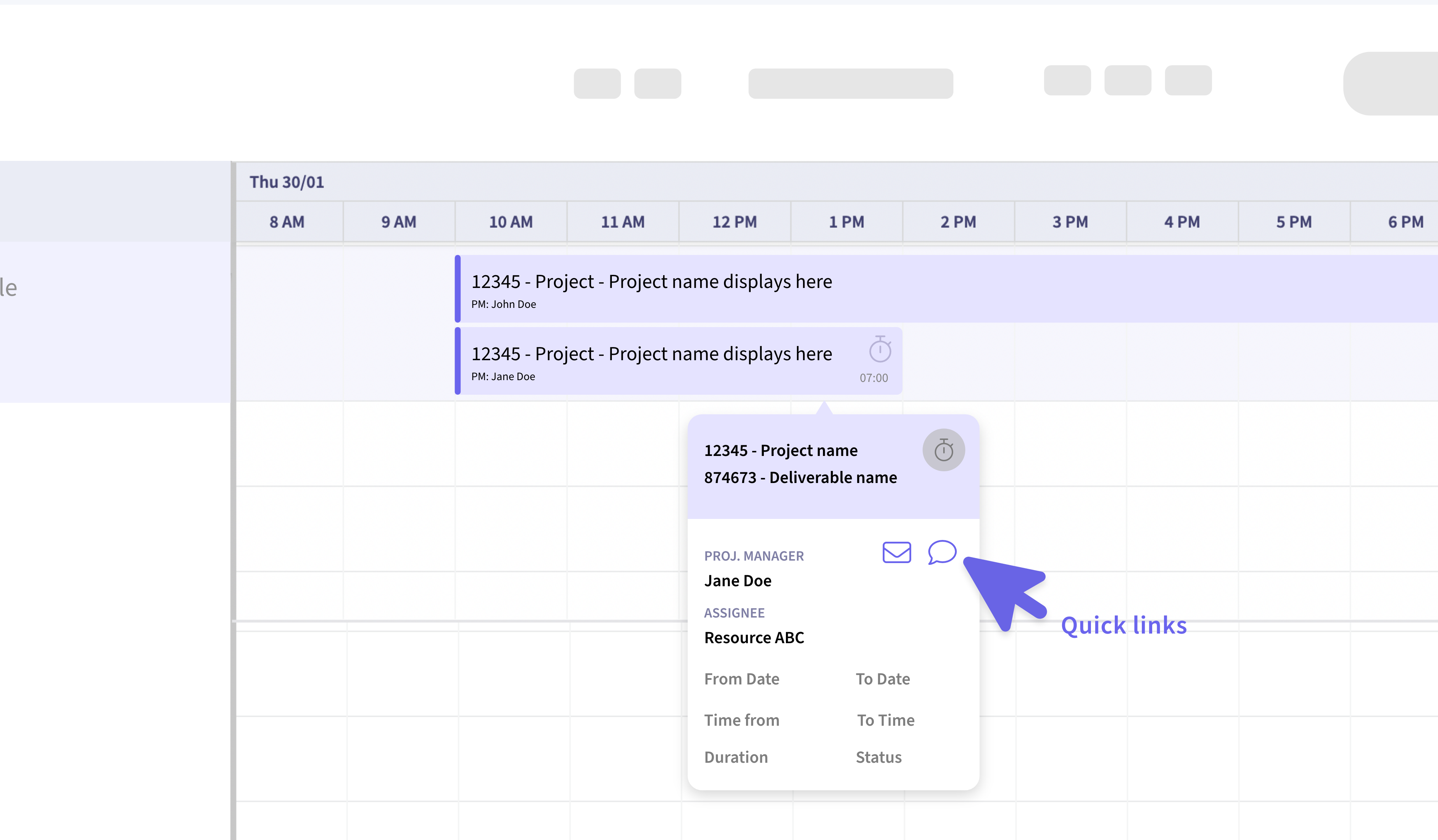
Resource cards in the Capacity View now feature quick links for communication with the resource via email or Teams chat, enhancing and streamlining communication within the system.
Layout Manager
📊 Customizable Grid Layouts Across Key Areas
The new Layout Manager functionality enables users to tailor column order, size, and grouping to their preferences. This feature is available across multiple areas, including:
- Library List View
- Planning Gantt View
- Site Admin Areas
Implemented universally where the Bryntum grid is used, changes are automatically saved after 10 seconds of inactivity, ensuring a smooth and personalized user experience.
Multi-Factor Authentication (MFA)
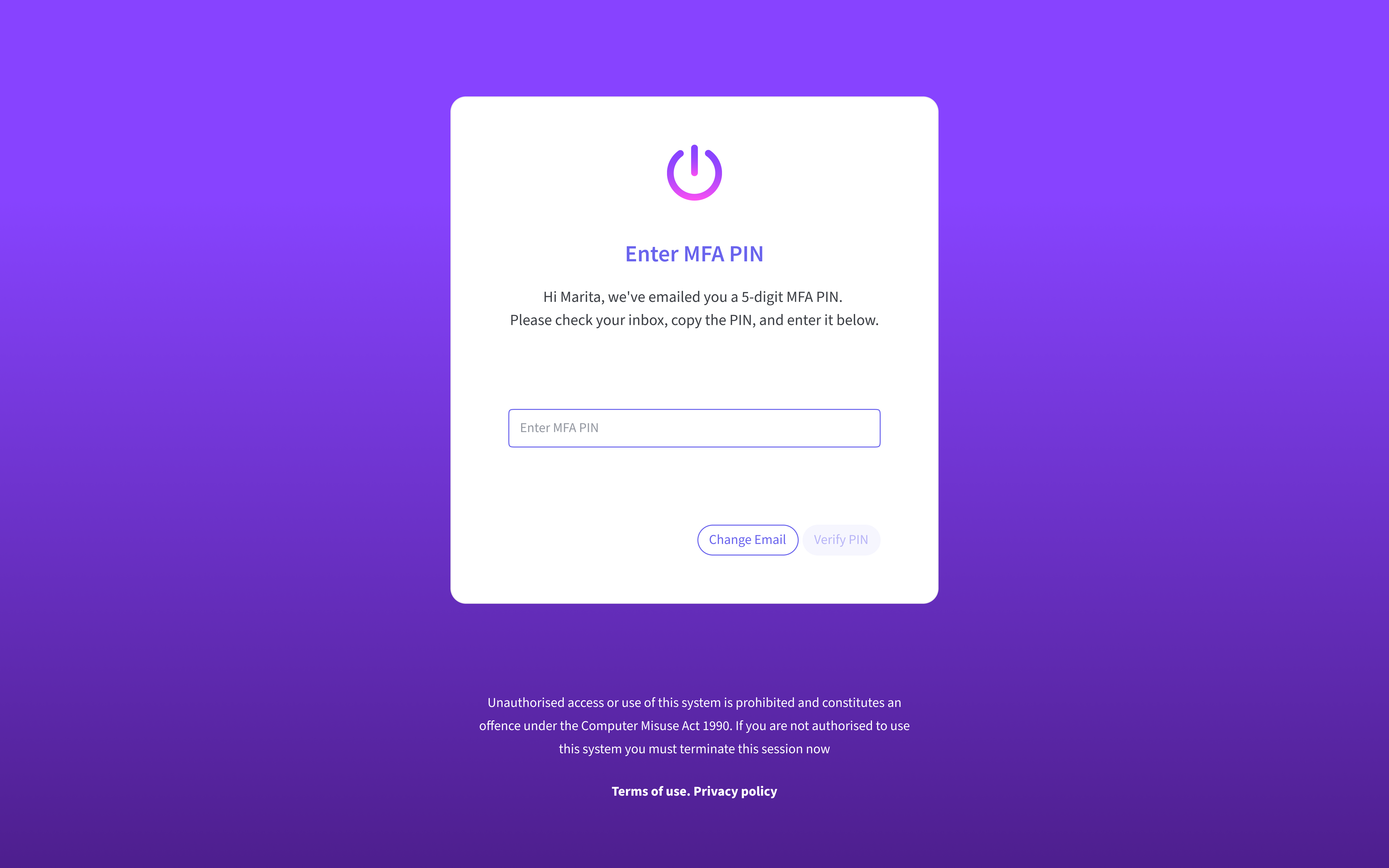
🔑 Enhanced Security with Email-Based PIN
A new MFA system has been introduced, utilizing a 5-digit PIN sent via email. The MFA code is generated and sent immediately after the username is entered. Once authenticated, it remains active for the next 24 hours, after which re-authentication via MFA will be required during login.
This feature requires configuration - contact OMGSupport@oliver.agency for assistance
Purchase Budgets [Alpha]
💰 Streamlined Budgeting and Ordering Process
OMG’s purchase process now utilizes purchase budgets (accessible with Alpha permissions) instead of direct purchase orders. The new interface includes two tabs:
- Budget Tab: Users create budget line items by specifying quantity, cost, and calculated selling price.
- Purchases Tab: Displays generated purchase orders, maintaining the familiar interface from the previous system.
Key Features:
- Users can select multiple budget line items and generate purchase orders with a single click.
- Purchase orders can be modified (quantity, cost) before confirmation, and the updates are reflected in the budget’s Actual and Difference columns.
- Confirmed orders appear in the Purchases tab’s detail view, providing the same information as earlier purchase order screens.
This system ensures greater flexibility and accuracy in managing budgets and purchases.
Excel Downloads
📥 Easier Data Export Across OMG
An Excel download button has been introduced across many list views in OMG, including Briefs, Approvals, Tasks and Admin areas. This feature allows users to export data efficiently for offline access and analysis.
Planning Enhancements
🧮 Track Progress with Percent Complete
The Planning area now features a Percent Complete column, displaying task progress either as a percentage or a circular progress bar, providing a clear and visual representation of progress.
Deliverables Improvements [Beta]
🚀 Enhanced Usability and Organization
The Deliverables area has been upgraded with the following enhancements -
- A new Search Feature has been added for quickly locating deliverables.
- A Completed Tab is now available for better task management.
- Assignee Dropdowns have been left-aligned for improved legibility and ease of use.