OMG Release notes - v7.169.0
Adobe Plugin Revamp
🔍 Streamlined Layout & Enhanced Functionality
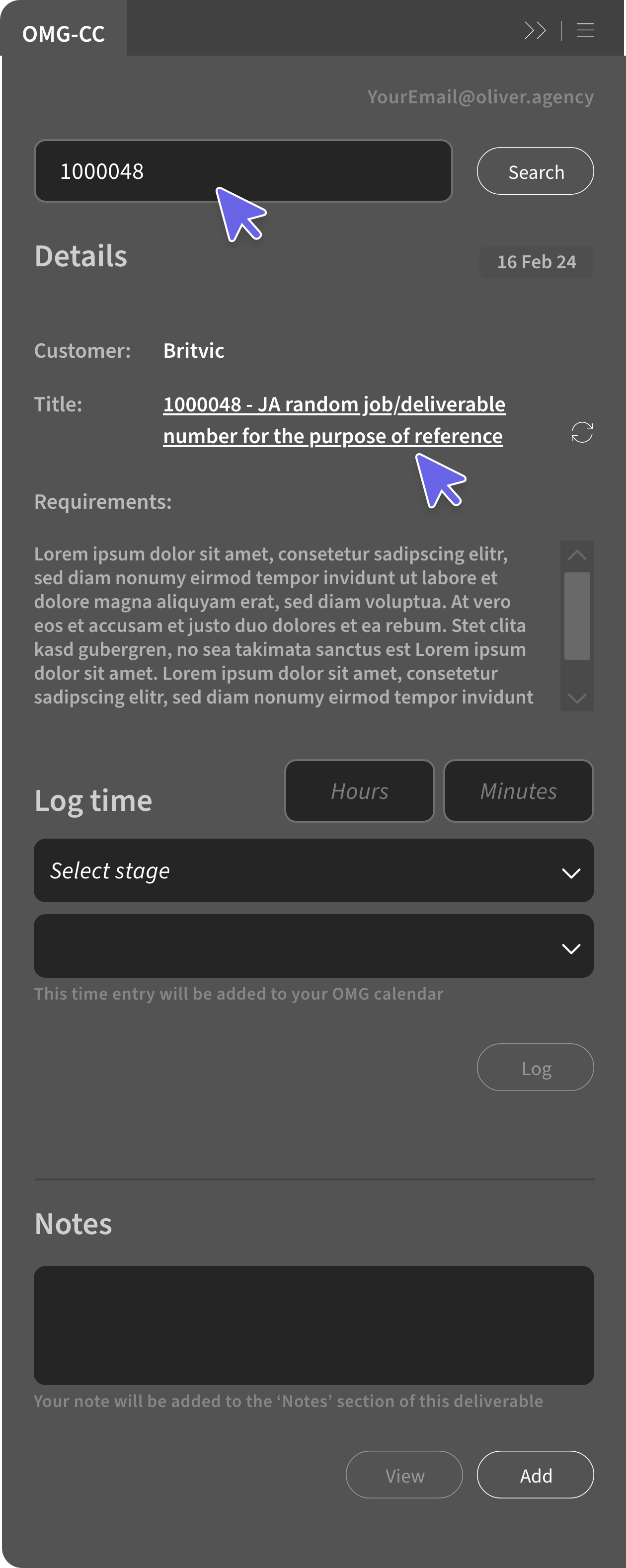
The Adobe plugin now has a cleaner layout, featuring an intuitive job number search, improved deliverable details display, and a new deadline field. You can click deliverable titles to open them in a browser, and the time logging button has been repositioned for easier access.
Prebill and Drawdown Billing
💵 Simplified Interface, Improved Financial Integrity, and Client PO Management
The Prebill and Drawdown billing processes have been improved. A Drawdown Client PO is created for use with linked drawdown billing types when approving Prebill estimates. The new Drawdown estimate approval screen features a streamlined interface with updated terminology and a dropdown for selecting Drawdown references. To maintain financial integrity, Prebill estimates can no longer be revised once linked to approved Drawdown estimates. However, updating the Client PO on the original Prebill remains possible.
Pencil to OMG Export
✏️ Streamlined Asset Management and Improved Version Control
We've updated the Pencil to OMG export process to improve asset management. Now, exports generate preview assets followed by high-res versions. New exports create assets marked as 'Final output', while re-exports of assets in 'Revisions requested' create new versions. Assets 'In approval' or 'Approved' are not overwritten. For multiple exports, the first file becomes the Primary asset, with others as Secondary. This streamlines workflow and enhances version control throughout the approval process.

Planning List View
👍 Customizable Columns and Enhanced Filtering for Streamlined Project Management
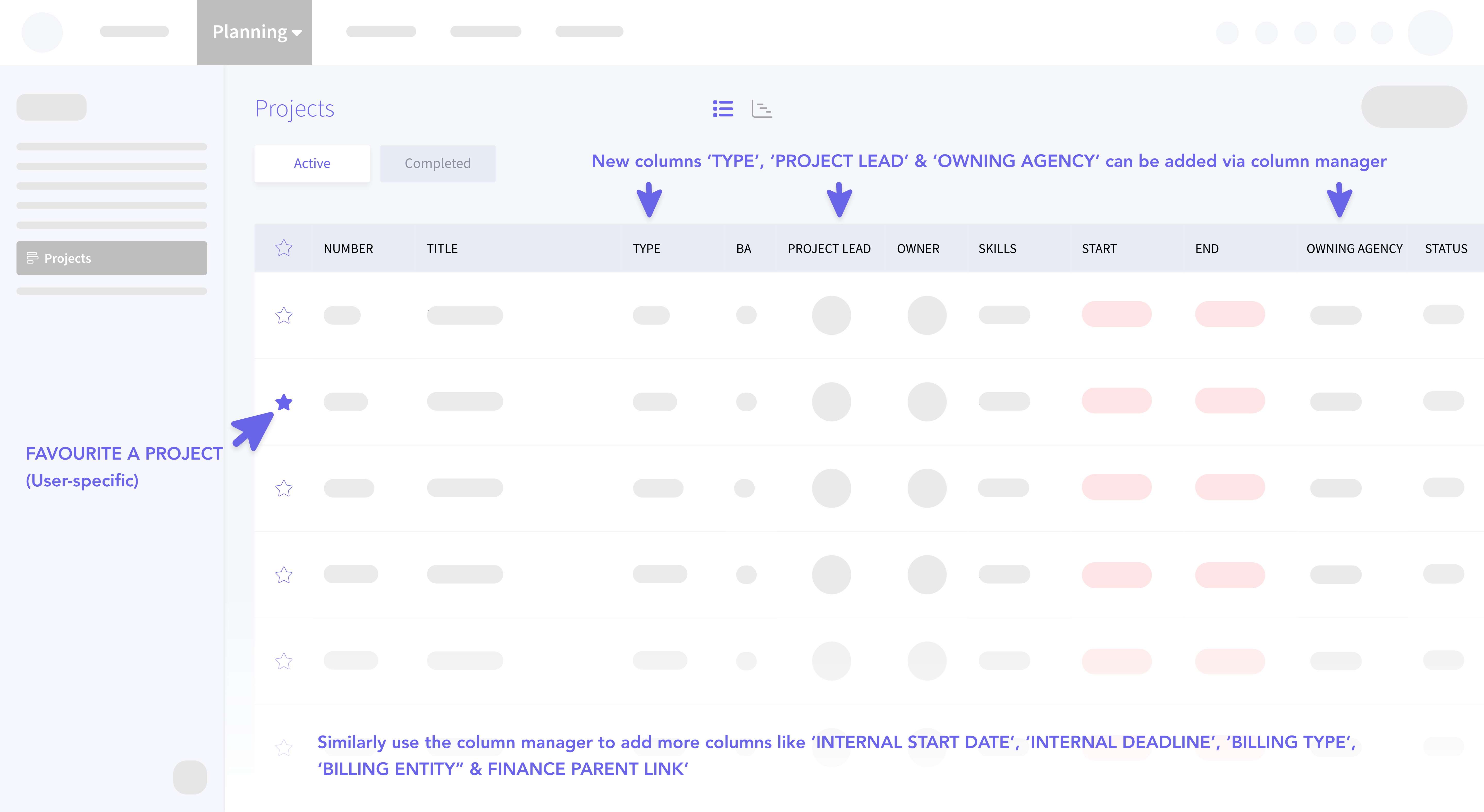
We've expanded the Planning list view with new customizable columns: Type, Project Lead, Owning Agency, Internal Start/Deadline dates, Billing Type/Entity, and Finance Parent Link. Each column has specific placement and filtering options, such as multi-select pickers for Type and Billing Type, and date filters for Internal dates. These columns are off by default but easily enabled through the column header manager. The Type column includes a default "-" value for projects without a defined type. All new columns use flex-based width for optimal display.
Slipstream Updates
☑️ Improved AI Response Matching for Checklist Processing
We've updated the AI response handling in the Slipstream workflow, particularly for the checklist process. The system now looks for substring matches of "YES" or "NO" within responses, rather than requiring exact matches. This change accommodates variations in AI-generated responses, ensuring more reliable processing of checklist items. The update maintains the integrity of the Slipstream workflow while improving its robustness in handling AI outputs. Other Slipstream functions continue to operate as expected with this new matching approach.
🎉 Expanded Functionality and Improved Navigation on the Summary Page
We've enhanced the Slipstream (AI Briefing) process by adding more functionality to the initial summary page. You can now upload files, invite people or teams, and access the full range of Action options directly from this page. We've also included left and top navigation items, including the Submit and Save buttons, aligning the AI Briefing summary page more closely with the standard Brief edit page. These updates provide you with greater flexibility to refine and collaborate on briefs immediately after AI generation, streamlining the overall briefing process.
Asset Library Updates
🤖 Rich Text Quill Editor for Improved Description and AI Tagging
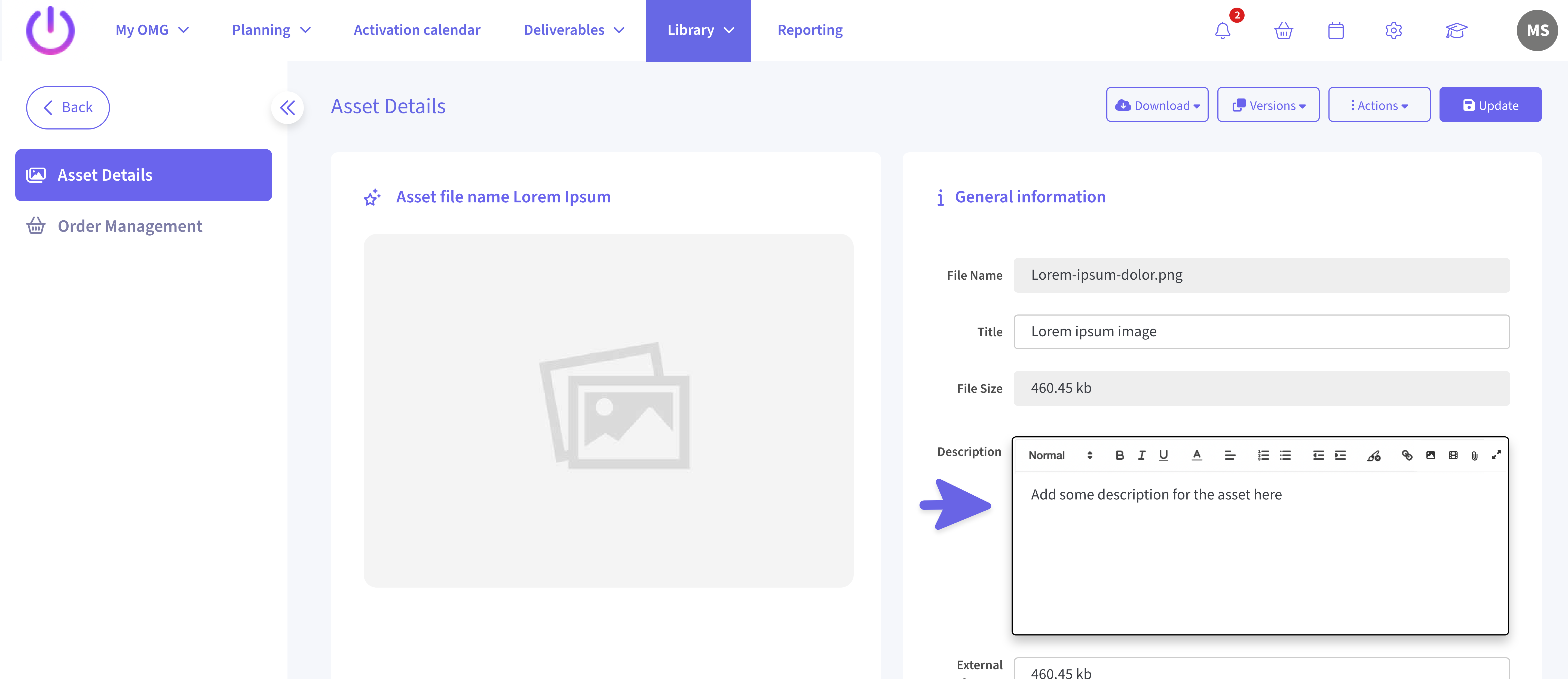
We've upgraded the Asset Details section by replacing the Description field with a rich text Quill editor, enhancing the capture and display of detailed asset information. This supports AI tagging by enabling structured, formatted content with headers, lists, and more, preserving valuable data when transferred into OMG.
📸 Gallery view upgrade with New Dropdown Download Button
We've added a dropdown download button to the gallery view, allowing users to choose between Original and Low-res downloads based on permissions. Both options batch assets into zip files sent via email, with a new header, "Your file(s) are ready to download," for low-res downloads. Links remain valid for 7 days or 3 downloads, and you can now download multiple low-res files of different types together, improving flexibility and control over download quality.
My Approvals
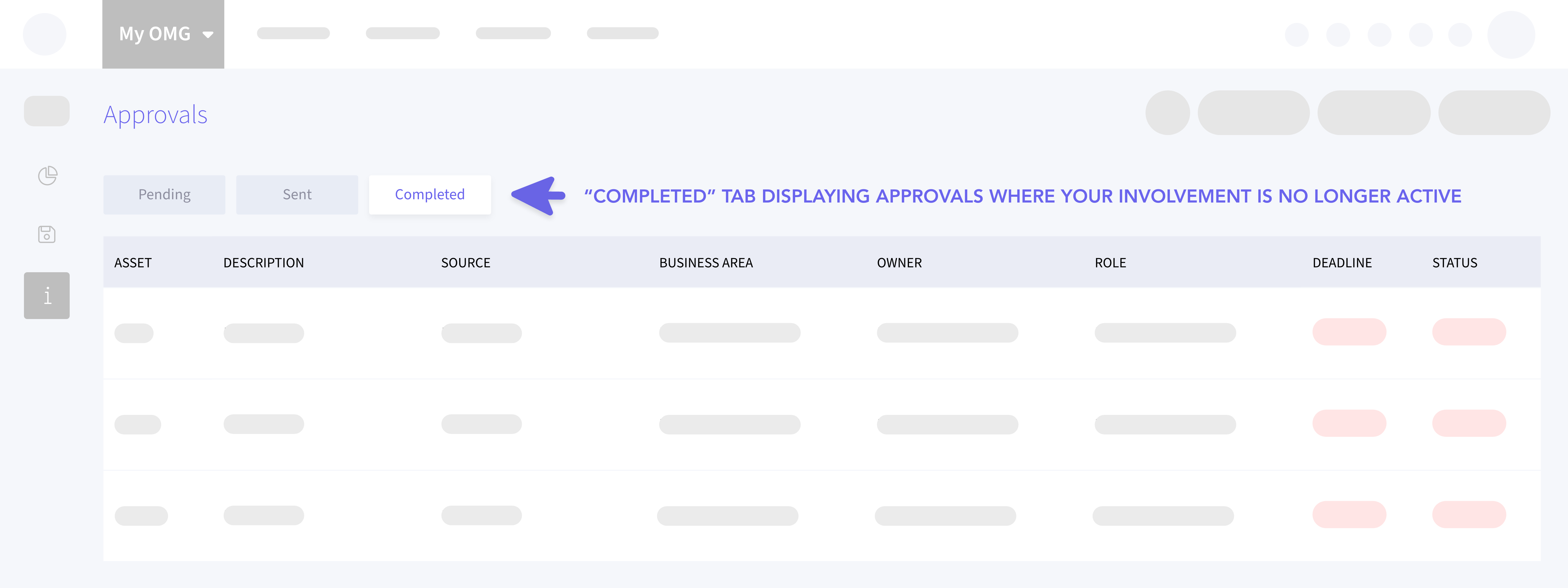
❇️ New Completed Tab, Enhanced Data Management and Multi-Phase Approval Visibility
We've added a "Completed" tab in the Approvals section, showing approvals without active user involvement for the last 6 months. This tab includes all approvals where the user was the owner or held any role, with optional columns for asset version and phase number. You can customize the layout, and preferences are automatically saved. Additionally, multi-phase approvals are now displayed in separate rows for each vote. These enhancements offer a comprehensive and organized view of completed approvals, streamlining the review process and improving workflow efficiency.
Layout Manager
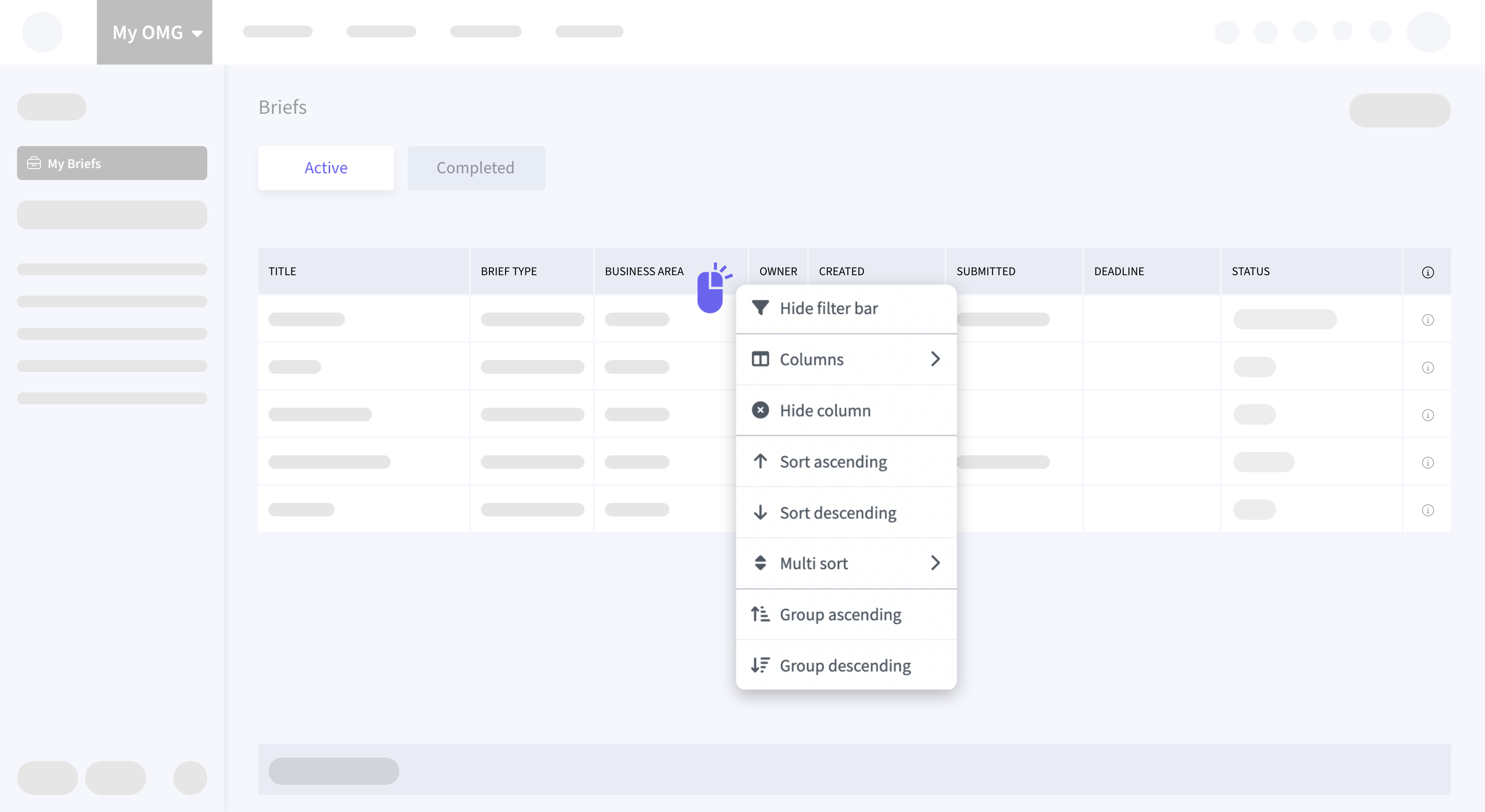
🤩 Customizable Grids and Persistent Settings for My Briefs and My Templates
We've enhanced My OMG → My Briefs and Site Admin → My Templates section with the Layout Manager feature. You can now show/hide columns, reorder them, and adjust widths to their preference, with Title, Brief type, and Business area columns now having unrestricted widths. The grid supports sorting and grouping by visible columns, and all customizations are automatically saved after 10 seconds of inactivity. These personalized settings persist across login sessions and are available in both Active and Completed tabs.
Activation Calendar
📈 Automated Creative Execution Assignment and Improved Data Accuracy
We've enhanced the Activation Calendar workflow for by automating the Creative Execution assignment through a custom data ingest. OMG uses a matching algorithm to link master assets via the Creative Execution.
SSO Authentication
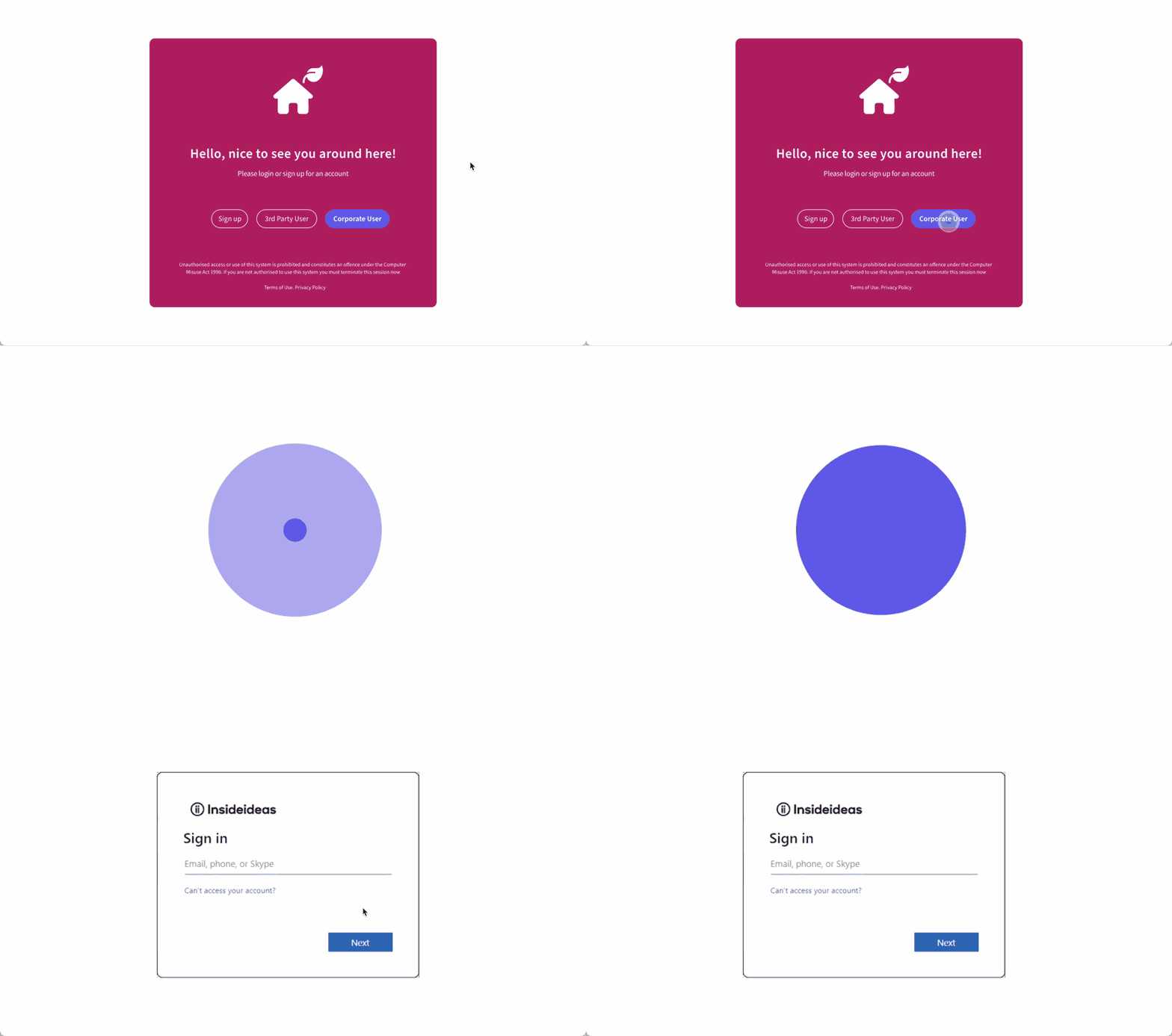
👁️ Improved Visual Feedback and User Experience During Linked Site Access
We've improved the SSO authentication process for users accessing linked sites. Now, when redirected to their master site for authentication, you can see a centered loading graphic on a white background instead of the standard login page. This change is triggered by the 'URL parameter. The process remains the same: users input their email, initiate the lookup, and if found, are directed to the master site where the loading graphic appears. Once authenticated, they're redirected to the origin site. This enhancement provides clear visual feedback during authentication, preventing confusion and improving user experience, especially during longer processing times.
Site Admin Users
📊 Enhanced Downloading and Reporting
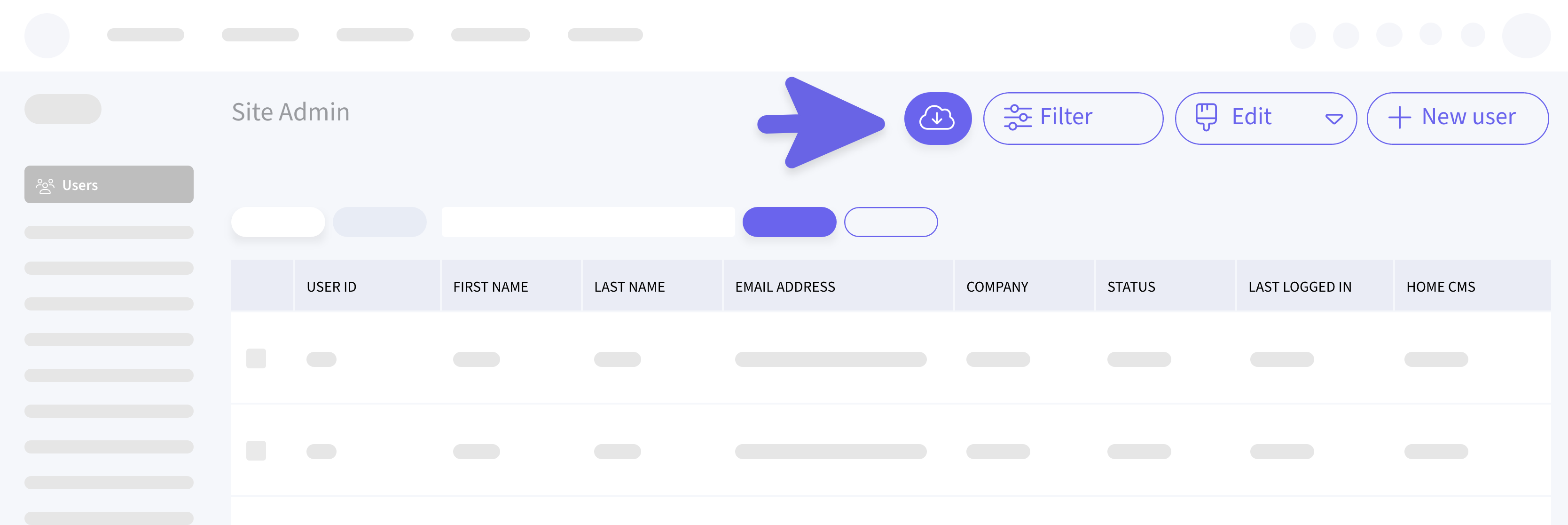
We've added a new Download button to the Site Admin > Users list, mirroring the functionality implemented in the Planning list view. This feature allows you to download the grid data as an Excel file, reflecting the current view including any sorting, filtering, or grouping applied. The download will only include visible rows, even if some groups are collapsed in the UI. This enhancement provides administrators with a quick and easy way to export user data in its current displayed state, improving data management and reporting capabilities.