OMG Release notes - v7.170.0
Talent Management
⭐️ Beta users will now experience an enhanced Global Talent management experience
Streamlined Navigation:
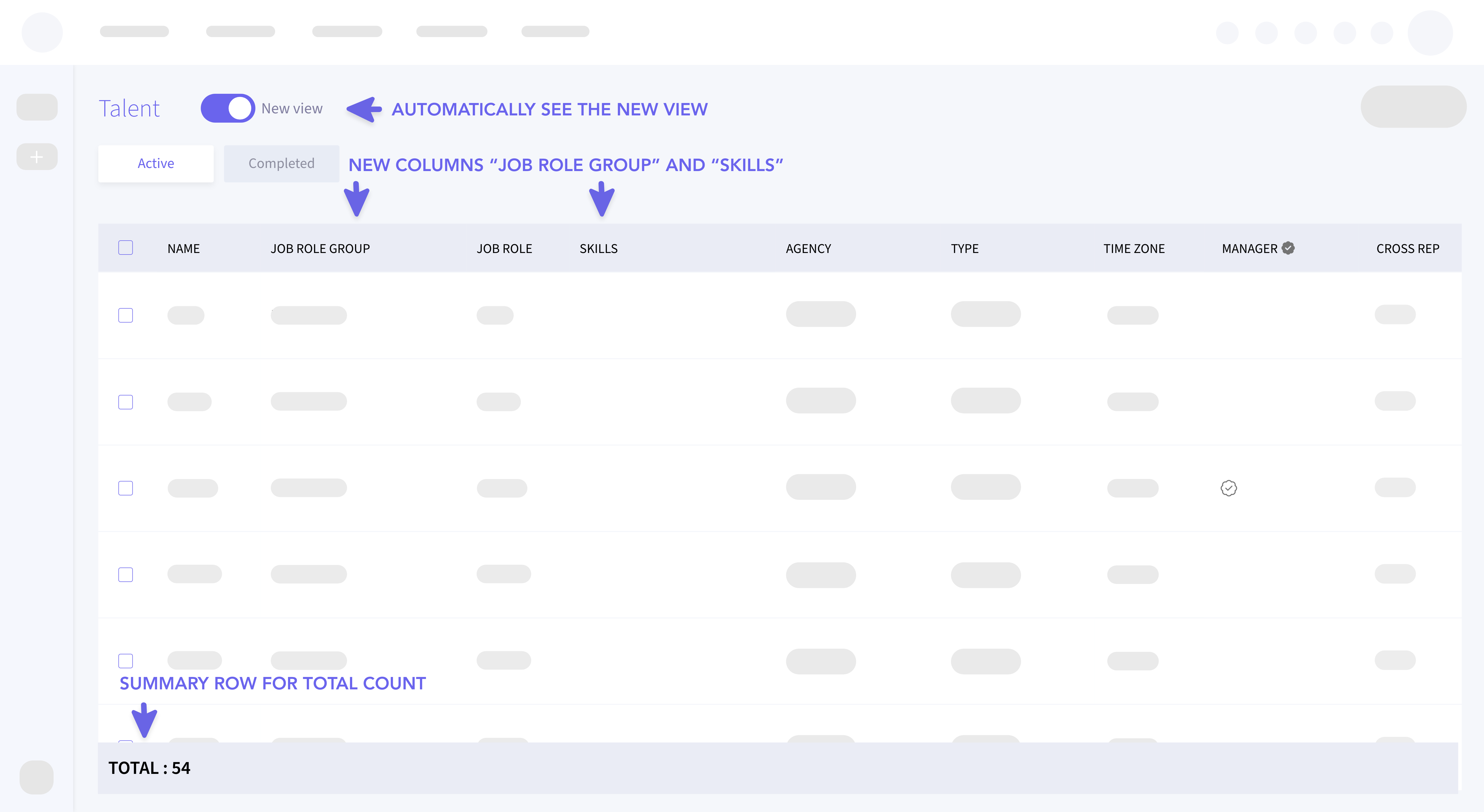
- Upon accessing My OMG > Global Talent, users will automatically see the new view.
- The left navigation panel is now auto collapsed and non-expandable, providing a cleaner workspace.
- The navigation bar has no icons for a minimalist design.
Improved Table Display:
- The table uses the full-page height for better data visibility.
- A new "Skills" column is added between "Job Role" and "Agency," showing both skills and proficiency levels as labeled “Chips” (e.g., "Designer (Novice)").
- Skill lists handle overflow for easy management of extensive skills.
Enhanced Data Insights:
- A summary row under the "Name" column provides a quick total count.
- The "Skills" column includes header filters with set options for easy sorting, using the latest configuration from recent updates.
- A new "Job Role Group" column, as seen on the My Resources page, appears to the left of "Job Role" for deeper role classification.
These updates simplify navigation, optimize data visibility, and improve classification for an efficient user experience.
Updates to Briefing
⭐️ PDF Uploader for Brief Summary
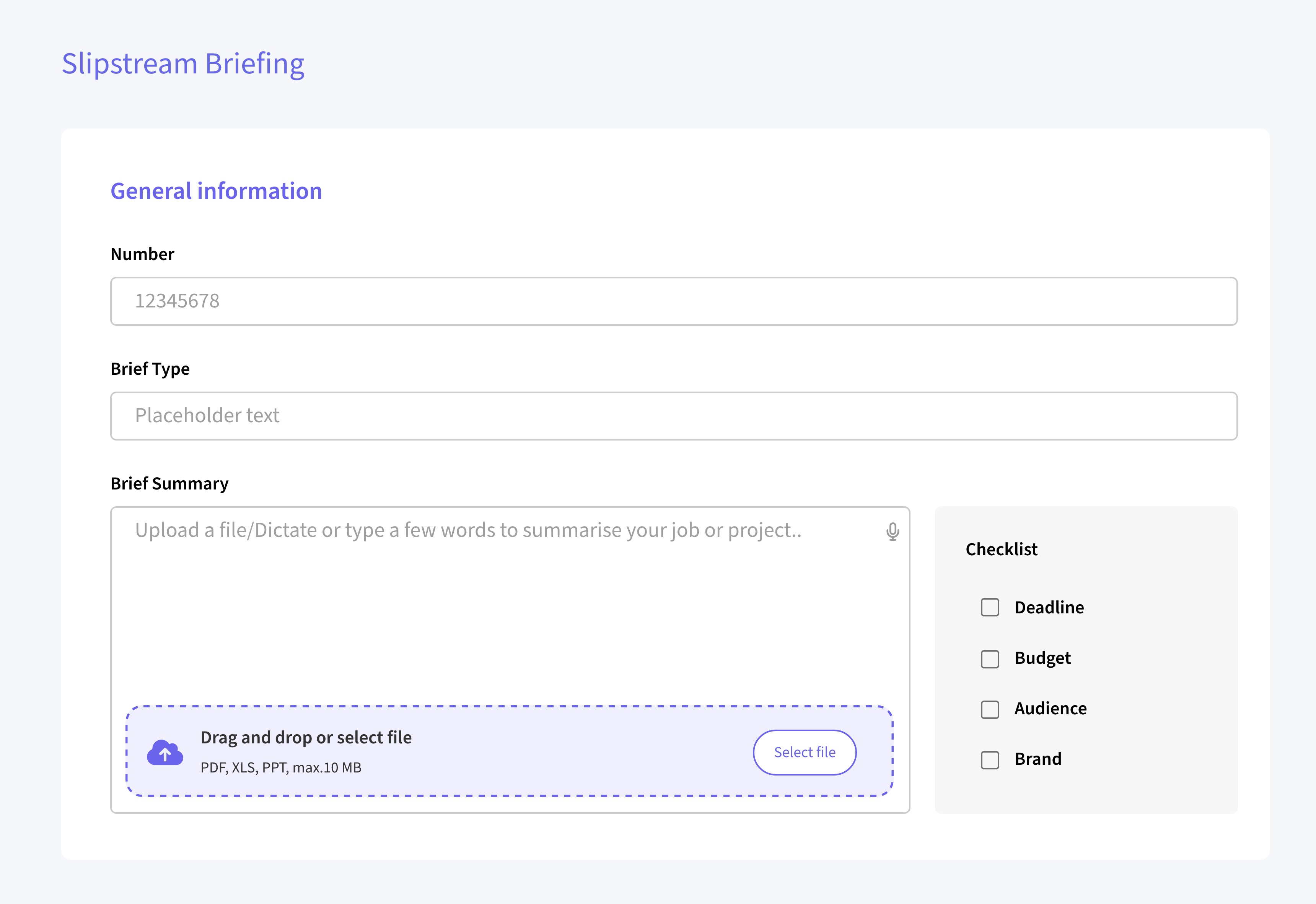
We have introduced a new feature that enhances the functionality of the Brief Summary field by allowing users to upload a PDF document. This feature supports both drag-and-drop and traditional file selection methods for added convenience.
⭐️ Visual representation of scored brief
We are excited to announce a visual enhancement to our scoring system! All numeric scores from 0 to 5 will now be represented using star emojis, providing a clear and engaging way to understand scores at a glance. Scores will now be displayed with a combination of filled (⭐️) and empty (☆) stars.
For example, a score of 3 will be shown as below -

New sub-media type
⭐️ Expanding Media Categorization with Specialized Video Sub-Types
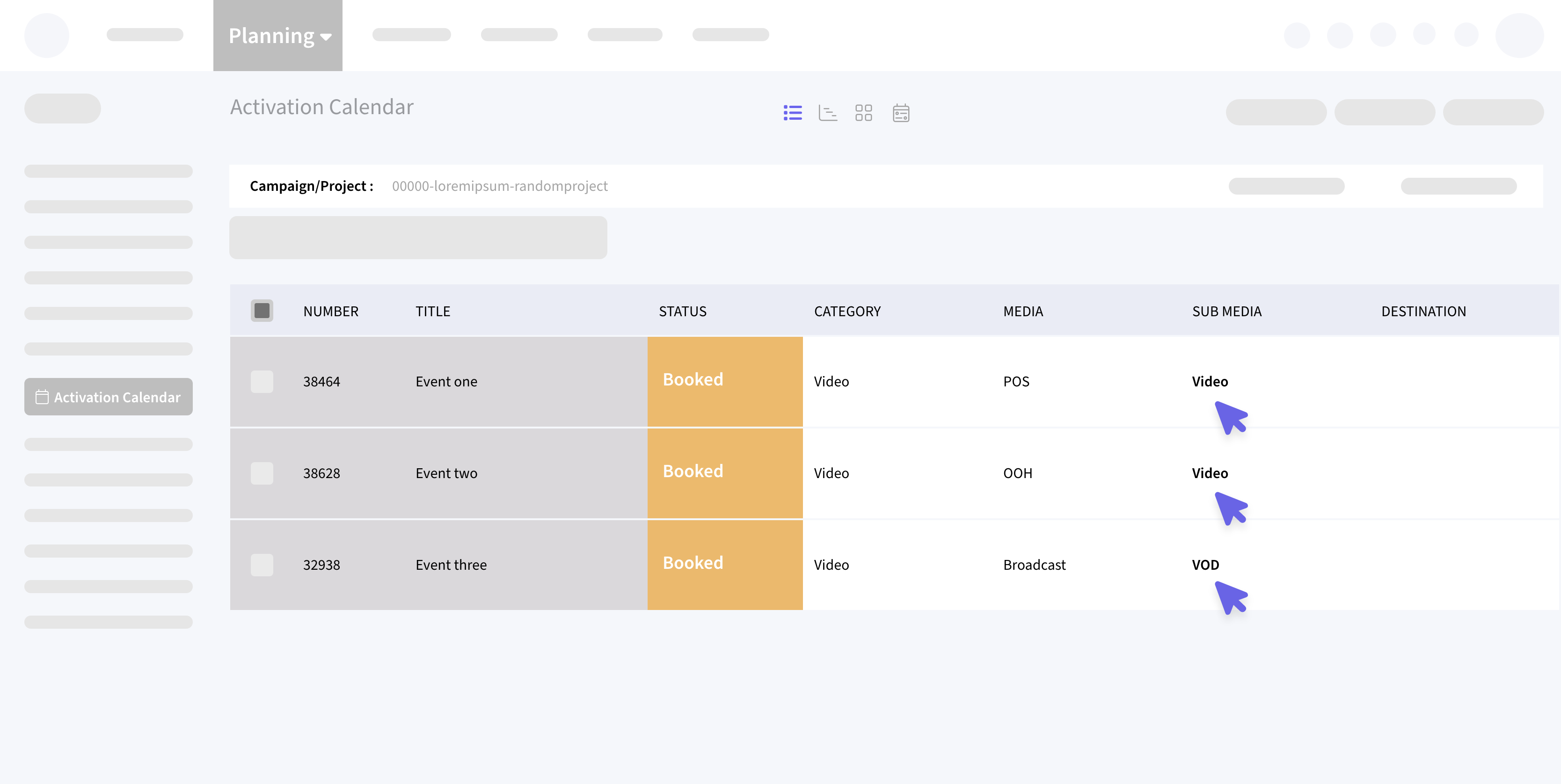
We are excited to announce the release of new sub-media types as part of our continuous effort to enhance and diversify our media categorization system. This update introduces new sub-media types under POS, OOH, and Broadcast categories, specifically tailored for video content.
Deliverables Tabbed View Update
We have introduced the tabbed view feature within the Top Nav Deliverables section. This enhancement aims to streamline navigation and improve user interface organization for better accessibility and efficiency.
Planning List view
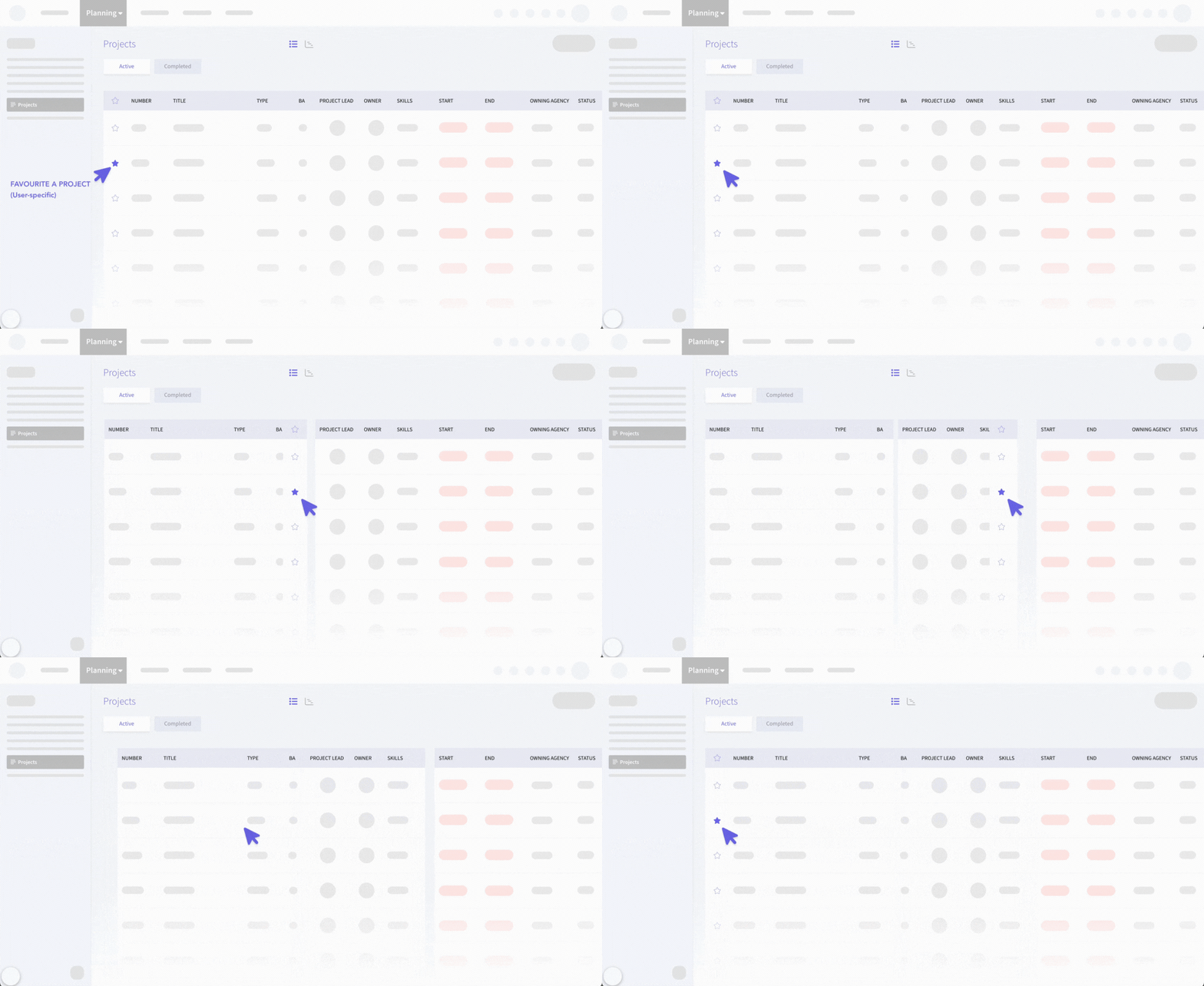
⭐️ New default position for the Favourite tab
We have made an enhancement to the Planning list view by introducing a new default position for the Favourites column. The Favourites column is now positioned as the first column in the Planning list view by default. This change is applicable across Activities, Campaigns, and Projects. Users retain the flexibility to move and reposition the column, allowing for a personalized layout experience.
For existing users, the placement of the Favorites column may vary based on your previously saved layout settings. The column's position will reflect your last saved state. For new users, the Favorites column will automatically appear as the first column, providing a streamlined view from the start.
Gantt View Updates
⭐️ Performance Optimization for Task Assignment in Gantt View
We have optimized database queries to significantly reduce latency when assigning a single task, sub-task, or milestone to an assignee. The new implementation ensures a latency of ≤1 second in the OMG Staging environment. Also, we have Addressed issues related to copying nested tasks/sub-tasks with dependencies. Users can now copy 40-50 nested tasks/sub-tasks with dependencies with a drastically reduced latency, ensuring the action is completed within an acceptable range (<30 seconds).
⭐️ Create Line Item instead of a Modal in Gantt view
We've improved the task management workflow in the Gantt view by eliminating the modal pop-up when adding new tasks, sub-tasks, or milestones. With this update, clicking the "+" icon now directly adds a new line item at the bottom of your current list in the Gantt view, allowing you to easily input essential details like Name, Start Date, and End Date directly into the grid.
SSO Login
⭐️ Enhanced User Logging Features
In this update, we have implemented and are currently testing enhanced user logging functionalities.
Key areas of focus include:
- Standard user logging capabilities.
- Priority implementation: OLIVER SSO users logging into their master site.
- OLIVER SSO users accessing linked sites.
- Non-OLIVER SSO users logging into their master site.
- Non-OLIVER SSO users accessing linked sites (For eg: 3M).