OMG Release notes - v7.167.0
Site Admin | Layout Manager
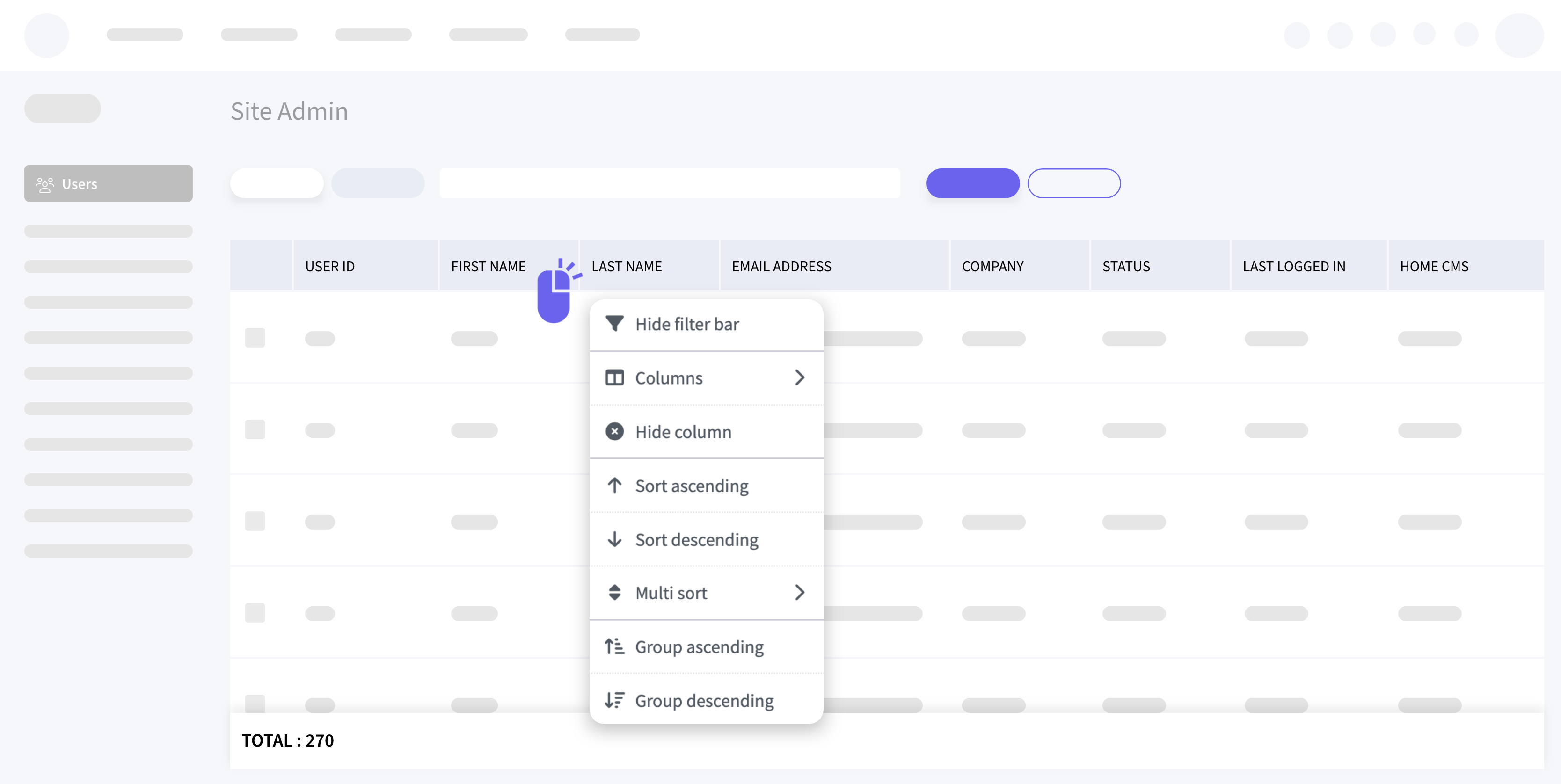
⭐️ Continuing with our layout manager work
We have now implemented it in the Site Admin → Users and Asset Types section, enabling users to customize the displayed columns. You can now hide, show, rearrange, and resize columns based on your preferences, with changes saved every 10 seconds. This customization persists across both Active and Inactive tabs in the User’s section and remains intact across user sessions. These enhancements provide a more personalized and efficient user experience in managing columns.
Streamlined Pencil Project launch
🤩 We’ve made managing multiple projects a breeze with our updated Pencil launch process!
Previously, the first launch required creating a new project, with subsequent launches going directly to that project. Now, the new process is
- First Launch:
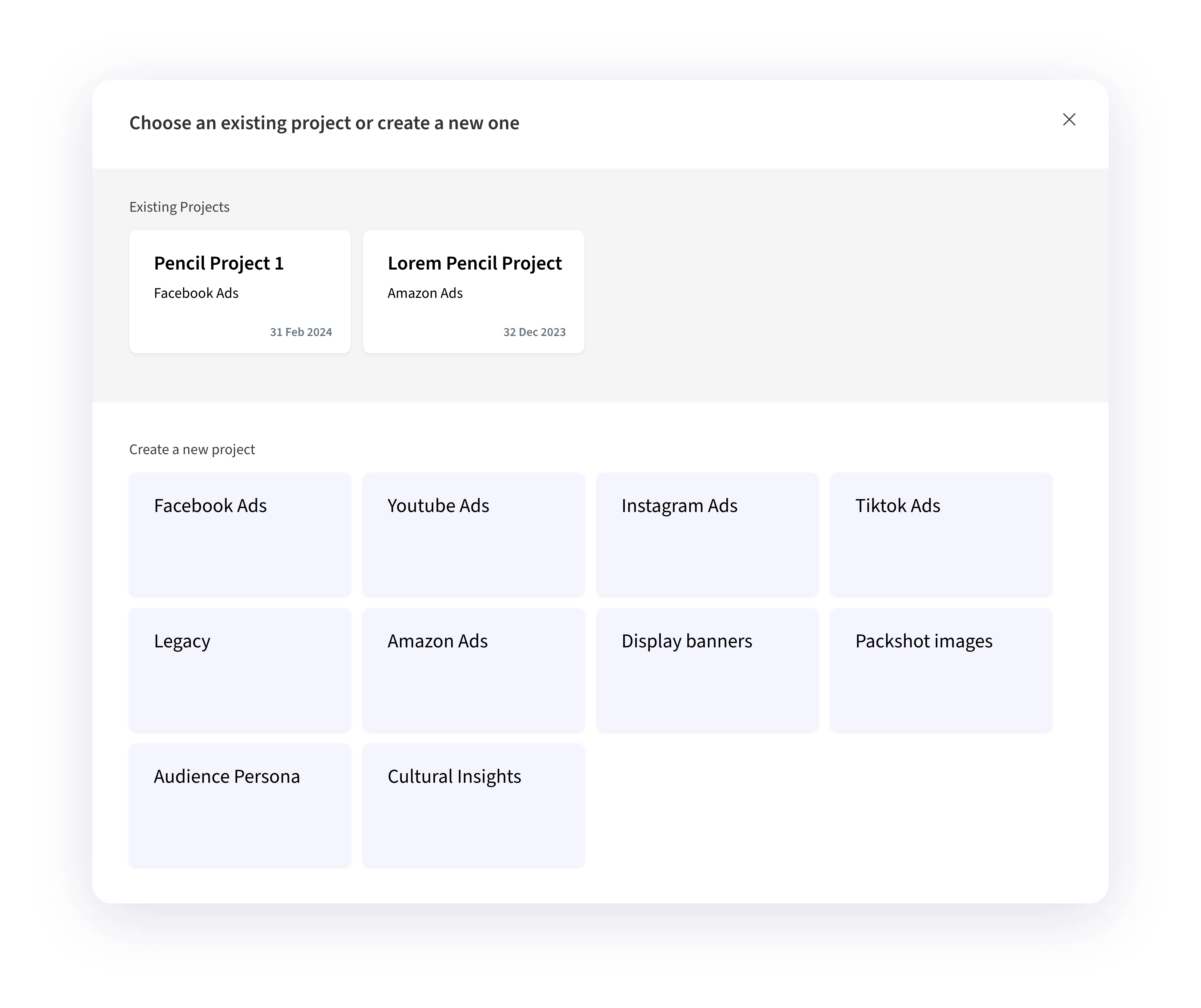
Upon the first launch, you can select a project type and provide a unique Pencil project title (up to 50 characters). The naming convention is 'OMG Deliverable Number_OMG Deliverable Title_Pencil Project Title'. Duplicate titles are not allowed.
- Subsequent Launches:
For any subsequent launches, you can now see previously created Pencil projects grouped at the top of the modal, displaying project types and titles. You can then select an existing project to launch or create a new one, which will then appear in future modals.
Folder creation also creates a folder named 'Deliverable number_Deliverable title' within the parent project’s folder. These improvements offer more flexibility and efficiency in managing multiple projects per deliverable.
Pencil | Automated High-Resolution Downloads
✏️ You’ll love our new Pencil integration!
When exporting from Pencil to OMG, preview assets are generated, and high-res files are downloaded immediately.

- First-Time Download: Exporting to OMG from Pencil generates preview assets and immediately loads high-res assets. If it’s the first download, the high-res file overwrites the preview and updates its status to “Final output”.
- Subsequent Downloads: If the asset is in “Revisions requested,” a new version is created. If the asset is “In approval” or “Approved,” new exports do not overwrite the file.
- Asset Classification: The first downloaded file is the Primary asset. Additional files are Secondary assets.
Enhanced Adobe CC Plugin
🚀 Searching for your assigned deliverables is now faster and easier!
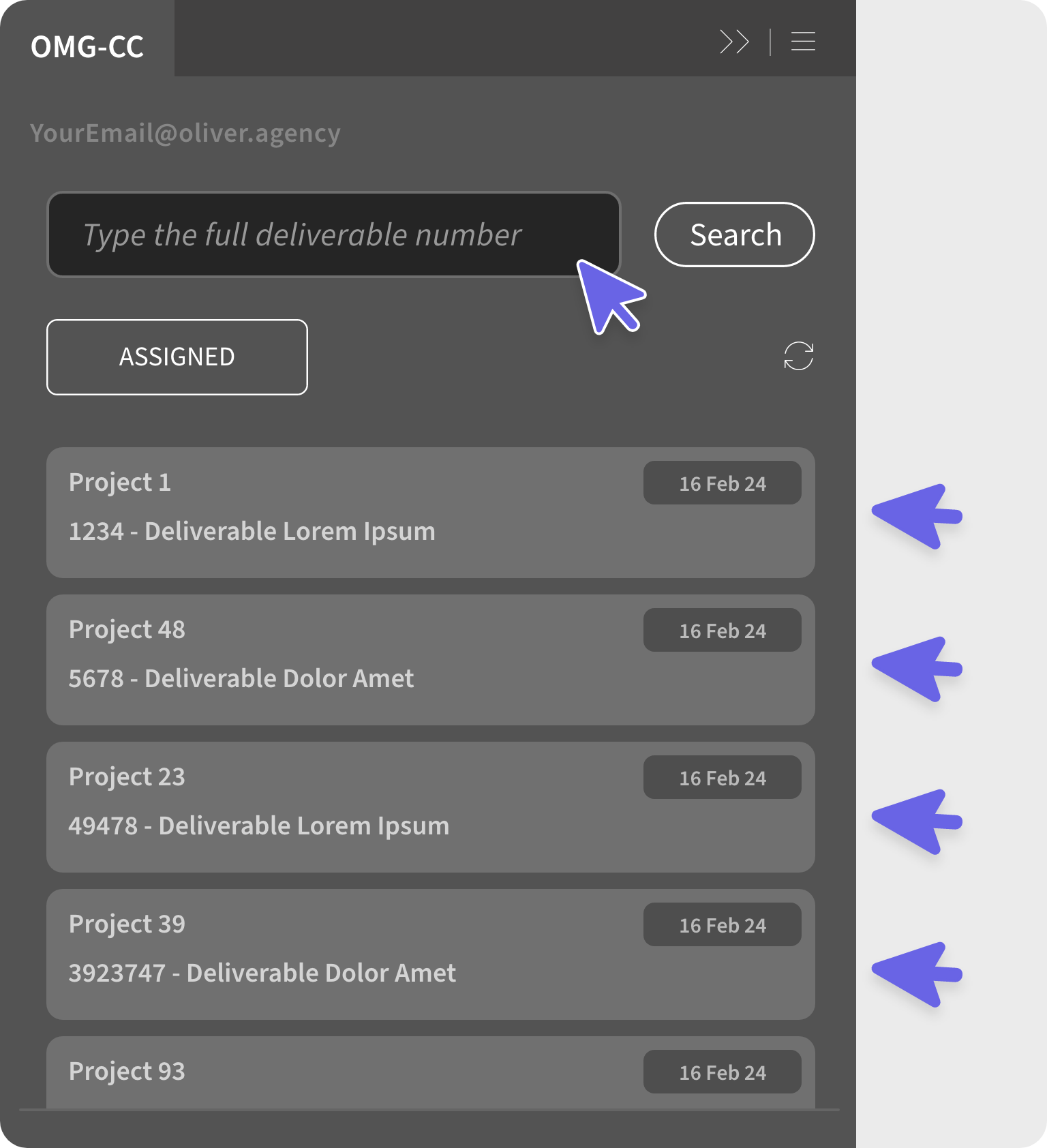
With the updated Adobe CC plugin, you can load your assigned deliverables, excluding those that are complete, canceled, or outside “My Calendar” rules. Results are sorted by the oldest deadline first and limited to 300 deliverables, showing the project number, title, deliverable number, and deadline. Click on a result to view its details or hit “ASSIGNED” to refresh your list. This enhancement streamlines your access to deliverables within Adobe CC!
New Export to Excel Feature
⬇️ We’ve heard your feedback and acted on it!
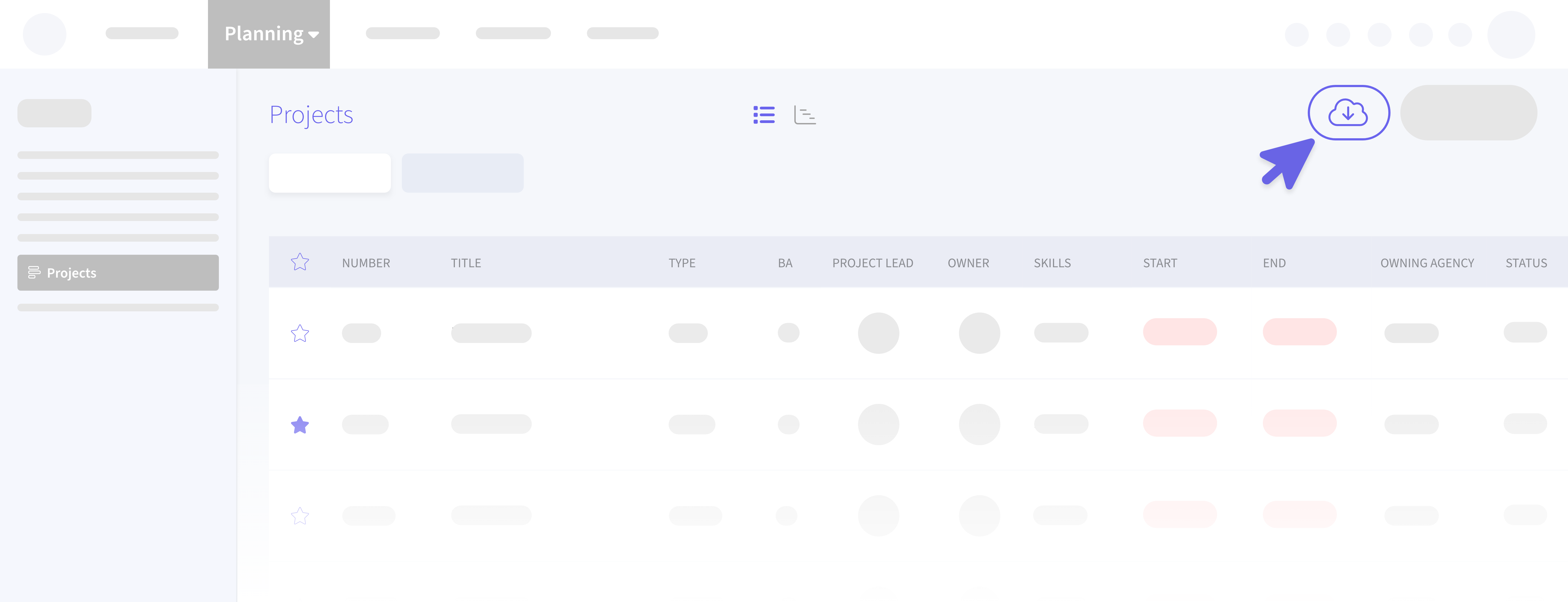
To improve resource prioritization and planning, we’ve introduced the “Export to Excel” feature in Planning → Projects, Campaigns, and Activities. Simply click the “Download” button at the top right of the screen to export your current view to an Excel file, including hidden columns (note: the “Favourite” column is currently excluded). Enjoy easier data management and planning!
Event Logging for Briefs
💼 Keeping track of brief processing just got more efficient!
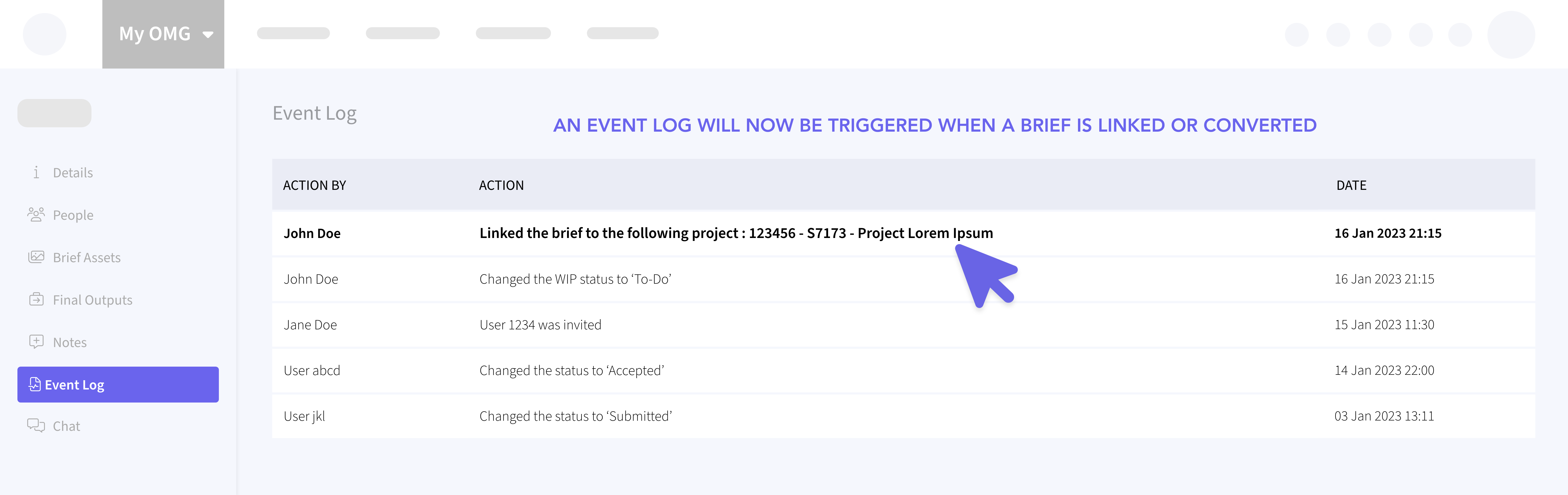
A new event triggers logs when a brief is linked to an existing project or converted into a new project, campaign, or activity. The event log records who took the action, the type of action (linked or converted), project details (number and title), and the date.
For example, you’ll see entries like “Linked the brief to project 123101 - Project X” or “Converted the brief to project 123101 - Project X”
Upgraded My Approvals Section
✅ My Approvals v2
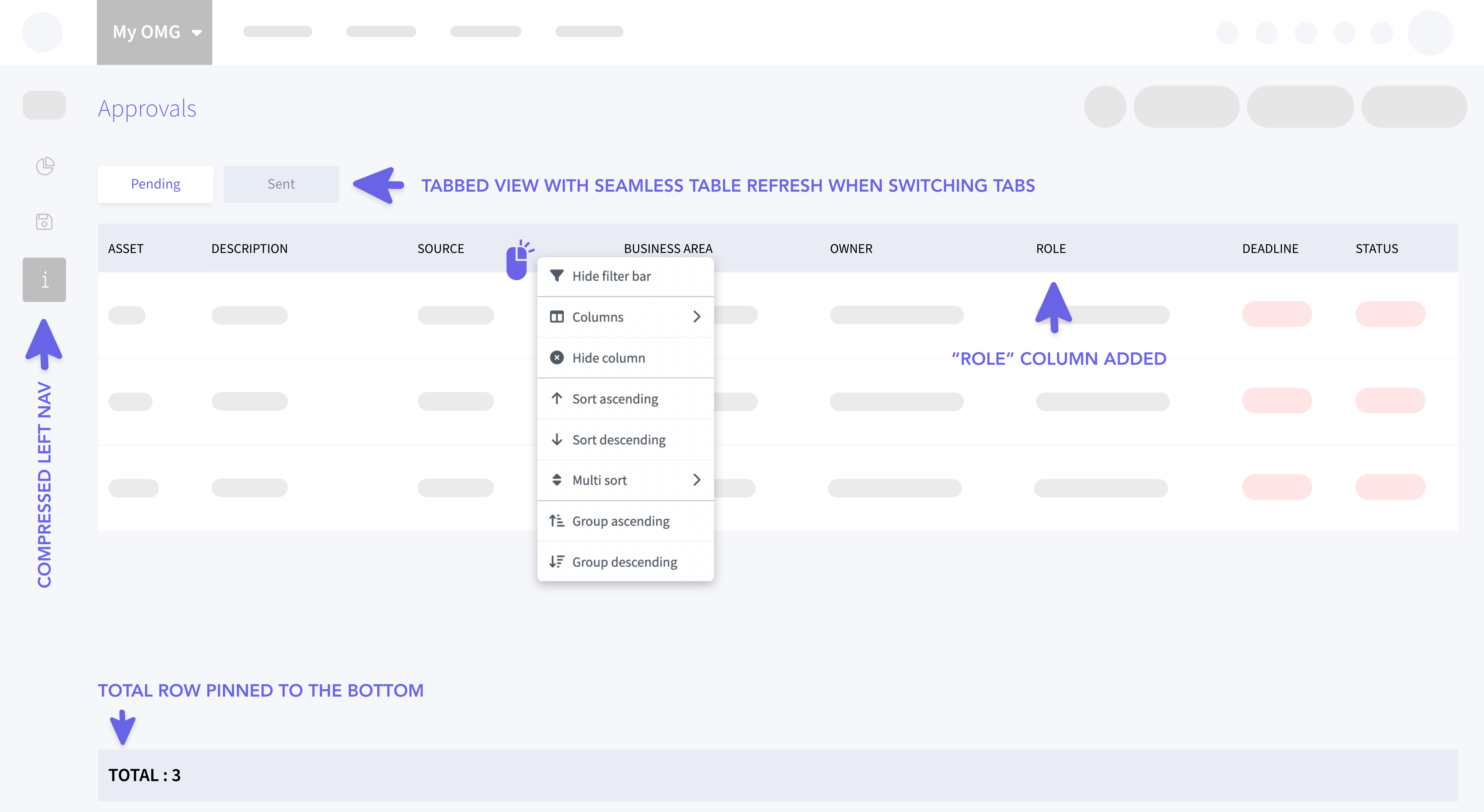
We’ve revamped the My OMG → My Approvals section for a better experience! We’ve replaced the previous search and filter functionalities with a compact navigation featuring icons for Dashboards, Sent Approvals, and Pending Approvals.
Two new tabs - Pending and Sent - help you view approvals more clearly. The Pending tab now includes a “Role” column. Enjoy enhanced grid features like responsiveness, sticky headers, sortable and movable columns, keyword search, and date formatting. Plus, a summary row at the bottom shows the total count of visible records. Customize your views with the Layout Manager, saving changes every 10 seconds!
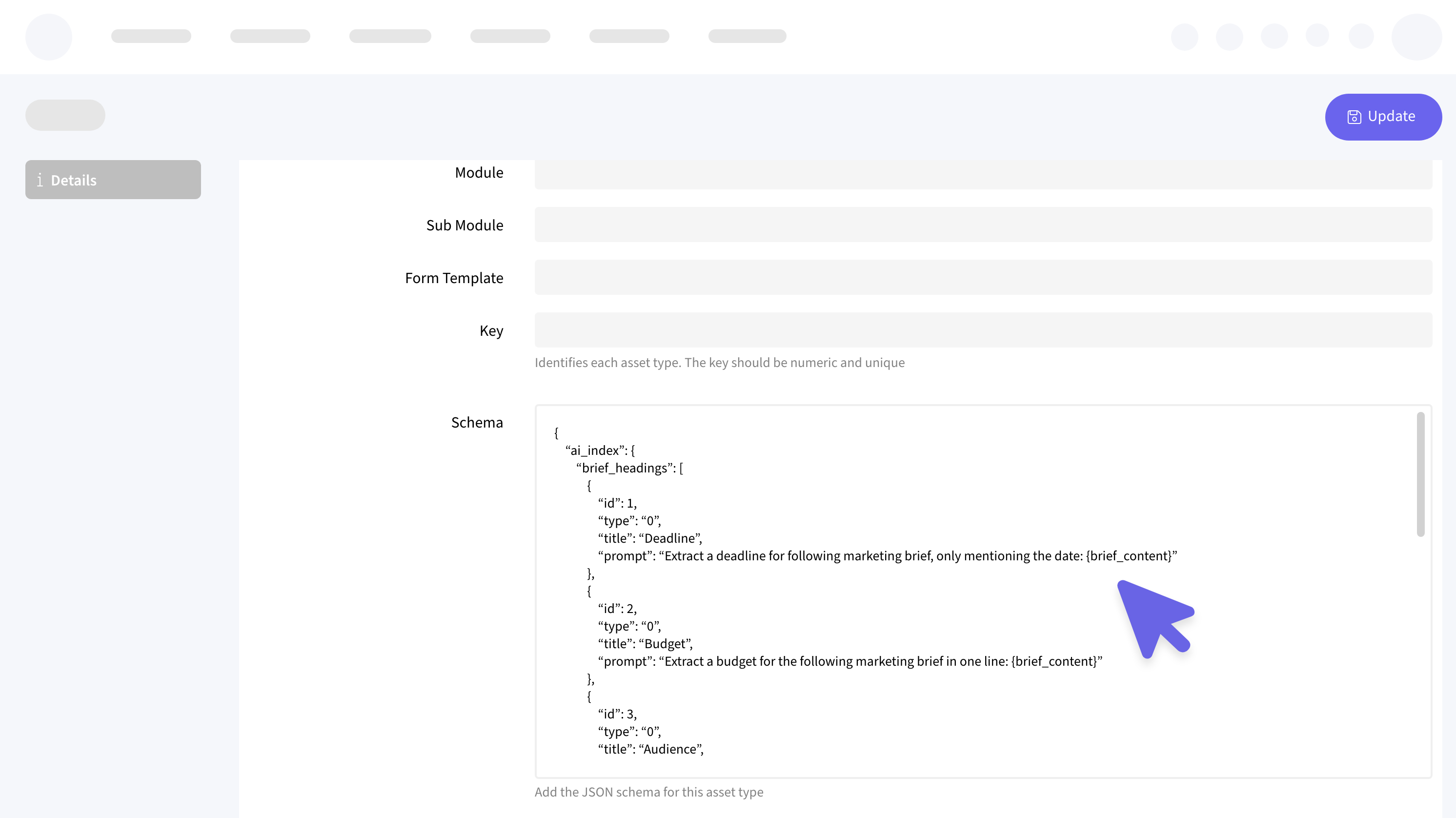
Improved JSON Formatting
😎 Managing JSON fields is now much easier!
We’ve implemented a solution that displays JSON content in a clear and readable format. When you access Global Admin > Agencies or Site Admin > Entities, you’ll see JSON fields presented with increased row visibility and improved readability. No more external tools are needed—everything is neatly formatted right within the system!