OMG Release notes - v7.183.0
✨ What’s New This Release
This release focuses on simplified workflows and improved efficiency. You’ll see new features like recurring bookings, smarter AI guidance in Slipstream briefs, enhanced video support, and a more intuitive interface for My Resources. All designed to save you time, reduce friction, and make your day-to-day tasks smoother 🤩
Slipstream
✨ Smarter briefs with document-powered AI
Helper Text Enhancement
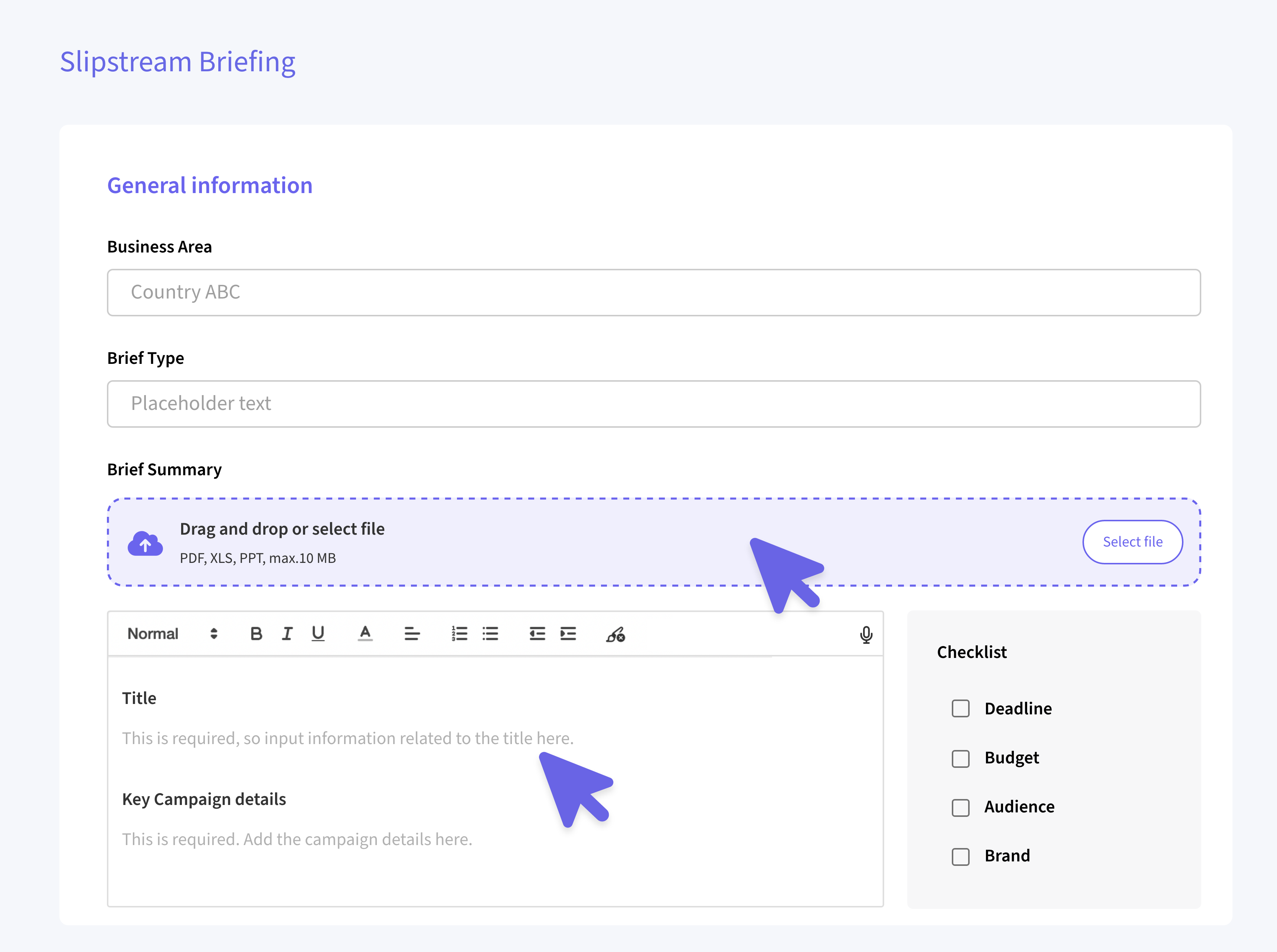
The rich text editor has been replaced with a Quill editor. While editing, Titles and helper text will be visible, guiding you through required fields. Once submitted, only your entered content and titles are saved, with uploaded files appended as before, keeping your briefs clean and structured.
UI Improvements
Dictation and file upload buttons are now at the top for easier access. The checklist area dynamically expands when a checklist isn’t included, giving you more space to work comfortably.
Briefs
PDF & Time Display Fixes 🕒
We've fixed an issue where images in briefs weren’t showing correctly in the PDF preview. Now everything you upload appears exactly as expected in the PDF. Dates and times in the brief details now reflect your local timezone instead of UTC, making scheduling and tracking much more accurate.
WebM Video Support
Faster, High-Quality Playback ▶️
We've added support for WebM videos to improve performance and reduce bandwidth usage. This modern video format provides better compression while maintaining high quality, resulting in faster loading times, smoother playback, and reduced data consumption when viewing video assets across the platform.
My Resources
Flexible Views & Smarter Bookings 🔖
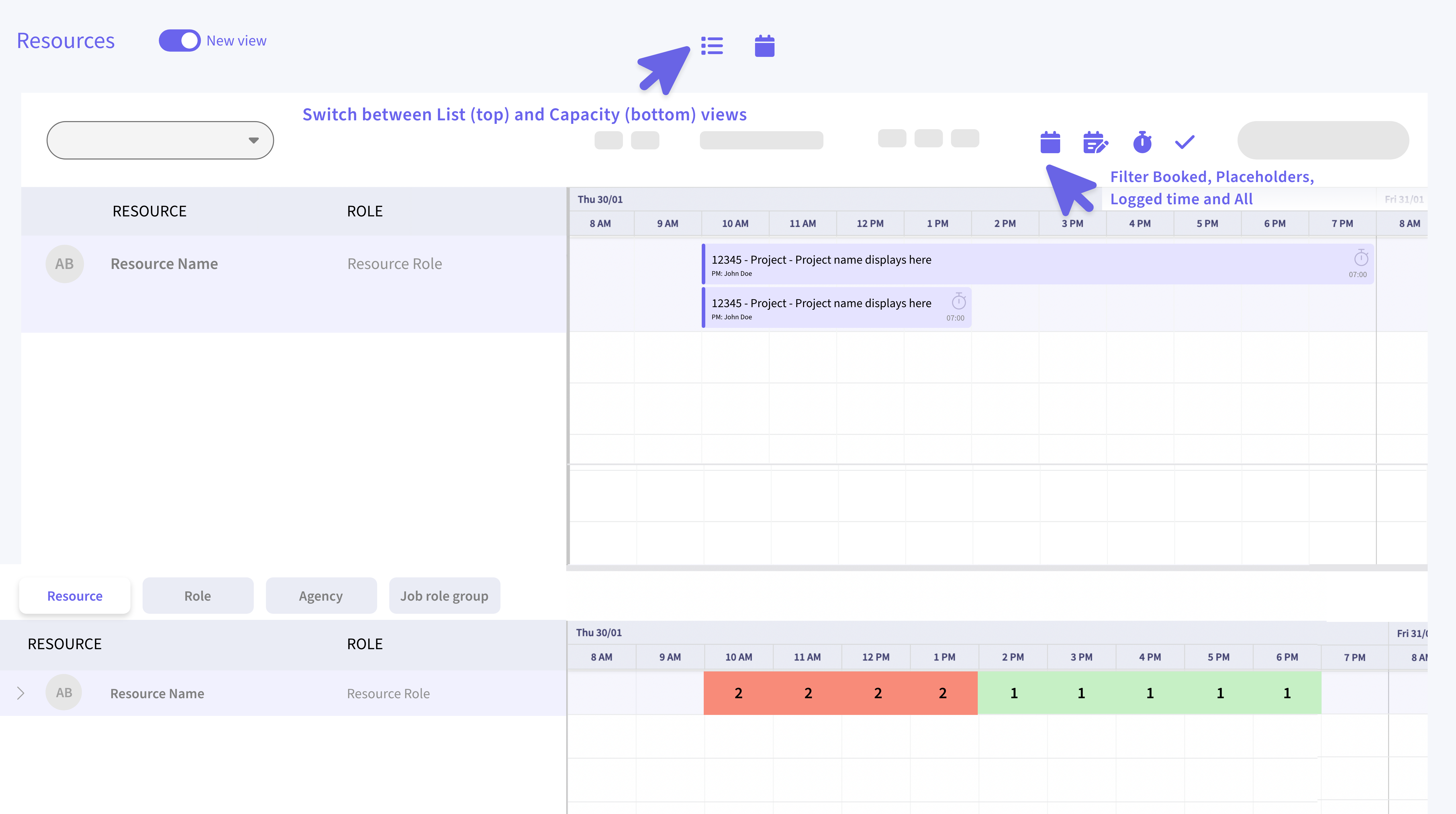
- Views: Switch between List and Capacity views so you can see a much larger space for interaction, or use both stacked together for maximum visibility. At any given time, at least one view needs to be selected.
- Filtering Enhancements: Quickly filter by Booked, Future Logged, or Placeholder bookings, or choose All to see everything in one glance.
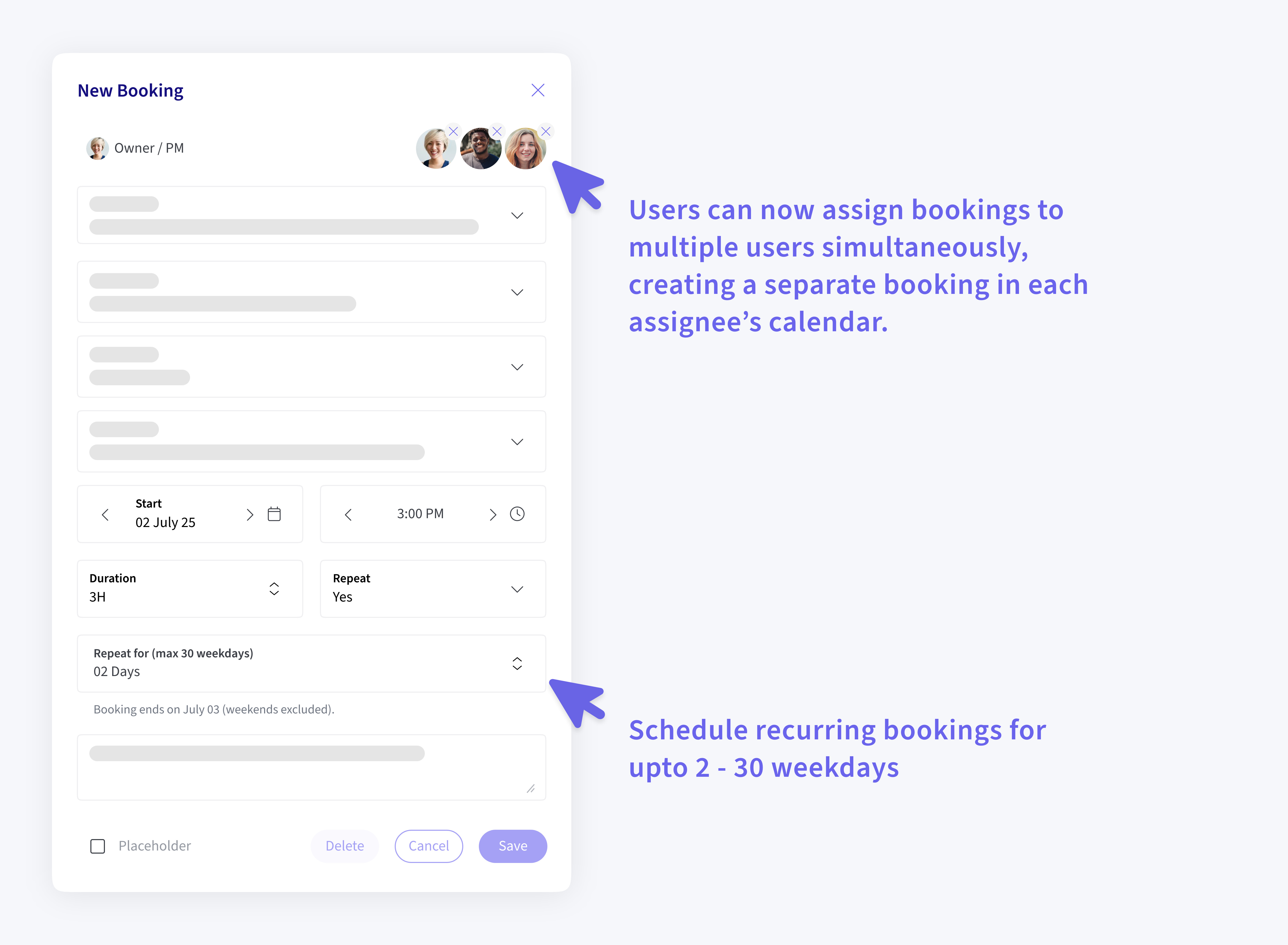
- Recurring Bookings: Schedule recurring bookings for upto 2 - 30 weekdays (Weekends are excluded automatically). The system calculates the end date for you, making planning repetitive tasks a breeze and saving you a ton of time!
- Multiple Assignees: Users can now assign bookings to multiple users simultaneously, creating a separate booking for each assignee. This is intended for situations where multiple individuals are working on the same deliverable.
Note: This does not assign a single line item to multiple users. Rather, it creates independent bookings for each user. Clarification on this feature is underway.