
OMG Release notes - v7.182.0
✨ What’s New This Release
This release is all about working smarter, not harder. We’ve levelled up Briefing with AI that learns from your brand documents, made project and timing plan creation faster via Chat to Brief, and added handy note-taking inside tasks. You’ll also see AI-generated asset titles, improved Planning safeguards, and fresh new views in Skills Matrix and My Resources now live for everyone. Add to that more intuitive buttons and general access to Top Nav Deliverables with inline editing, and you’ve got a smoother, sharper OMG all around! 😎✨
Briefs
Smarter ways to create briefs, projects, and plans via Chat to Brief 💼
✨ Smarter briefs with document-powered AI
You can now upload documents like brand guidelines and creative references into the Library, which help power the AI behind Chat to Brief. So when you ask the AI questions like “What’s missing from this brief?”, it will compare your brief against your uploaded documents and give you targeted, helpful feedback.
This makes it easier to ensure your brief is aligned with brand requirements or campaign goals, without you having to dig through long PDFs manually. 👌
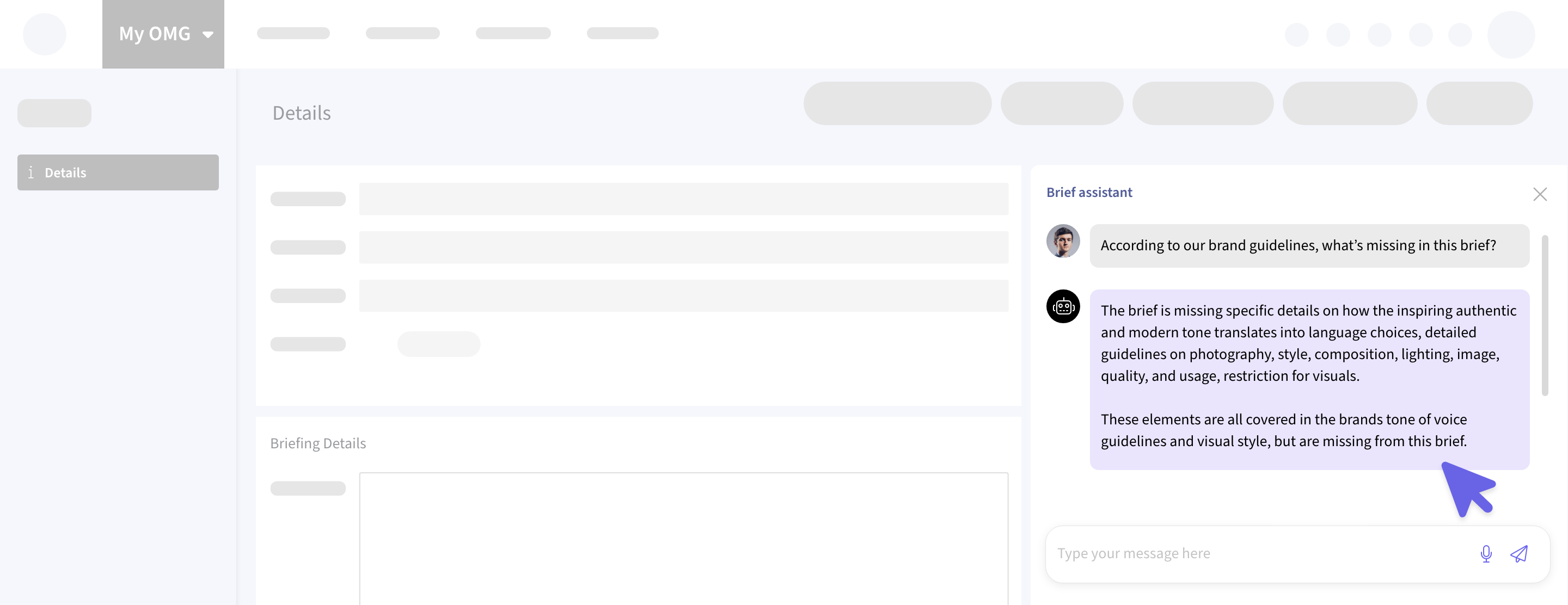
⚡ Automated Project and Timing Plan Creation
You can now create a project or even generate a full timing plan directly from Chat to Brief, just by typing @OMG create project. No need to fill out forms or input every field manually. The system will pull key info straight from the brief, including start/end dates, and link the project to the original brief.
Want to fine-tune the details? You can do that too using natural language. It’s fast, intuitive, and a serious time-saver for your planning workflow. 😌
Library
Let your assets introduce themselves 📚
🤖 Auto-Generated Titles for Library Assets
Now, alongside AI-generated tags and descriptions, the Library will also auto-generate titles for your uploaded assets, helping you stay organised and search-ready without the manual typing.
Because sometimes.. naming files is the hardest part, isn't it? 😅
Plans & Tasks
Making task management and project creation more error-proof 📊
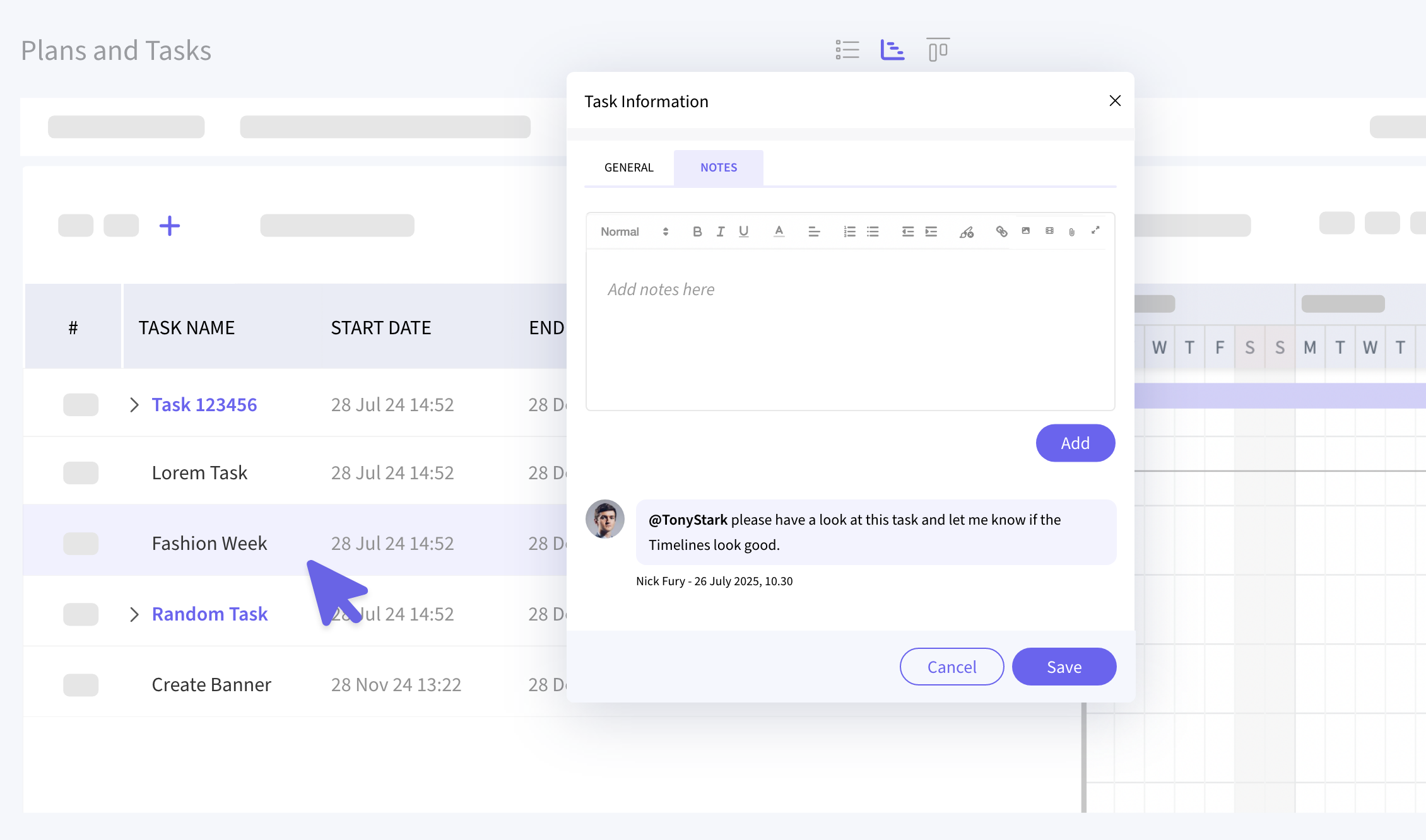
📝 Task Notes (with @mentions!)
There’s now a Notes tab inside every task's create/edit modal, making it super easy to add detailed context, updates, or comments. These notes also show up on the task details page. And yes, you can @mention teammates directly in the notes to loop them in instantly.
Better collaboration? Absolutely! 🤝
Planning
Smarter project creation, fewer slip-ups 📆
🚫 Archived Business Area Check for Projects
Just like how OMG doesn’t allow cloning briefs tied to archived business areas, the same rule now applies to projects.
If you try to clone a project from an archived business area, you’ll be prompted to pick a new active one, keeping your data clean and preventing future errors. Smart!
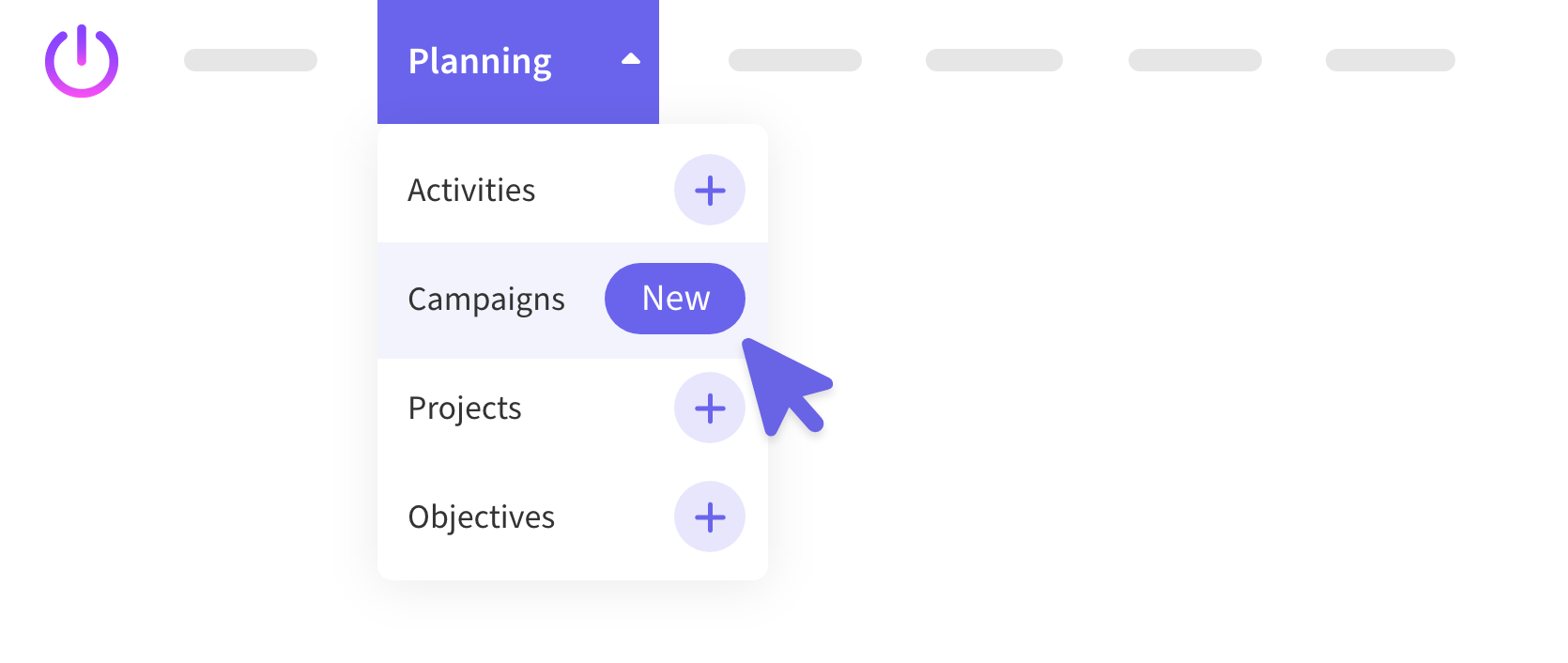
➕ Improved "New" Button
We’ve made the new item creation button clearer!
The ➕ icon in the top navigation now shows a [New] label on hover, making it clear that this button lets you create a new project, activity, or campaign instantly.
It’s a small change, but one that adds a nice touch of clarity 🫡✨
Skills Matrix
Meet your upgraded Skills Matrix 🤩
📊 Smarter, Sleeker Skills Tracking
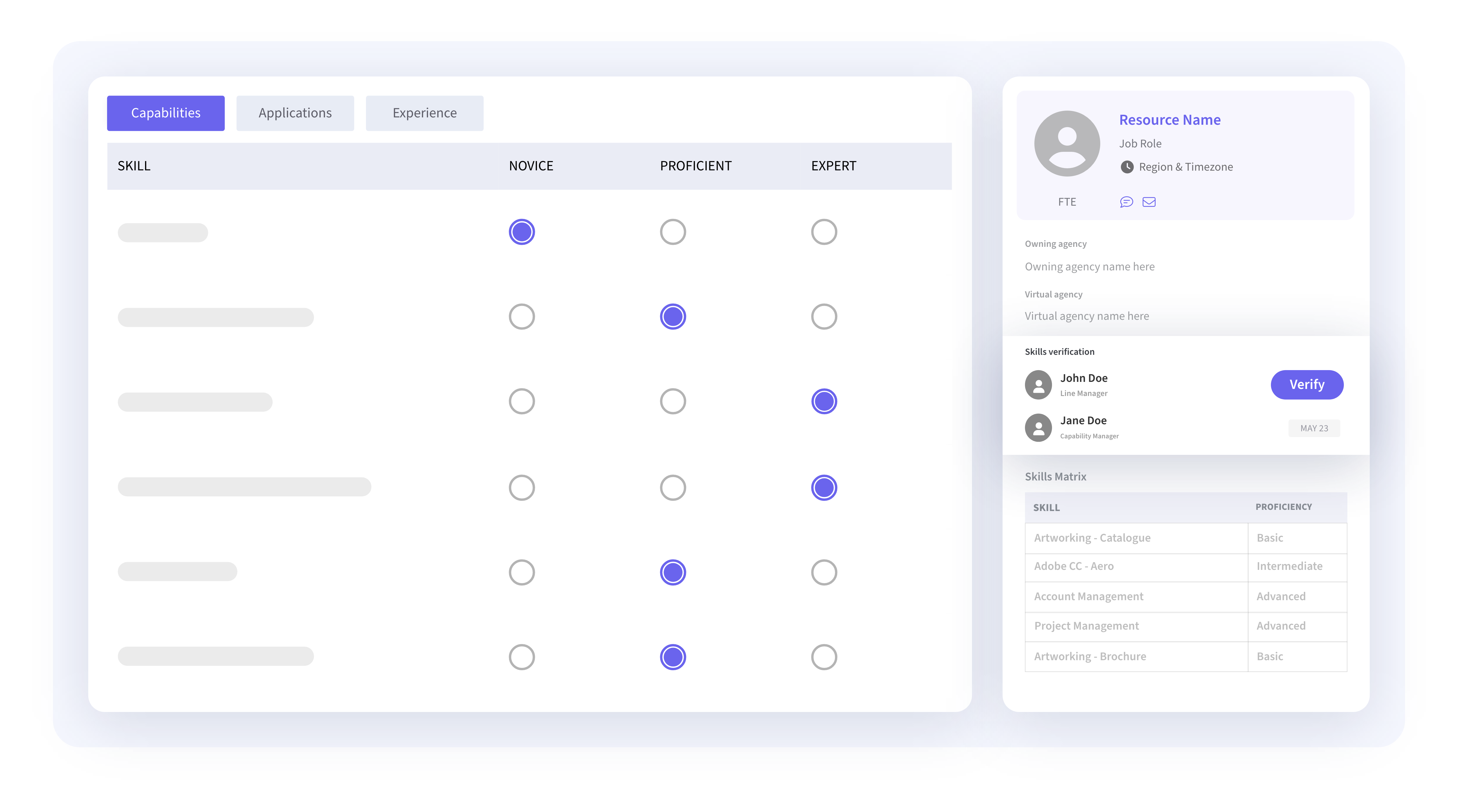
The New Skills Matrix is now live for everyone 🎉
It’s cleaner, more intuitive, and makes updating and verifying your skills a breeze. You’ll see all your skills in one place and even get them verified by your line manager. Talk about being Legit! 😏😎
Prefer the old layout? The toggle’s still there so you can switch between views anytime.
A full how-to guide is on the way.. stay tuned 👀
My Resources
A Smoother Way to Manage Your Time 👥
🧭 Cleaner, quicker, and built to make scheduling way less of a headache.
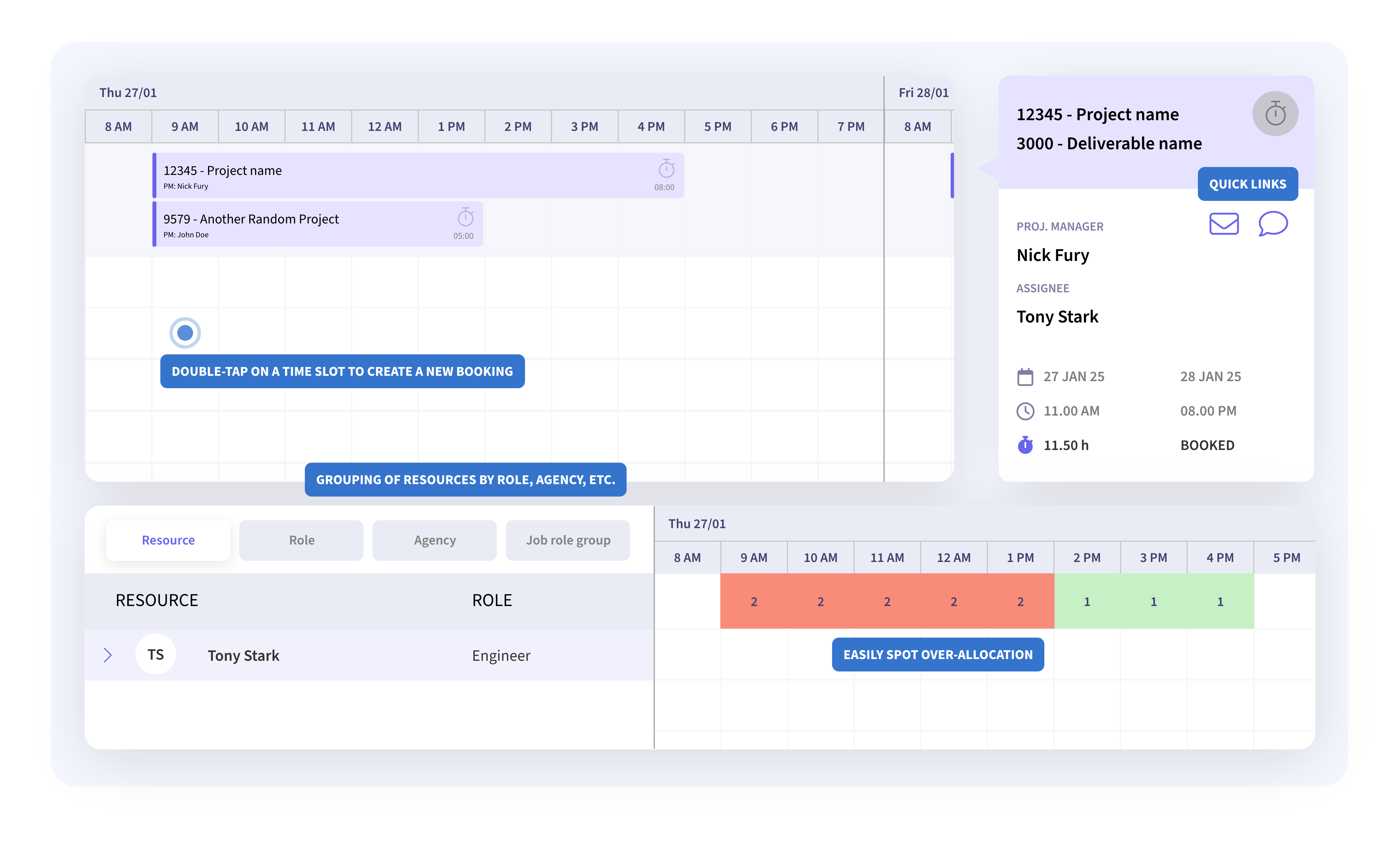
The New My Resources view is now officially available to all users. With smarter grouping, faster access to tools, and a cleaner layout, booking resources is now quicker and easier than ever.
Not ready to part with the old view? No problem — the toggle's still there, so you can switch back anytime.
A detailed guide for this too will be out soon.. so keep an eye out!
Project Margin Dashboard
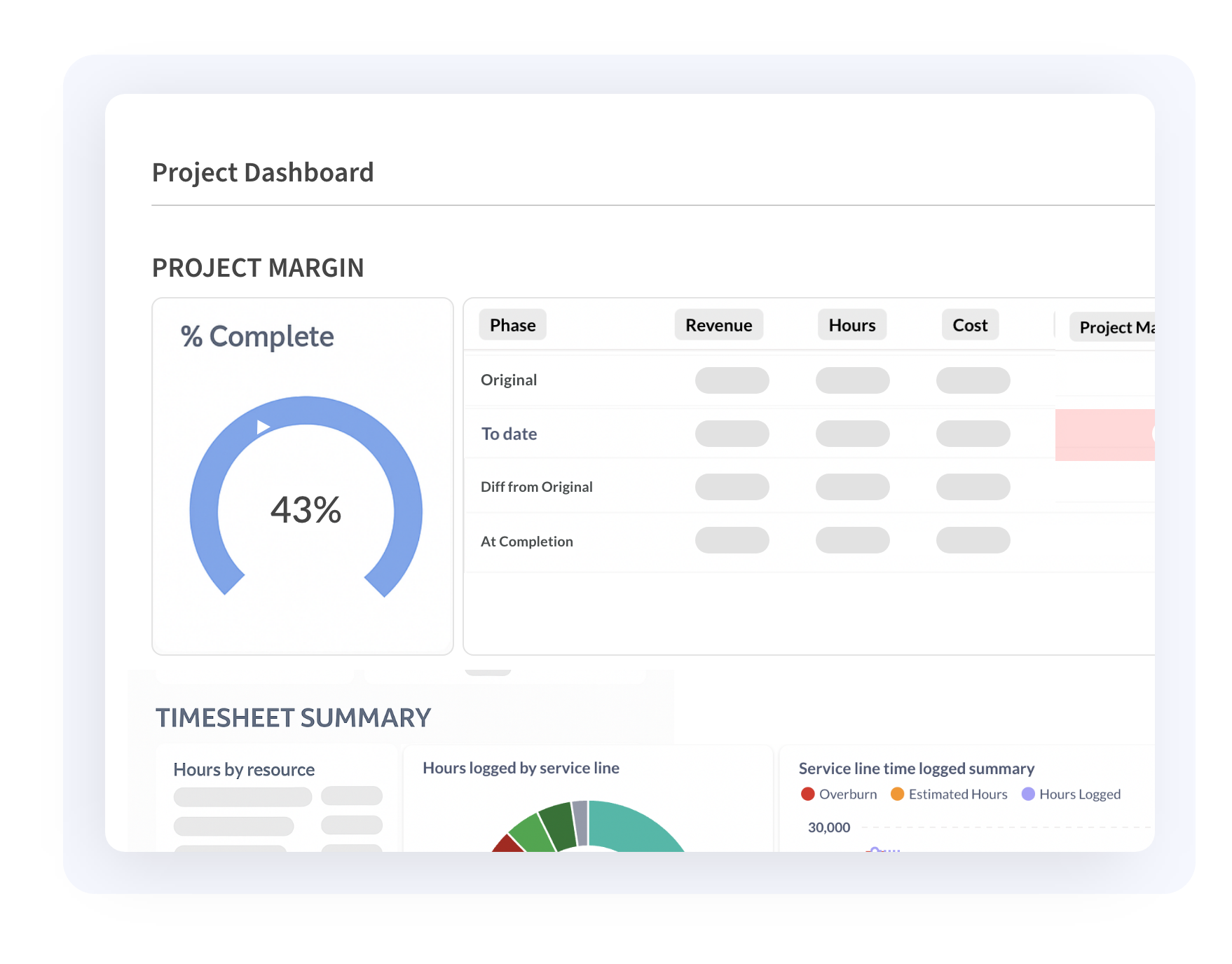
A clearer view of project health 📊
We’ve enhanced the Project Margin Dashboard (Under Project > Analysis) to give project managers better visibility into how their projects are tracking. It now provides improved transparency around time logged, associated internal costs, and third-party expenses, helping teams stay informed and keep things running smoothly.
Top Nav Deliverables & Inline Editing
Out of Beta and Ready for Action 🚀
Top Nav Deliverables and Inline Editing in Planning Deliverables are now officially out of beta 🎉
The toggle to switch back to the old view is still there, just in case you're not quite ready to let go.