
OMG Release notes - v7.199.0
Key updates this release ✨
This release introduces significant improvements to Resource management, Deliverable handling, and the new Estimator workflow. We've also enhanced the Library area with AI-powered asset tagging and made numerous performance optimizations across the platform.
📅 My Resources Scheduler
Smarter Resource Management 👥
- Reflects correct Shift Patterns: Your working hours in My Resources now automatically reflect the shift pattern/s set in your user profile, including support for weekend working days if added.
- Redirects to User Profile: Resource's names are now clickable links that open their user profiles in a new tab (with appropriate permission checks)
- Shows an Owning Agency Column: A new column for owning agencies with corresponding export capability has been added for more efficient filtering.
- Supports Filter Persistence: Any applied Filters, Grouping, and Grouping states are now preserved when navigating away and returning to the My Resources page.
🚀 Deliverables
Create Tons of Deliverables at once using Templates ☑️ ☑️ ☑️
Getting started with Project Deliverables is now easier than ever.
You can access all your available deliverable templates directly from the Deliverables list view page of a Project. Simply click on "Use Template", choose a template or search for one, add the desired quantity of Deliverables required, and create one or multiple deliverables in just a few clicks, saving time and keeping your workflow consistent.
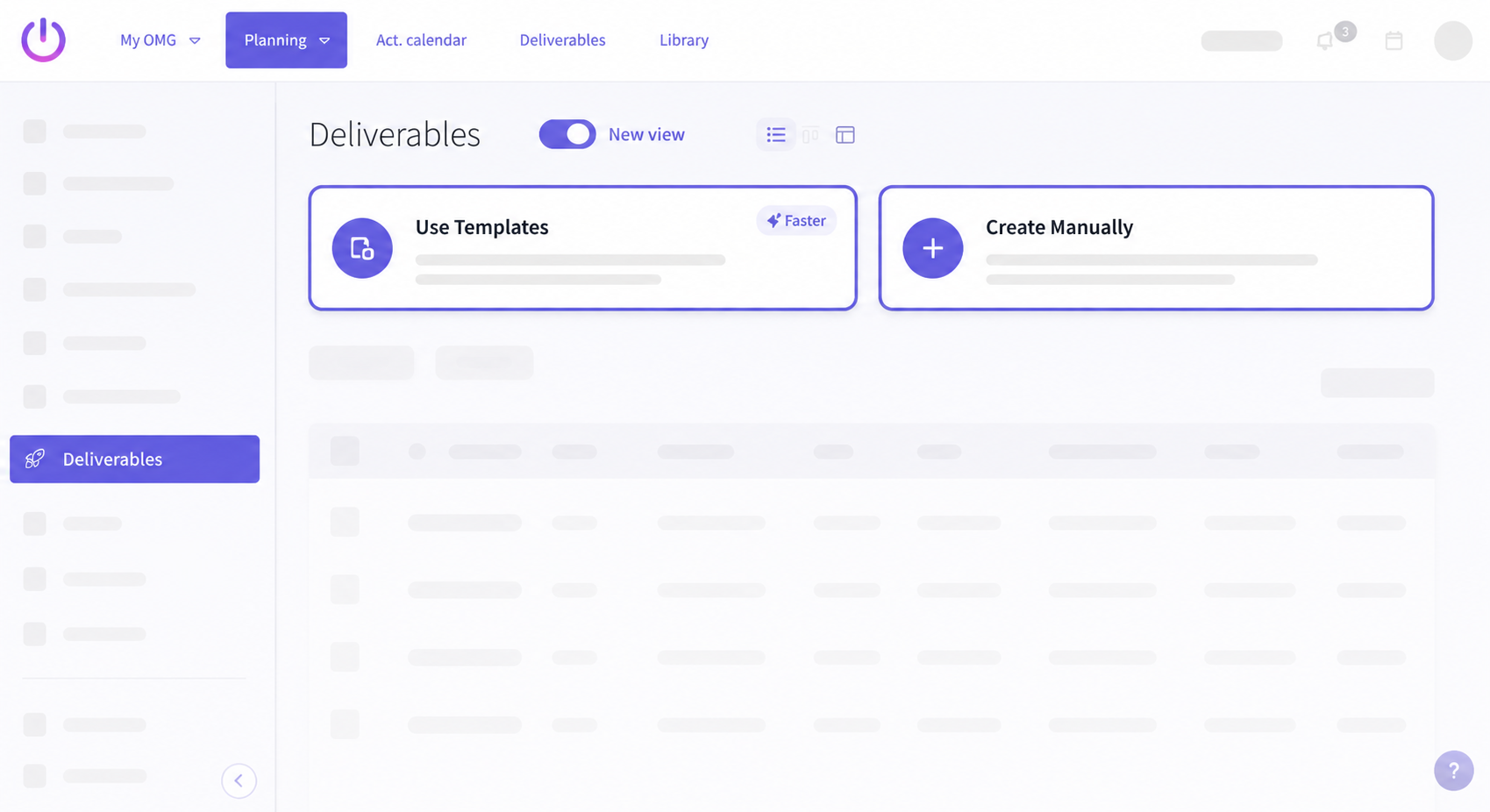
Once an empty project has deliverables, the "Use Template" option is then moved as a button to the top right of the screen with the other relevant actions.
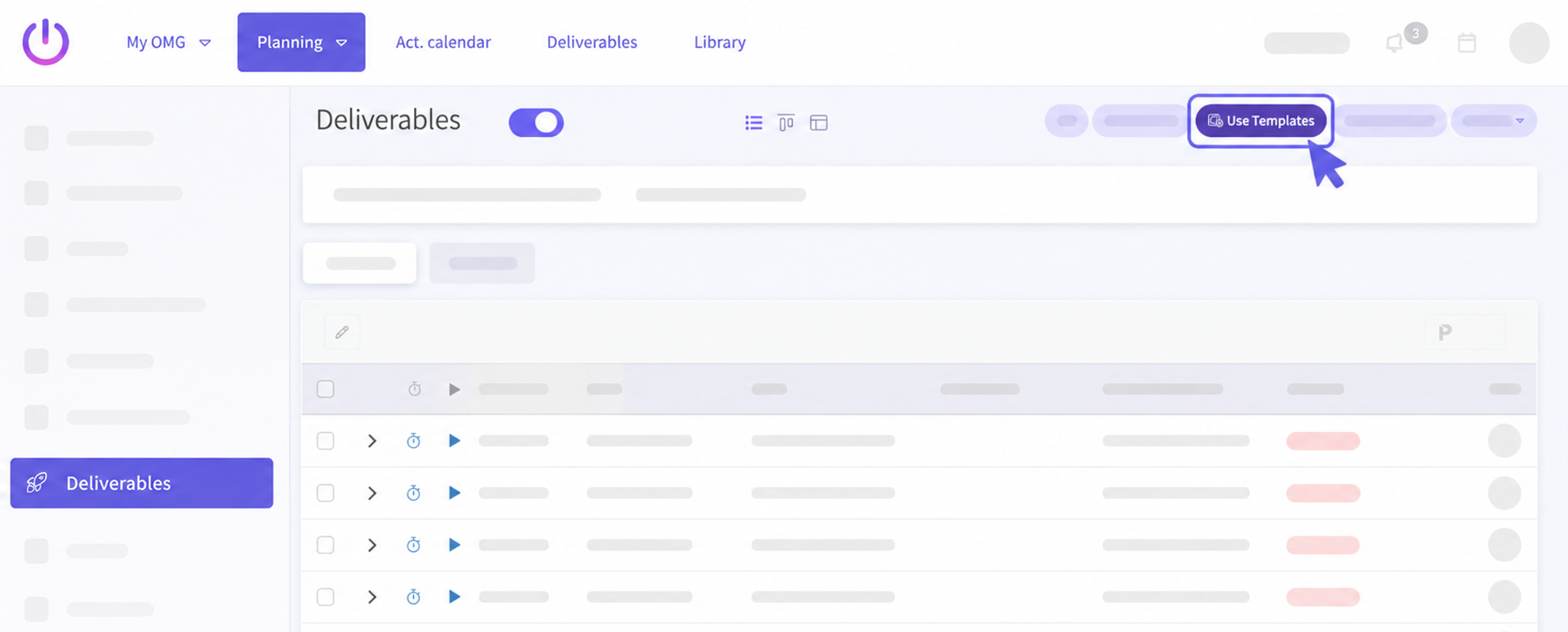
Expandable Row View ⤵️
View stages and line items directly from the Deliverables list view page of a Project without having to open the details page for each deliverable. Here you can:
- Inline edit Deliverables and their Line items
- Add new Line items directly from the expanded view
- View the stage level totals that update automatically based on any inline changes done.
Bulk Deliverable Updates ⚡️
Quickly update several fields for multiple deliverables at once using our new Bulk Update feature with blazing fast performance (100 deliverables in just a few seconds)
🧮 Estimator workflow
Full Status Workflow 📈
Estimators now support Authorize, Cancel, Send for approval, Approve, and Revise actions.
Delivery Region per Line Item 📦
We've moved Delivery Region from the header to individual Line items for a more granular control.
Rate & Delivery Regions 💰
We've added support for defining Pricing and Delivery Locations to calculate Project Margins.
📅 My Calendar
Weekday shift patterns reflect in My Calendar 👨🏼💻
Your working hours in My Calendar now reflect your shift patterns configured in My Profile.
If you have a shift pattern set, your calendar will display only those hours as your working time and this ensures your calendar always matches your actual schedule. Weekdays without no set shift pattern will display the default 9AM to 5PM working time.
Weekend working days 🏖️
Working weekends? No problem!
If you have a shift pattern set for weekends (Sat/Sun), My Calendar will now display those days as working days with the set working hours from the Shift Pattern. Just like in My Resources, your configured shift patterns will always take precedence over your default daily working hours, giving you a consistent view across both areas.
🏞️ Library & Assets
Sharper Asset Thumbnails 🎞️
We've improved the quality of asset thumbnails so they now appear clearer and render correctly without being cut off. Browsing your Library is now a much smoother visual experience, making it easier to identify assets at a glance.
More reliable AI-generated tags 🏷️
AI-generated tags are now more consistent and reliable. We've fixed an issue where tags weren't being generated for some assets, helping improve searchability and making it easier to find the content you're looking for.
Control AI-generated asset titles 🤖
Site Admins can now decide whether AI should automatically generate titles for newly uploaded assets.
A new AI Asset Title Generation preference has been added to Site Preferences, giving you more control over how assets are named. When disabled (set to 0), AI will continue generating descriptions and tags, but titles will only be populated from the file name (if available).
Choose who can access your albums 🔗
Albums can now be set as Public or Invite Only. Public albums can be accessed by other users, while Invite Only albums remain restricted to the people you choose, making it easier to control how your content is shared.