Whats New in OMG Release 195?
Key updates this release ✨
Sprint 195 brings major workflow and billing improvements designed to make project management faster, smarter, and more flexible. Estimates can now have their own billing entities for better ERP alignment and financial control, while new inline duplication and People tab management tools make handling deliverables far more efficient. We’ve also introduced several speed-focused enhancements, including smarter typeahead fields and recent assignee shortcuts, all aimed at reducing clicks and streamlining day-to-day work.
💰 Estimate-Level Billing
More Flexible Billing control
We’ve upgraded the way billing entities work on estimates to support more flexible financial workflows.
- Independent Billing Entities
Estimates no longer have to inherit the billing entity from the parent project. You can now assign a unique client billing entity directly at the estimate level.
- Better ERP Alignment
When an estimate gets approved, the Sales Order created in the ERP system will now reflect the exact billing entity selected for that estimate. This makes it easier for different client divisions to handle billing separately while still working under the same master project.
📦 Deliverables
Duplicate jobs in seconds!
Managing deliverables just got much faster.
- Inline Job Duplication
You can now duplicate jobs directly from the Deliverables List View without opening the detail page.
- Keyboard Shortcuts Support
Simply select one or multiple jobs and useCtrl+CandCtrl+Vto duplicate them instantly. Prefer right-clicking? That works too.
- Smart Copying
Duplicated jobs automatically carry over stages, line items, and contextual details. A new job number is generated automatically, and the deadline is updated to the current date.
🔍 Planning
Manage teams without leaving the list view
We’ve made team management much more accessible directly from the Deliverables List View.
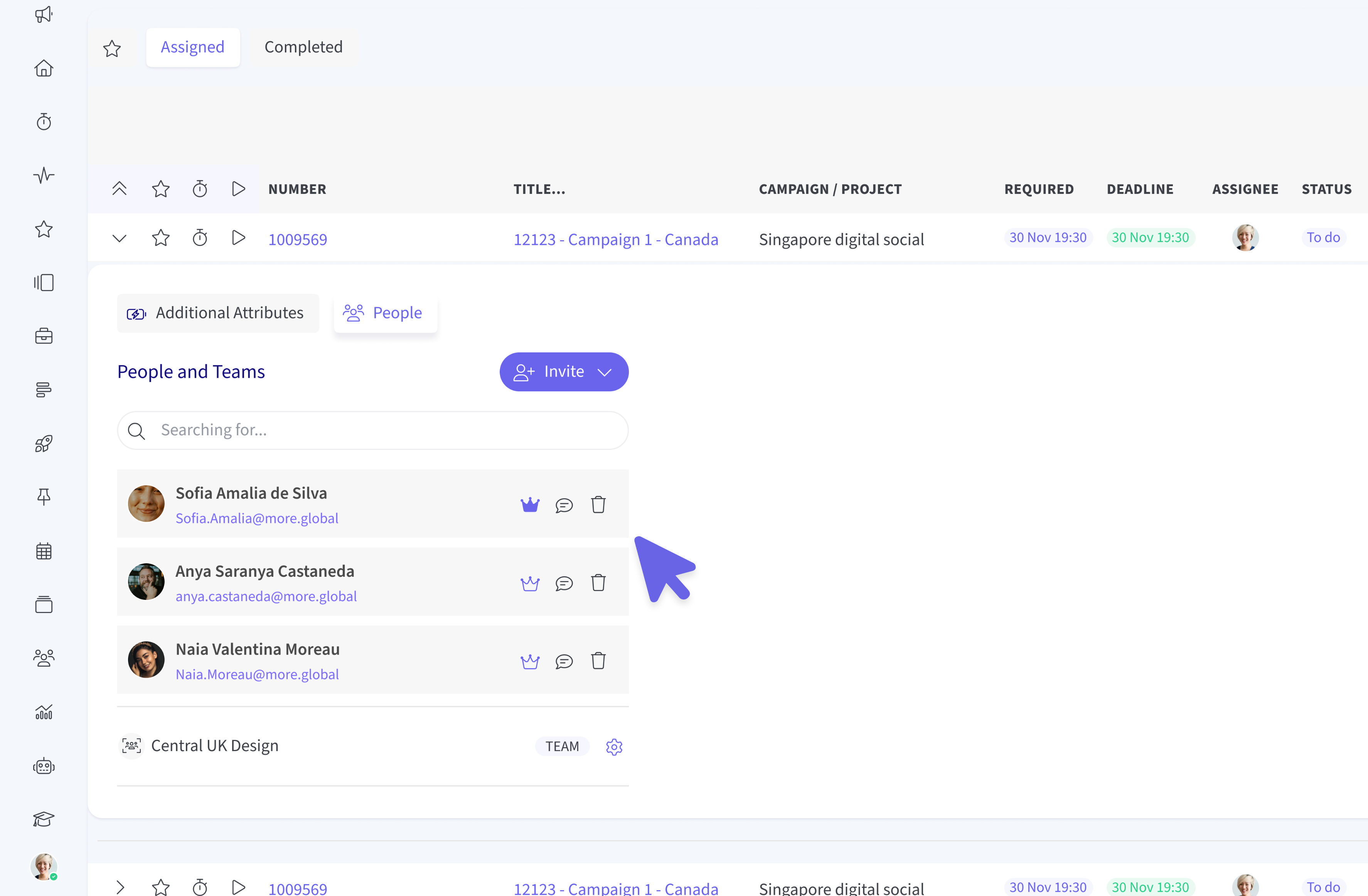
- Inline People Panel 🗂️
A new People tab now sits alongside the Additional Attributes expander, letting you manage teams directly from the list view.
- Manage Users & Teams 🧑🧑🧒
View, add, or remove users and entire teams without needing to open the record itself.
- Ownership Controls 👑
Quickly identify the record owner using the 👑 Crown icon and reassign ownership with a single click.
- Quick Chat Access 💬
Need to message a team quickly? Just click the chat icon to instantly open a communication channel.
- UI Improvements Coming Soon 🔜✨
You may notice that the current layout doesn’t fully utilise the available horizontal space in the panel. We’re already working on improvements, and an updated UI experience for the People tab will be coming in the next sprint.
Billing Contact Typeahead
While creating or editing a project, the Billing Contact field now uses a typeahead search instead of loading huge dropdown lists. Just type a few initials to quickly find and assign users, improving both usability and page load speed.
⚡ Plans & Tasks
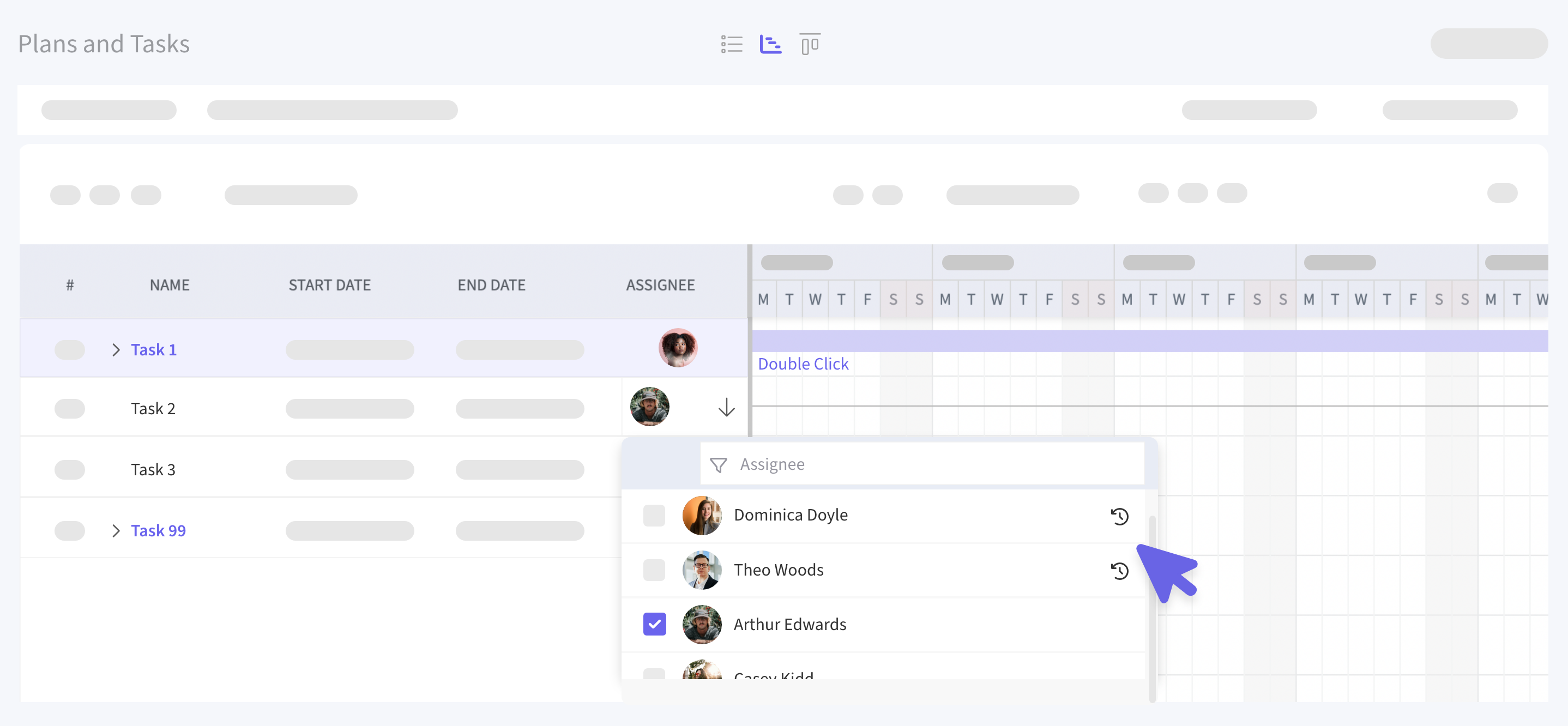
Recent Assignees in Plans & Tasks
The Assignee field now includes a Recent Items section at the top of the dropdown, making it much easier to repeatedly assign tasks to the same group of people.